
Importing your whole Subsurface divelog
Subsurface is the dive log every other dive log is measured against. It was started by Linus Torvalds in 2011, has been led by Dirk Hohndel and a community of divers ever since, and it's free, open source, and runs on Linux, macOS, Windows, Android, and iOS. Through libdivecomputer it downloads from more dive computers than any commercial product bothers to support, including plenty the manufacturer stopped caring about years ago. If you've ever wanted your dives off your computer and into a file you own, chances are you passed through Subsurface to get there.
Subsurface also settled, early on, something I care about a lot: your logbook is a plain file on your own disk, in a documented format, readable without an account and without permission from anyone.
That file made this the hardest importer I've written, and the most interesting. Subsurface isn't a simpler tool I could pour into Divebase and tidy up afterwards; in several places it records more per dive than anything else Divebase reads: trips, free-text tags, weights as a list of named pieces, per-cylinder gas with the exact second the diver switched onto it, per-sample tank pressure, the recording computer's serial, firmware, and decompression algorithm, and every warning and bookmark the computer raised. I set the same bar as for MacDive: everything the format holds, in the right fields, with nothing dropped on the way. Today the Subsurface import is here, and it takes the whole divelog.
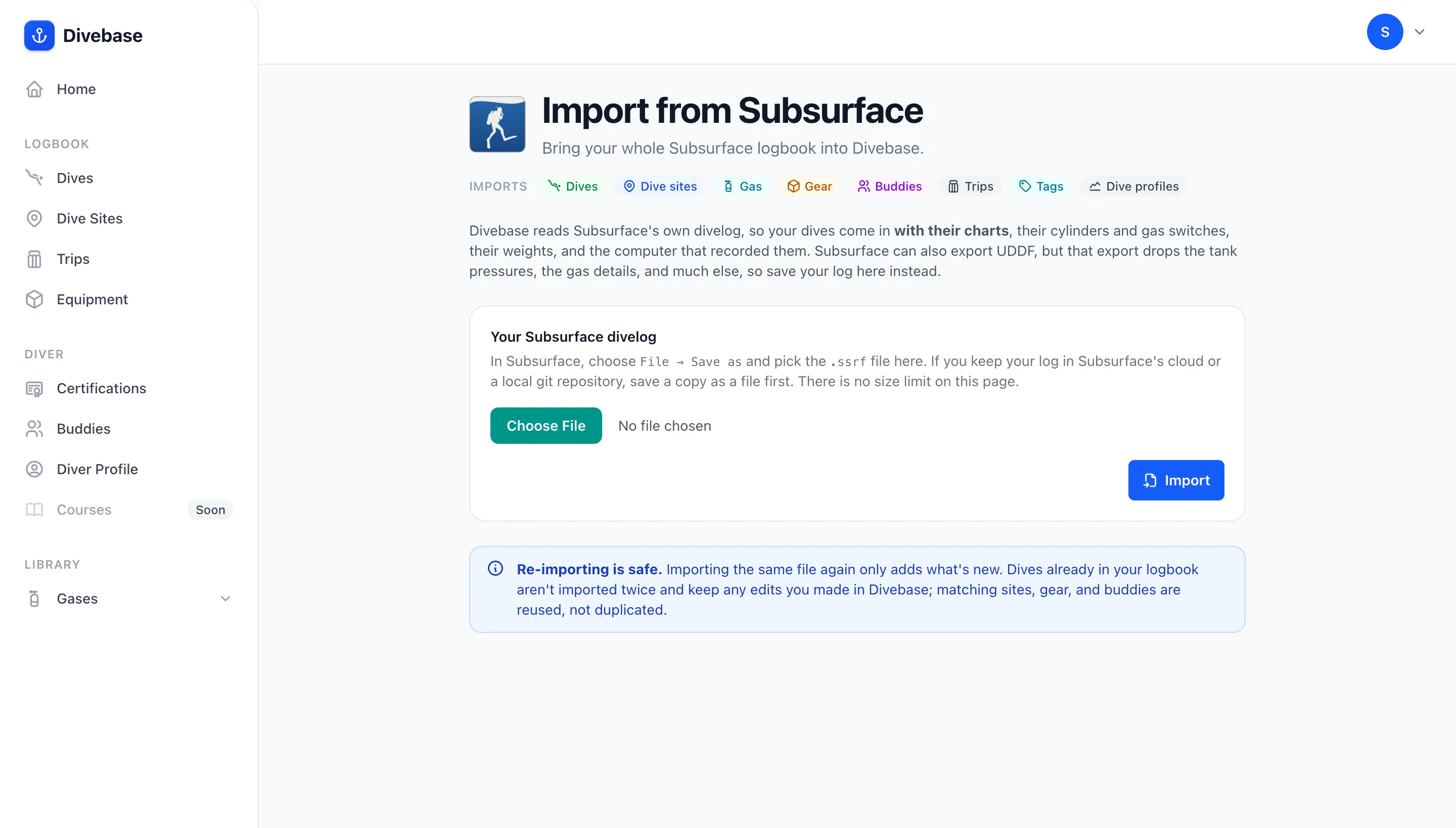
What comes across
Save your divelog out of Subsurface, upload it, and Divebase reads all of it:
- Dives — number, date and time, duration, maximum and average depth, rating, notes, CNS and OTU, the mode the computer was in, and the decompression algorithm it ran, gradient factors and all.
- Trips — this is the first Divebase importer that brings trips across. A Subsurface trip becomes a Divebase trip with its name, its locality, its notes, and a real span: Subsurface records only a start date, so the span is read from the dives the trip wraps.
- Dive sites — name, coordinates, locality, country and region, and notes. Every site in the file, not only the ones a dive points at.
- Tags — every tag on every dive, verbatim, in your own capitalization. Subsurface treats tags as free text over a default vocabulary you extend at will, exactly the model Divebase tags landed on last week, so they map one to one.
- Gas and cylinders — your mixes and your tanks with their real volume, working pressure, and material, plus the start and end pressures on every dive, and the role each cylinder played: bottom gas, diluent, oxygen.
- Conditions — visibility, current, the air and water temperatures, and the weight you carried, summed from the individual pieces Subsurface lists. A
boatorshoretag sets how you got in. - Buddies — everyone named on a dive, and the dive guide, linked back to those dives.
- Gear — your suit, matched to your equipment library and attached to the dives you wore it on.
- Dive profiles — the whole sample series, every channel, charted. No second file, no second step, nothing encrypted.
Sites also pick up what your dives say about them: a pool, lake, or river tag sets the body of water, a fresh tag or a recorded salinity sets the water type, and a tag naming something you dive for sets the site's interests.
Where Subsurface out-details everyone
The exact moment of every gas switch. Every other source tells you which gases were on the dive; Subsurface tells you when each one came into use, because it keeps the computer's own gas-change events with the cylinder index attached. So each gas on an imported dive carries a real window and a real duration. On an open-circuit dive that's the switch sequence, each cylinder handing over to the next; on a closed-circuit dive the diluent and the oxygen run the whole dive in parallel, the way the loop actually works. This is the single best thing in the format.
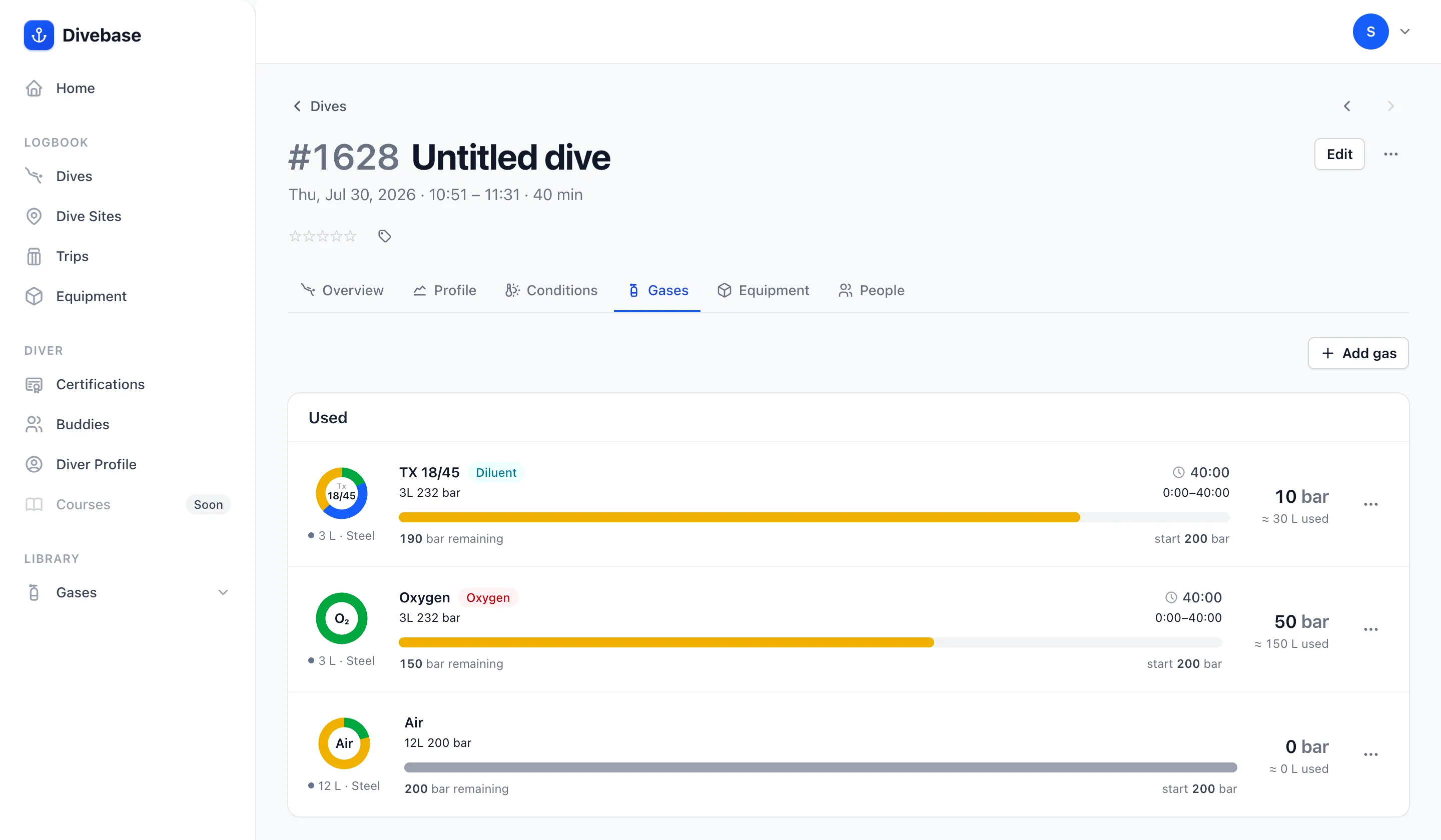
The third cylinder in that shot shows the other side of the same rule: the diver recorded pressures on it, but no event ever switched onto it, so Divebase leaves its window empty rather than inventing one.
A few more readings come across here that Divebase has never been handed before:
- Tank pressure, sample by sample — if you dive a transmitter, the pressure trace comes across in full, resolved through the computer's own sensor-to-cylinder mapping, so a multi-transmitter dive puts each series on the right tank.
- Rebreather detail — each oxygen cell reports on its own line, and the setpoint comes through whether the computer sampled it or you entered the changes by hand.
- Time to surface — Subsurface is the first source Divebase reads that carries
ttsat all; UDDF simply has no field for it. - Events by number, not by name — Subsurface stores each marker with its libdivecomputer type number, the same vocabulary a Divebase profile already speaks, so ascent-rate warnings, deco stops, safety stops, gas switches, and bookmarks land as themselves. (A MacDive XML export makes me match on the English word instead.)
One property of the format is easy to get wrong, and worth knowing about so you can be confident it was handled: Subsurface writes a sample value only when it changed. A sample with no temperature doesn't mean there was no reading; it means the temperature is the same as the last one written. Only time and depth appear on every sample. A reader that treats a missing value as a missing reading keeps a small fraction of what the file holds, and the dive still looks fine, which is the worst kind of bug. Divebase carries every channel forward, so what you get back is the series your computer actually recorded.
The same care goes into what is not imported. A dive computer writes its whole configured gas list, not just the gases you breathed: a Shearwater download routinely lists five cylinders for a dive you did on one. Divebase imports a cylinder only when the file shows it in use.
What doesn't come across
Not everything has a home yet, and I'd rather list it here than let you find out:
- Time zones. Subsurface stores the wall-clock time the computer recorded, with no zone and no offset. Divebase stores it exactly as given, the same way Subsurface itself reads it back, and leaves the time zone empty.
- Photos. A
<picture>in the divelog is a path to a file on your own machine. The image itself isn't in the file, so there's nothing to import. - Twin sets. Subsurface writes a manifolded pair as one cylinder of the combined volume, with no flag to recover the pairing from. It imports as a single cylinder of that volume: your gas capacity and your consumption are right, but the twin shape is lost.
- Gear beyond your suit. Subsurface keeps no equipment library, so the suit is the only piece of gear there is to bring.
- Buddy details. Names only, again because Subsurface keeps no address book. Your dive guide imports as an ordinary buddy.
- Trip type. Divebase asks every trip what kind it was and Subsurface records no answer, so imported trips arrive as Other and you set the real one.
- Manually added dives get no profile. A dive you typed into Subsurface still carries a sample series, but Subsurface drew it from the three numbers you entered. It's a picture of a dive, not a recording, so Divebase doesn't chart it. Everything else about the dive comes in, including the average depth that shape was computed from.
- Wave size, surge, chill, and surface pressure have no home in Divebase yet. They stay in the stored file, waiting for a richer conditions model.
A second dive computer on the same dive is read for nothing beyond the first: a Divebase dive holds one profile. The rest stays in the uploaded document either way, so nothing you send is thrown away.
Don't use Subsurface's UDDF export
Subsurface can write UDDF, and Divebase has read UDDF since its very first importer, so that file will upload and your dives will appear. Upload the .ssrf instead. Two reasons.
The export throws most of it away. Subsurface's UDDF is a stylesheet transform of the very document this importer reads, so it keeps only what UDDF has a field for. Per-sample tank pressure, cylinder geometry, weights, tags, the dive guide, your suit, the dive computer model, every computer event, the setpoint, CNS, and OTU: all gone, and all sitting in the .ssrf on your disk right now.
The export also can't be re-imported, and this is the part that really bites. Its dive ids are regenerated from scratch every time Subsurface writes the file, so nothing in it is stable enough for Divebase to recognise a dive it already holds: upload the export a second time and you import your entire logbook again, in full, as duplicates. The native divelog is the opposite: its identities are durable, so you can upload it as often as you like and only the new dives come in.
Step by step
1. Save your divelog. In Subsurface, choose File → Save as and keep the .ssrf file somewhere easy, like your Desktop. If you keep your log in Subsurface's cloud or in a local git repository, save a copy out as a file first: Divebase reads the document, not the repository. Both of Subsurface's native extensions are accepted, .ssrf and .xml.
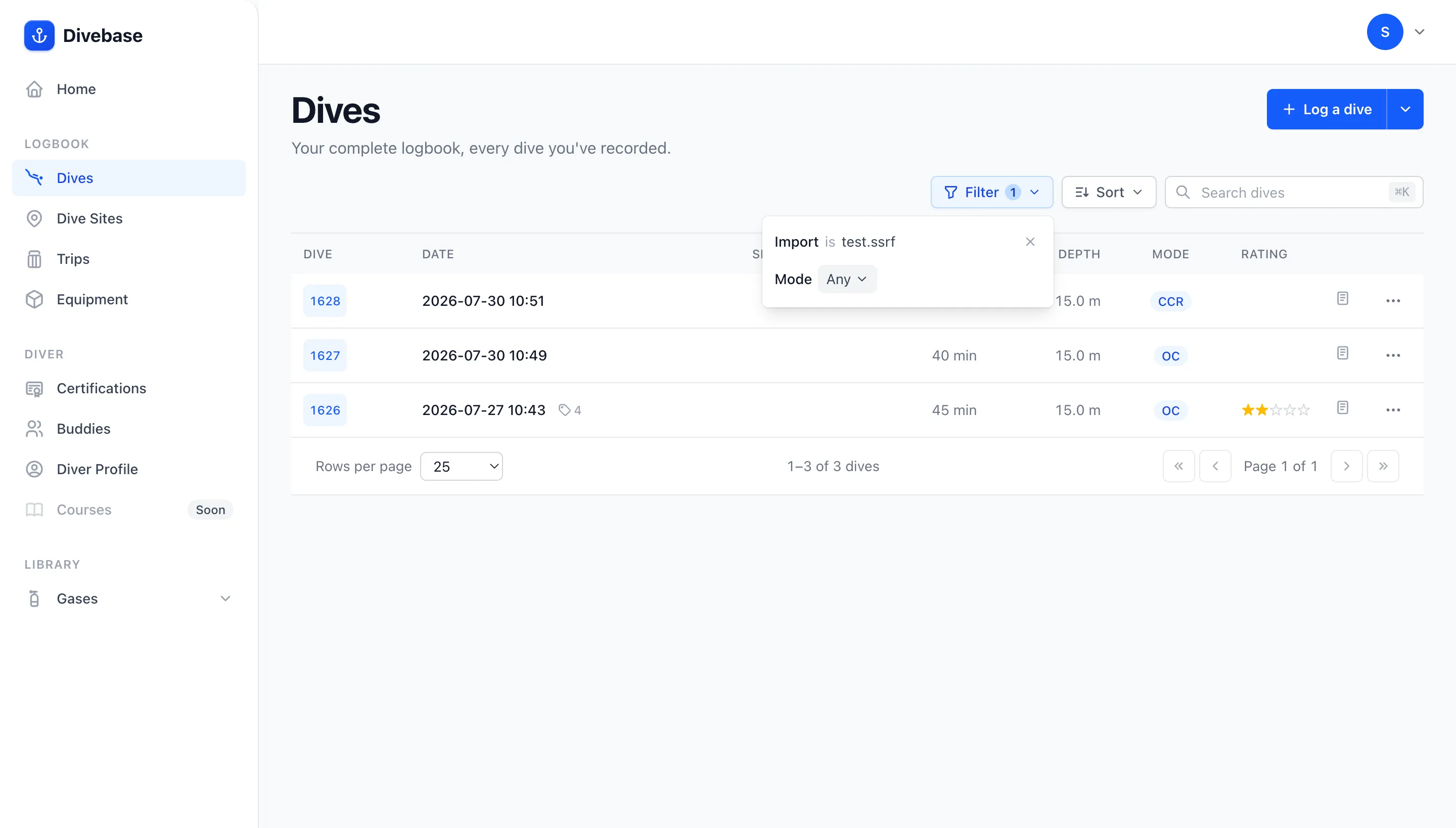
2. Upload it. In Divebase, open the top-right menu, choose Import & Export, and pick the Subsurface card. Use this section rather than the drop zone on the main import page: there's no size limit here, and a real logbook needs it.
3. Let it run. The import starts immediately and runs on the server, so you can close the tab and come back to it. The page tracks it live: sites, buddies, gear, and trips first, then the dives, counted up against the number the file holds. The dives step is the long one, on purpose: each dive is written together with its gas, its weights, its tags, its buddies, its suit, and its full profile, so your logbook never holds a half-built dive.
4. Read the summary. When the run finishes you get a count of everything it created and a link straight to the dives it brought in.
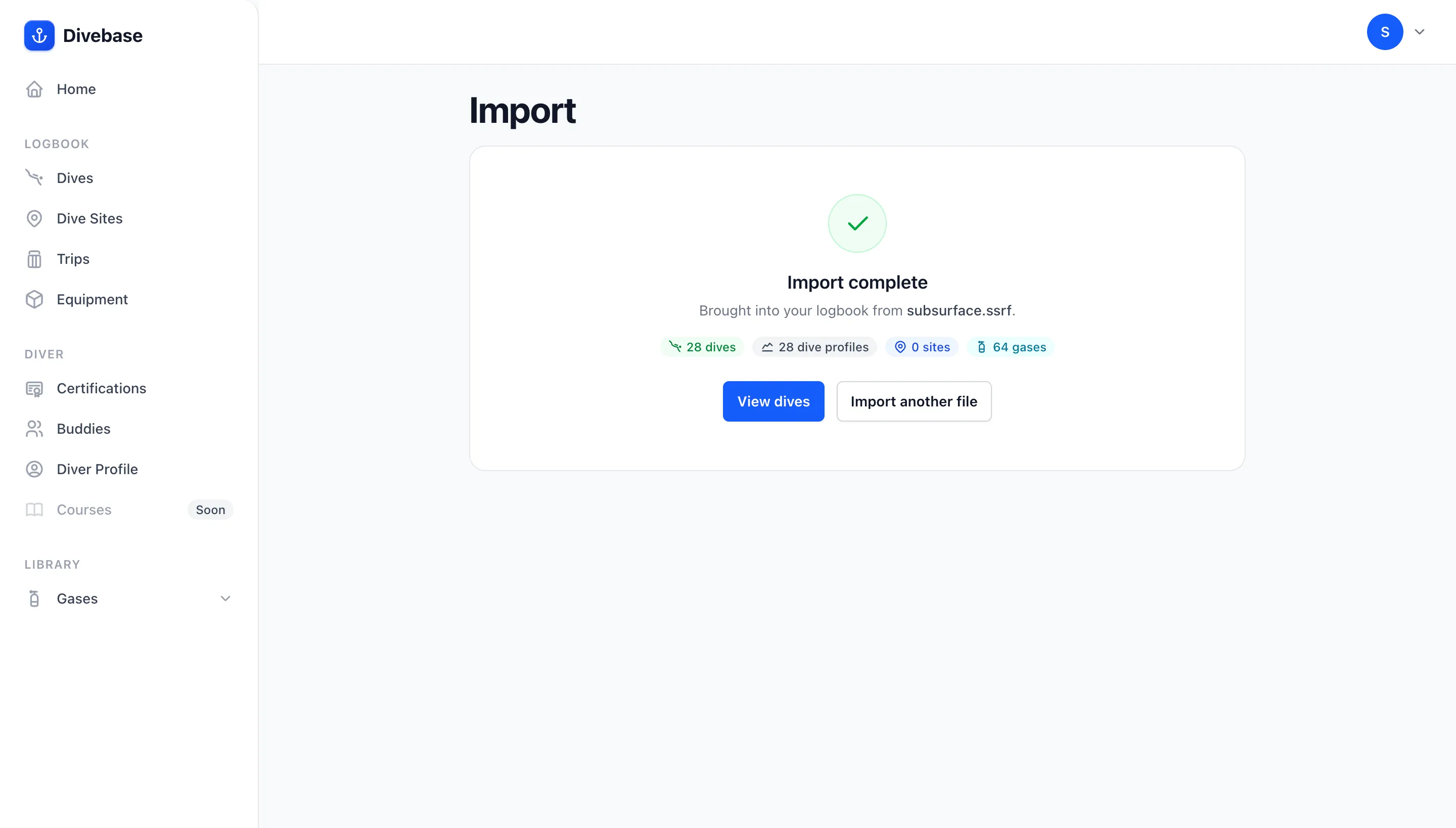
View dives is worth the click even later: it takes you to your logbook filtered to the import that brought them in, so you're looking at exactly what one file added and nothing else. The condition sits in the Filter control and drops when you want the rest of your dives back. If an import ever brings in something you didn't expect, that link is how you find it.
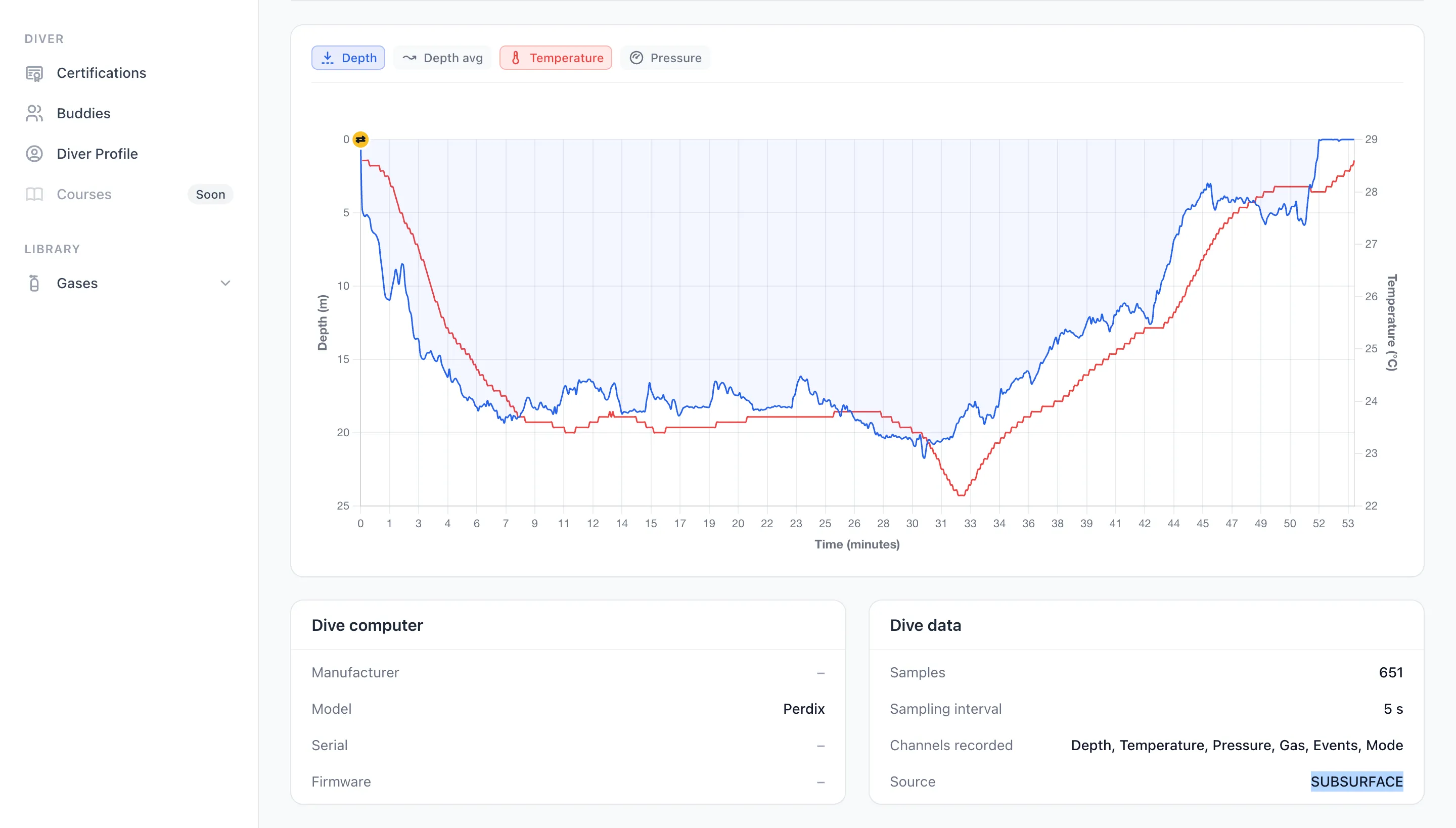
And here's a dive's chart, straight out of the divelog with nothing to decrypt: depth and water temperature, with the average depth and the tank pressure a toggle away, and the computer's own events marked along the dive. The two panels under it name the recording computer, the sample count and interval, and the exact channel list your computer wrote.
Your trips come across too, each one carrying the dives it grouped, its locality, and its notes. Subsurface states only a start date, so Divebase reads the trip's own dives for the dates it covered: the Maldives trip below runs 27 to 30 July because that's where its two dives fall.
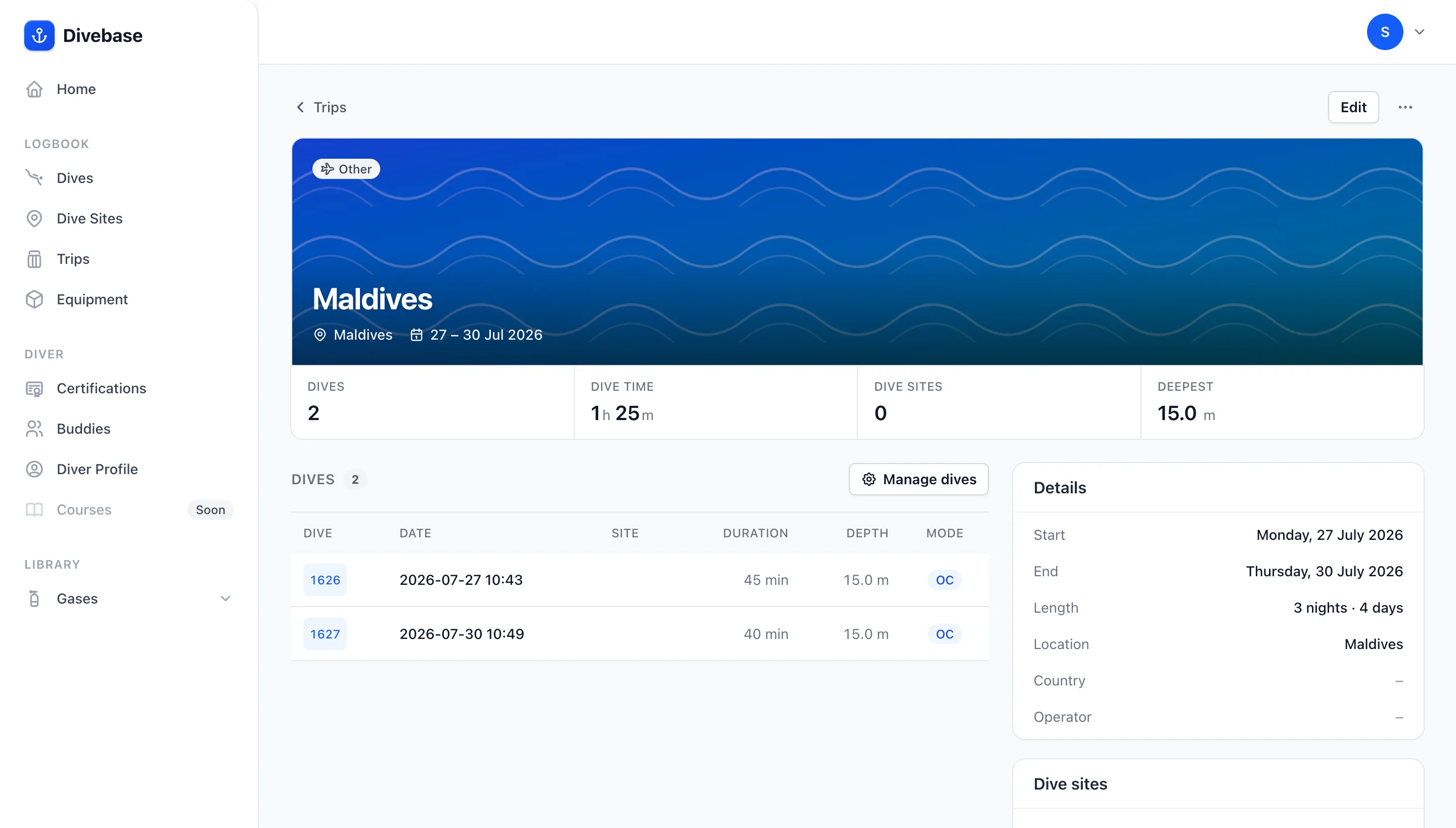
The Other chip on that trip is the missing trip type from earlier. Open it, set it to Liveaboard or Resort or whatever it was, and it stays set: a re-import never writes over a trip it already created.
Re-importing is safe. The import only adds. A dive already in your logbook is recognised and skipped, keeping any edits you made in Divebase; matching sites, cylinders, gas, gear, buddies, and tags are reused rather than duplicated. Keep diving in Subsurface and upload a fresh save later: only the new dives come in, and they join the trips they belong to.
One caveat, and it only affects a few of you. Because an existing dive is never touched again (that's what protects your edits), a trip is only created when at least one of the dives it groups is new. If you imported your Subsurface log during the couple of days before trips were read, those dives keep their sites, gas, and profiles but stay ungrouped, and grouping them is manual. Every import from here on carries its trips.
Thank you, Subsurface
Fifteen years is a long time to keep a piece of software alive, and Subsurface has done it in the open, for free, for anyone who turned up. There are divers who have a logbook at all today because Subsurface was there when nothing else would talk to the thing on their wrist. If what you want is a proper desktop application, one that runs on your own machine and keeps your log in a file you can point at, Subsurface is a great place to keep diving, and nothing about this importer says otherwise. This one exists for the divers who also want to be somewhere else, or in both places at once, and it exists because Subsurface never kept its format to itself.
Found something that didn't come across, or came across wrong? I want to hear about it: hello@divebase.cloud. Bring your divelog across, and, as always, dive safe! 🤿