
Tracking the gas you breathe, dive by dive
You can build your gas mixes, you can define your cylinders, and the obvious next step writes itself: putting the two to work on an actual dive. A mix tells you what you breathed and a cylinder how much you carried; pair them on a dive and Divebase can finally answer the question every logbook dances around, how much gas did you actually use?
A new Gas consumption panel now rides in your dive's Overview. It's the summary view: every tank and mix you breathed on the dive, each with its blend, a pressure gauge, and the gas you got through.
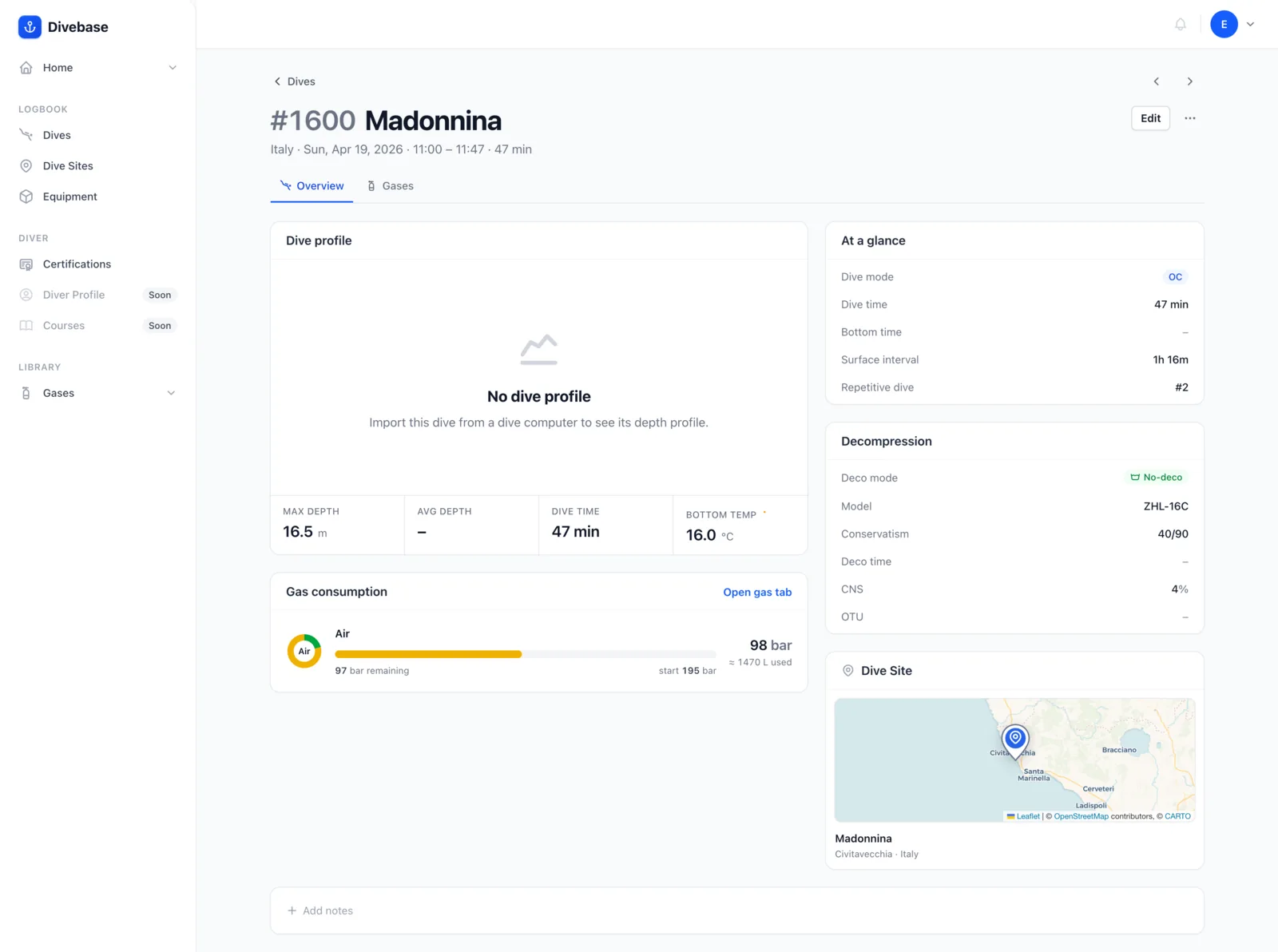
But that's only the preview. Open the new Gases tab and you get the full picture: every cylinder on the dive, when each gas was in use, the pressure you started and ended on, the volume that worked out to, and your SAC for the gases you breathed.
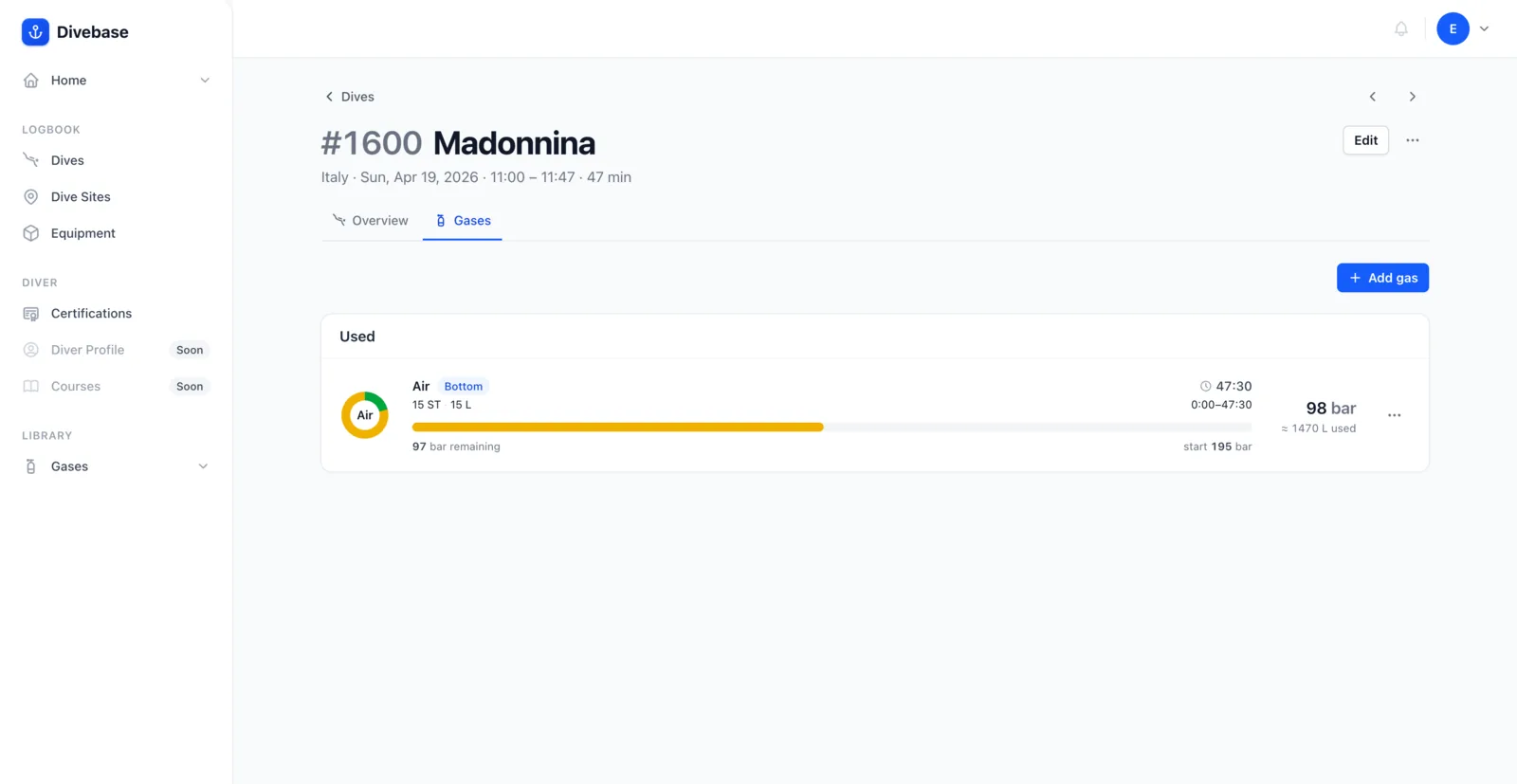
Admittedly, all of this is a touch overkill for a simple one-tank recreational dive. But I'm hoping technical and rebreather divers will feel right at home.
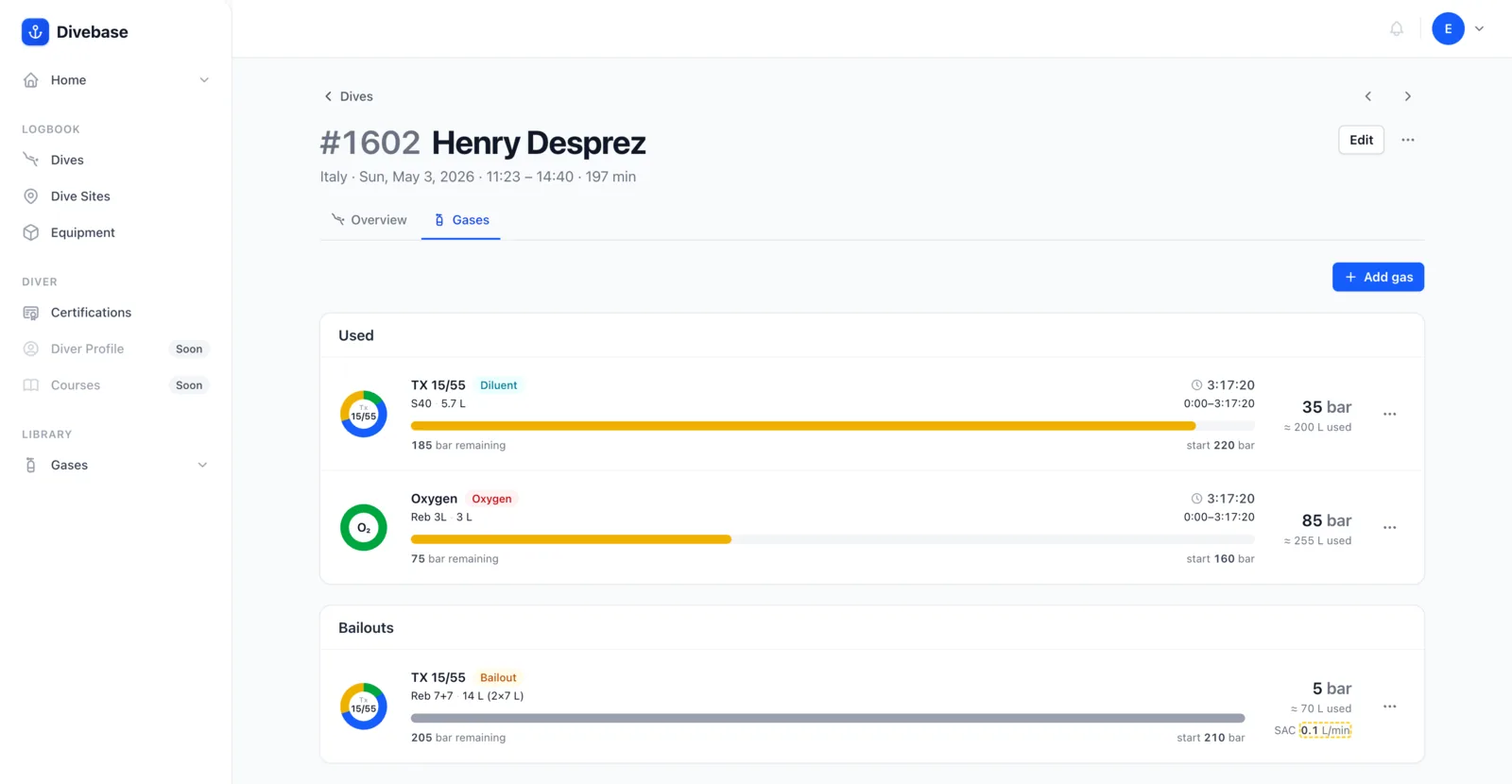
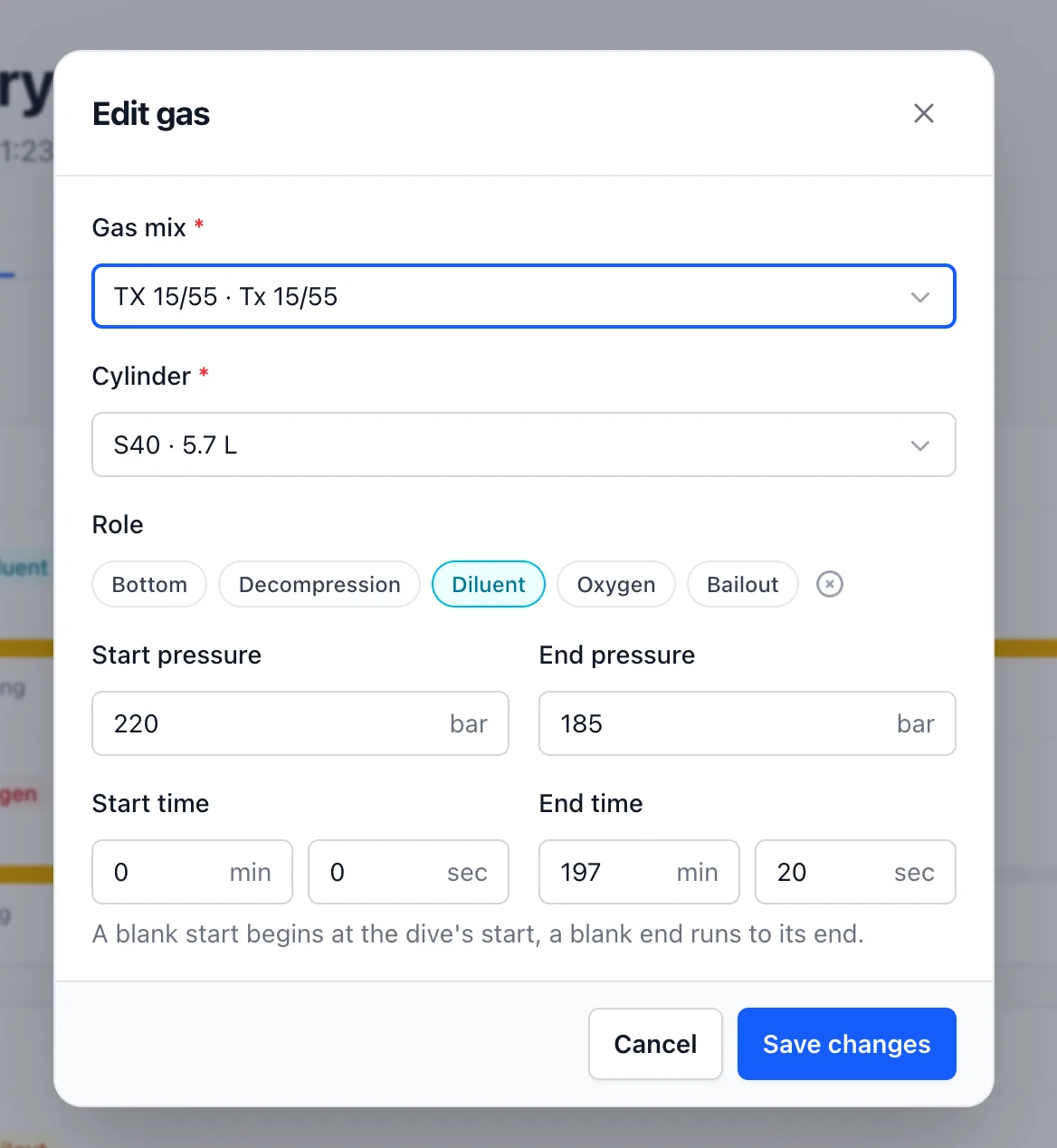
Each gas carries a role, which is where it earns its keep:
- Technical divers can log a bottom gas, one or more decompression gases, and the switches between them. Every gas has its own start and end offset, the slice of the dive it was actually breathed, which down the line will let us mark those switches right on the dive profile.
- Rebreather divers can track diluent and oxygen running on the loop at the same time, plus any bailout carried along. This one is personal: it was the single biggest wall I hit in MacDive. It was never built with rebreathers in mind and wouldn't let two gases run in parallel, so on every CCR dive I had to choose, diluent or oxygen, never both.
This update is bigger than it looks. It's the first outing for the tab layout that will carry the rest of a dive's detail from here on, so the shape you see today is the shape you'll keep seeing as more sections land. And it quietly introduces filtered dives.
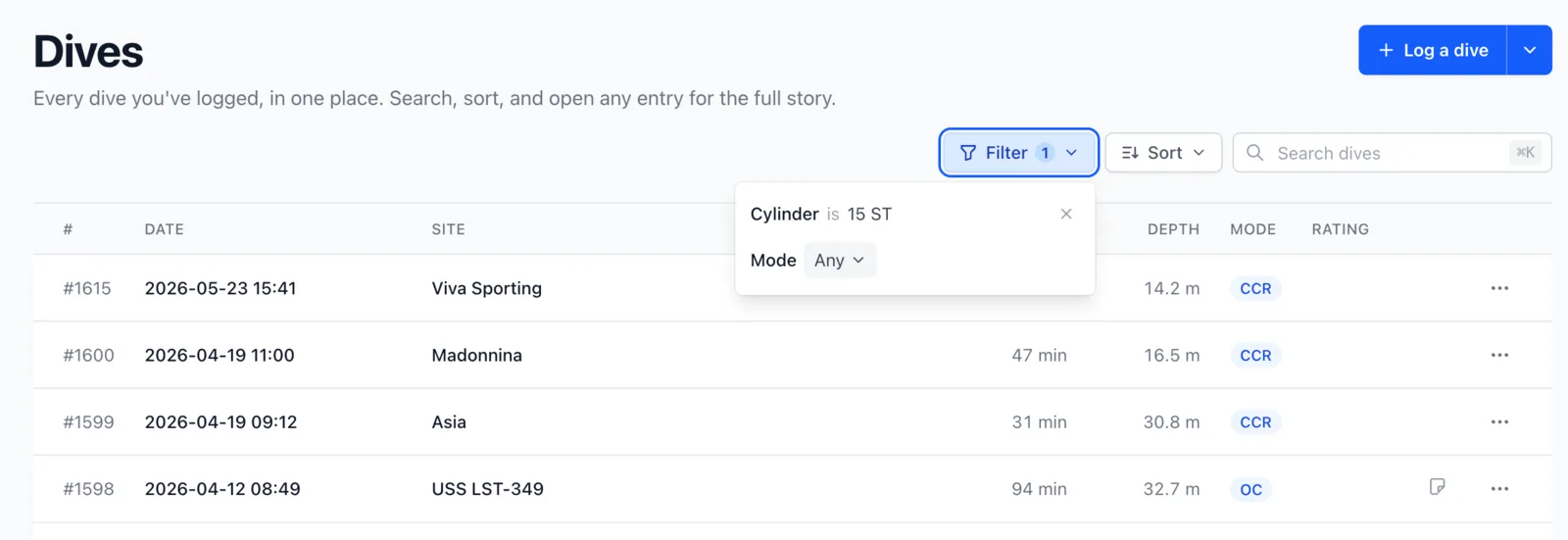
From either your cylinders or your gas mixes list, the dives count on any row is now a link. Click it and you land in your dive list, narrowed to just the dives that used that cylinder or that gas.

The active filter is called out at the top of the dive list, so you always know what you're looking at, and how to clear it.
I can guess what you're thinking: do I really have to enter all of this by hand? For now, yes. Open a dive, head to its Gases tab, and use Add gas to log one (or Edit gas to revisit it later).
But I'm hoping that "for now" is a short one. More on that soon. Until then, dive safe! 🤿