
Introducing dive tags
Some things about a dive don't fit in a field. Divebase has a home for your depth, your duration, your gas, your gear, your buddies and your conditions, and between them they describe most of what happened underwater. What they don't describe is that it was a night dive, that it was the checkout for a course, that it was the spring cleanup you do every year. There's no field for those, and there shouldn't be: they're your categories, not mine.
That's what tags are: your own words, on your own dives, in whatever vocabulary you already think in.
This one has been waiting a while. When I wrote about the MacDive import I listed tags among the things that didn't fully come across: Divebase read them out of your database, but only used them as hints (a CCR tag set the dive's mode, a Wreck tag marked the site) and then threw them away. Today that paragraph is out of date.
A tag is the thinnest record in Divebase: a name, and nothing else. No colour, no description, no category, no hierarchy. Everything a tag means lives in the word you picked, which is what makes it cheap enough to apply without stopping to think.
On the dive
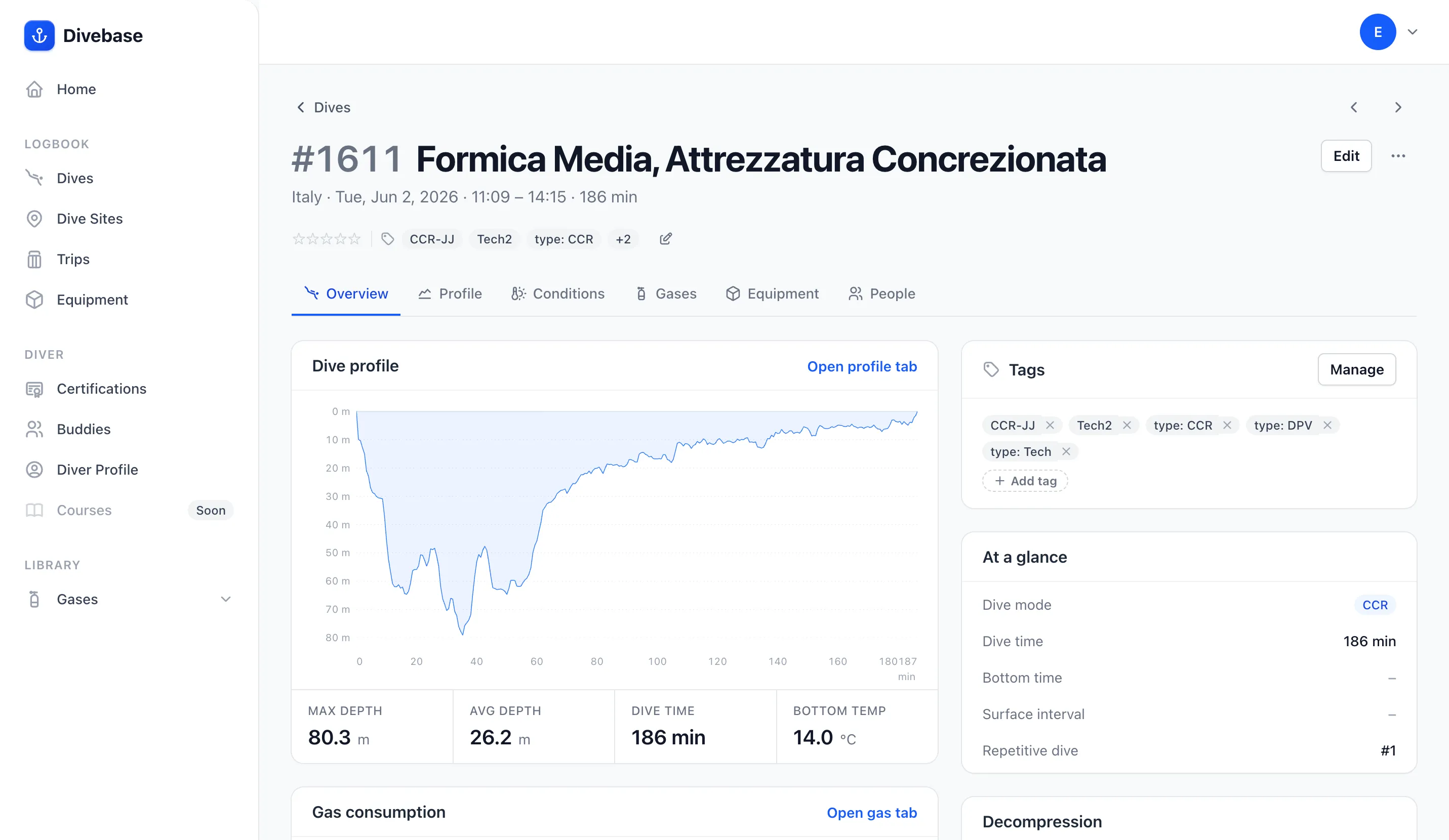
Open a dive and its tags are right in the header, on the same line as the rating and the trip, so you know what kind of dive it was before you read anything else. Past the first few, the rest collapse into a +N, so a heavily tagged dive doesn't push its own title around.
The Overview tab then carries the full set in a Tags panel, each one with a ✕ to take it off the dive on the spot and an Add tag action for the next. A dive with no tags yet says so and invites the first one.
Adding and removing them
Manage tags opens a single box: type a tag and press Enter, or pick one you already use. As you type, the box filters the tags you've used before, so re-applying a familiar one takes a keystroke or two. If nothing matches, it offers to create what you typed. Below the box sit the dive's current tags, then the rest of your tags as a click-to-add list ordered by how often you use them, with the count next to each, because most tagging is re-tagging.
Every add and every remove commits immediately: no Save button, nothing lost if you close the window.
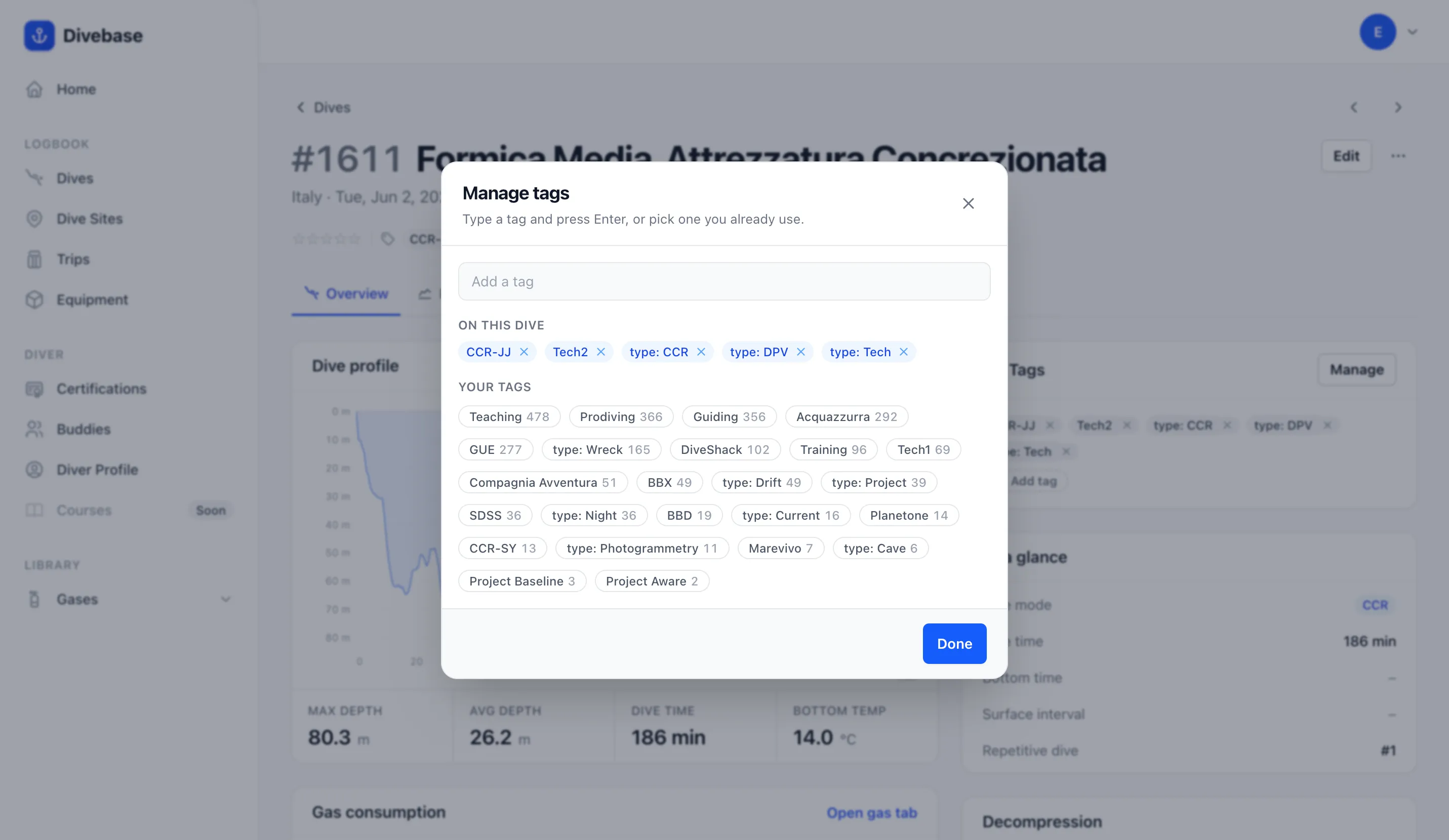
That list says a lot about how you actually dive. Mine isn't a set of tidy categories: it's the dive centres I've worked with, the agencies I teach for, the role I was in that day, and the citizen-science projects I log for. None of those deserves a field in Divebase, and that's the whole appeal of a label with no rules attached.
There's no tag management screen, on purpose. A tag comes into being the first time you apply it, and disappears the moment the last dive stops carrying it. Mistype one, un-apply it, and it's gone: your list of tags is always exactly the set of labels in use, with nothing to prune.
In your dive list
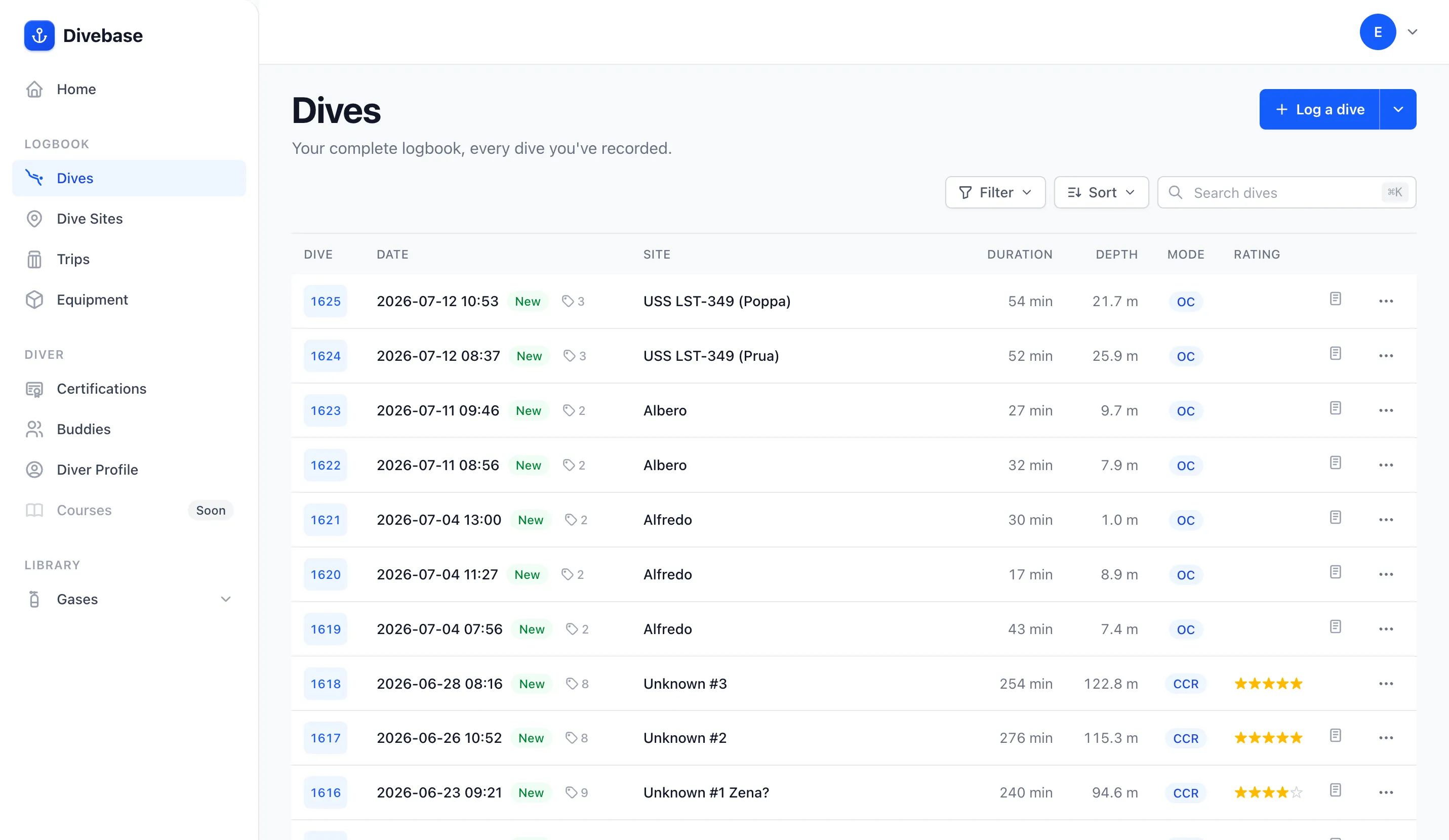
Tags follow your dives into the logbook list, but as a summary rather than in full: a tag icon and a count sit beside the row's date, and opening it floats the dive's tags over the row. It works with the pointer, with the keyboard, and with a tap. A whole column of tag pills would have drowned the table, and you usually only care about one row at a time.
Click a tag, get those dives
Every tag you see anywhere is a link into your logbook filtered to it. Click one on a dive and you land on your dives list showing every dive carrying that tag, exactly as if you'd built the filter by hand. The condition then sits in the Filter control like any other, ready to be dropped again.
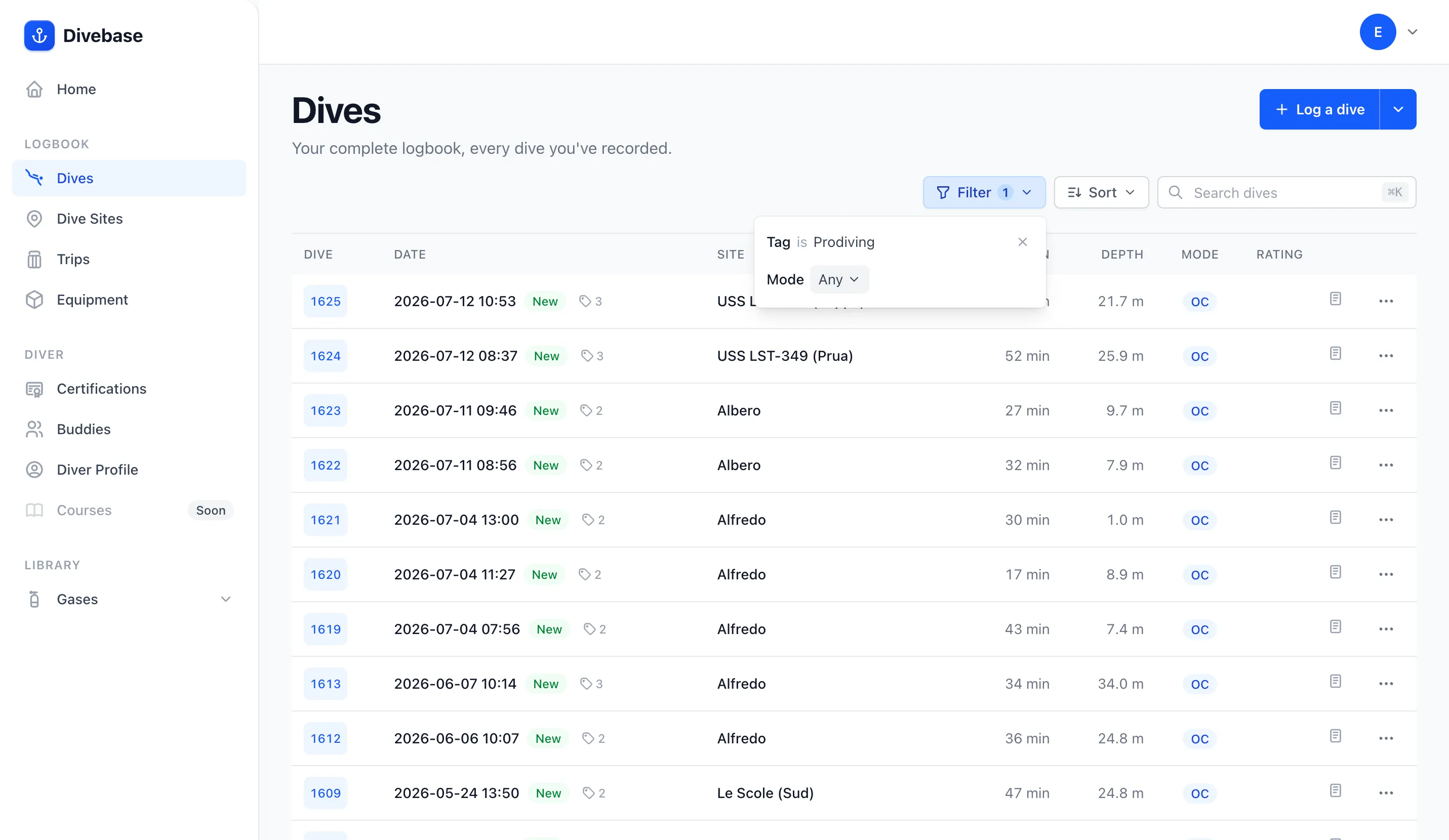
Click a tag from inside the list and it behaves slightly differently: it narrows what you're already looking at instead of replacing it. Your other filters, your search and your sort all survive, so you can go from "my wreck dives" to "my wreck dives at night" by clicking the tag you spotted on a row. (A tag you're already filtered to isn't a link at all, since clicking it would do nothing.)
Your MacDive tags are waiting for you
The MacDive importer now brings both of MacDive's labelling concepts across. MacDive has tags and dive types, and I've never found the distinction between them convincing, so Divebase models one thing: a MacDive tag imports verbatim, and a MacDive dive type imports as a tag named type: Wreck, type: Night, and so on. That's why the screenshots above are full of them: those are my own MacDive labels, a decade of them, sitting in Divebase.
The prefix is a convention and nothing more. Nothing parses it, nothing reserves it, nothing renders it differently. It's an ordinary name you could have typed yourself, and you can rename it out of existence by applying the tag you'd rather have and removing this one.
If you already imported your MacDive database, run it again: the import only adds, your existing dives are recognised and skipped rather than duplicated, and the tags come in on top of what's already there.
What's next
Three things didn't make this release. Bulk tagging from the list, to label a whole trip's worth of dives in one go, needs a multi-select the listing doesn't have yet. A tags index would be the natural home for renaming and merging tags. And colour, so tag families read apart at a glance.
In the meantime: go label some dives. And, as always, dive safe! 🤿