
Introducing Trips
Some dives belong together. The fourteen you logged on that liveaboard week in the Maldives, the handful from a weekend at the local quarry, the season of dives from a research campaign: each of those is one journey, scattered down your logbook as separate entries. Today Divebase gets a whole new section to hold them. Meet Trips.
A trip groups the dives you logged on a single journey, with its own dates, its own location, and its own running totals. Instead of scrolling your logbook and squinting at dates to remember which dives came from where, you open the trip and the whole journey is right there: every dive, every site, the total bottom time, the deepest point.
I've wanted this for a very long time. I've kept my logbook in MacDive for over ten years, and it's still my favourite divelog, but it has no concept of a trip, and neither do many other divelogs. Every time I came home from a week of diving I wished I could wrap those dives into something I could name and look back on as one.
There are all sorts of ways to use a trip. A few that I reach for:
- Liveaboard — a week aboard a boat, hopping between sites.
- Resort — a diving holiday based out of a resort or a single dive center.
- Excursion — a short outing, a weekend or a day trip to a nearby site.
- Expedition — a longer campaign, often with a purpose beyond leisure.
- Other — anything that doesn't fit the moulds above; the box is yours to fill.
Expeditions are close to my heart. An expedition is a campaign with a goal, and very often that goal is research: marine biologists, archaeologists surveying a wreck, citizen-science groups running transects season after season. They all need to keep the dives from a single campaign together, distinct from their recreational logbook, and an expedition gives that work a home. If you dive for science, Divebase now speaks your language too.
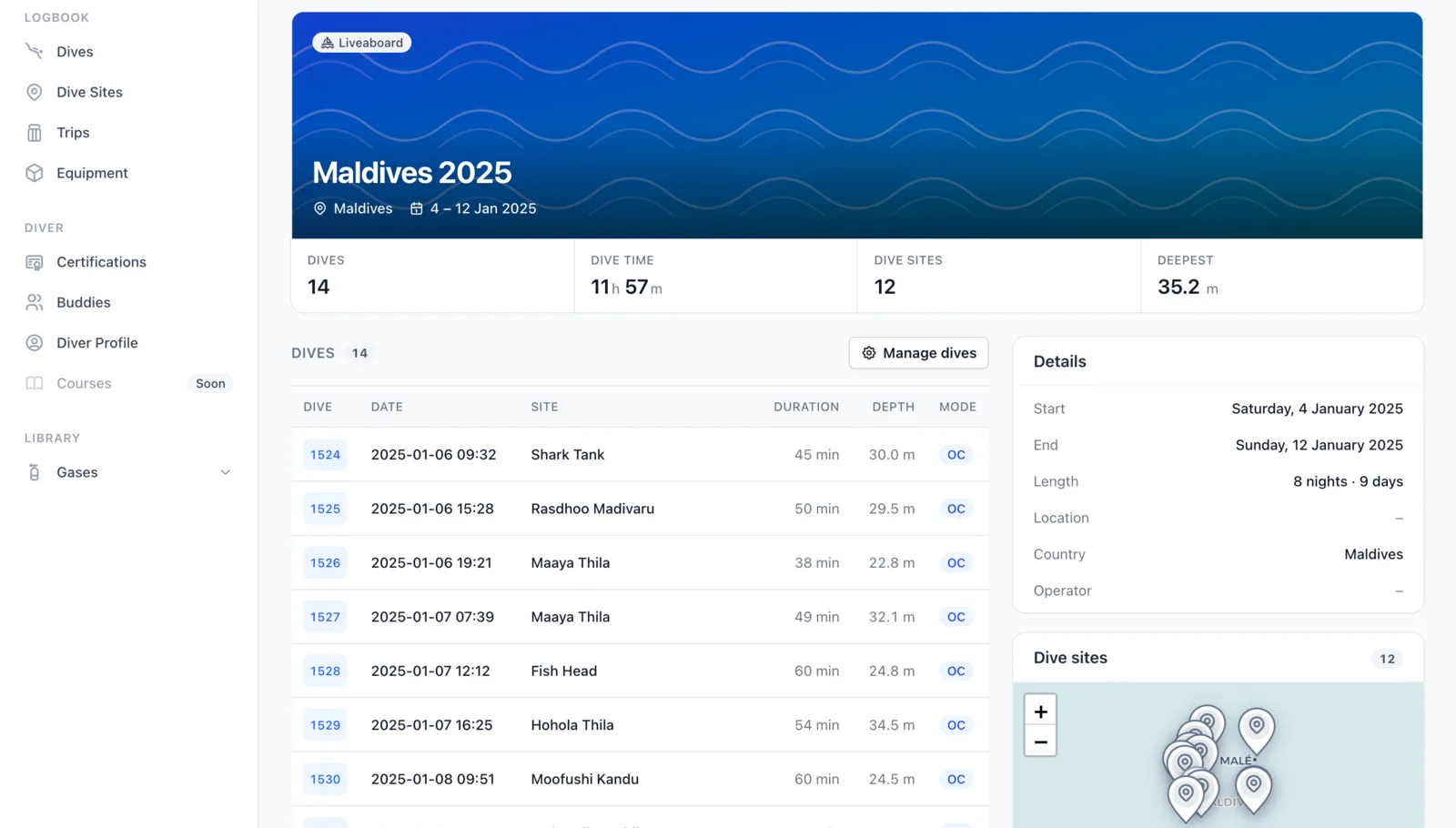
Here's what a trip looks like once you've filled it. This is a liveaboard week in the Maldives: fourteen dives across twelve sites, the totals tallied at the top, the full dive list below, and every site on the trip pinned to a map on the side.
Creating a trip
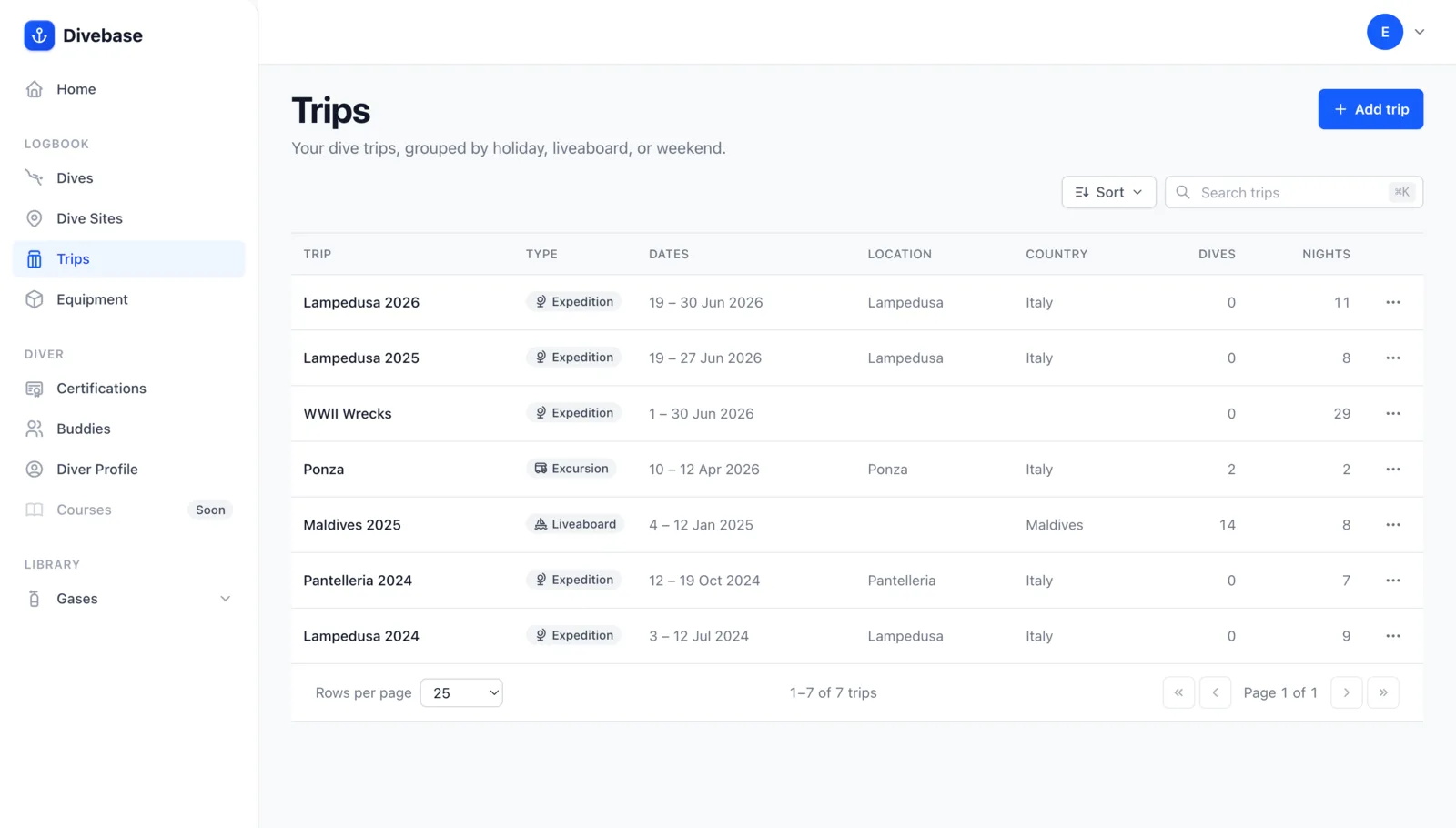
Trips live in their own section in the sidebar, right under your dives and dive sites. The index lists every trip you've logged, with its type, dates, location, and dive count at a glance.
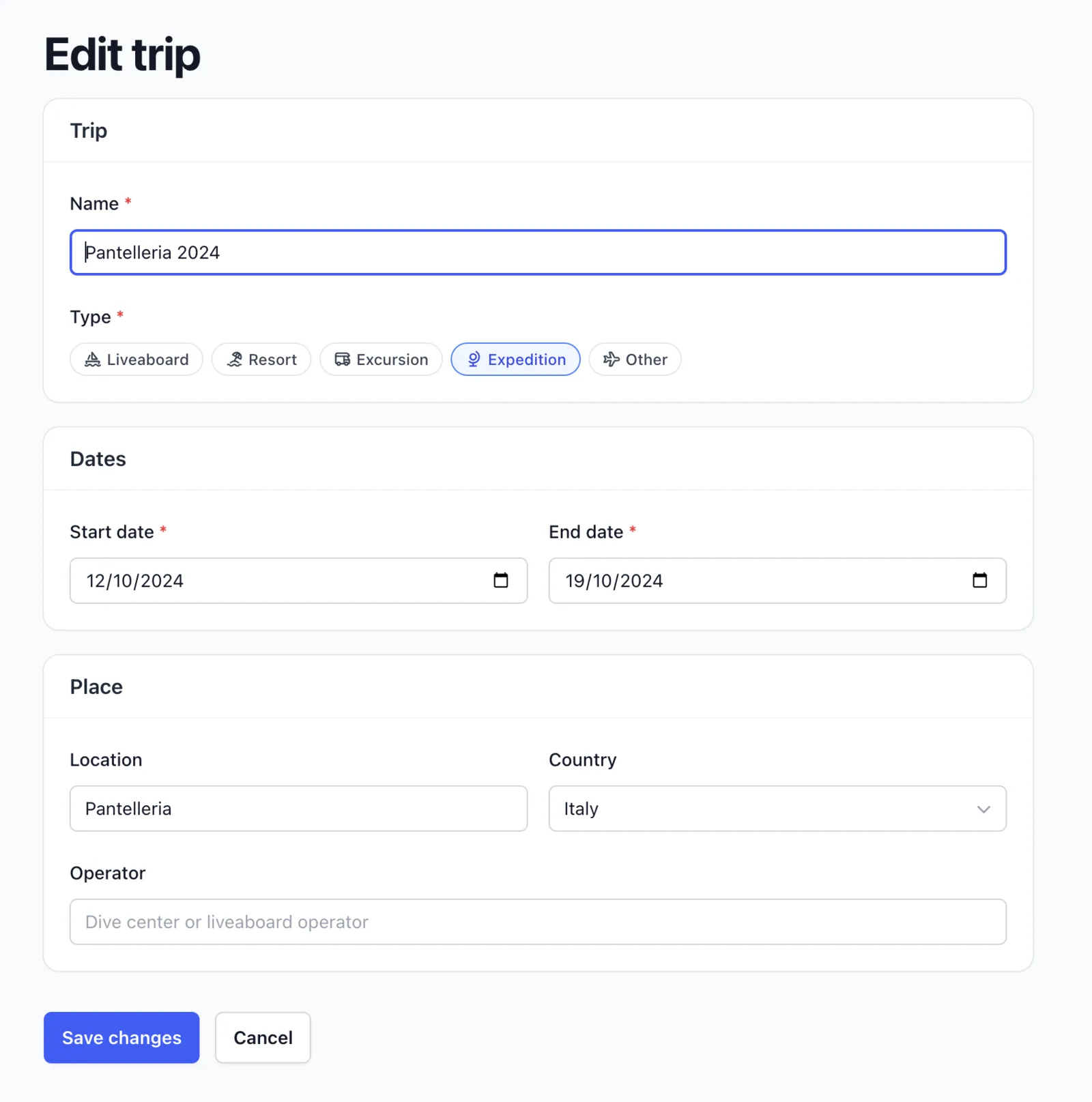
Hit Add trip and you're in the editor. Give the trip a name, pick its type, set the start and end dates, and note where it took place. There's a field for the operator too, the dive center or liveaboard that ran it, so you'll always remember who to book again (or who to avoid).
Adding your dives
A fresh trip starts empty. Your dives are already in your logbook; the trip just gathers the right ones together, so nothing is duplicated and nothing is retyped.
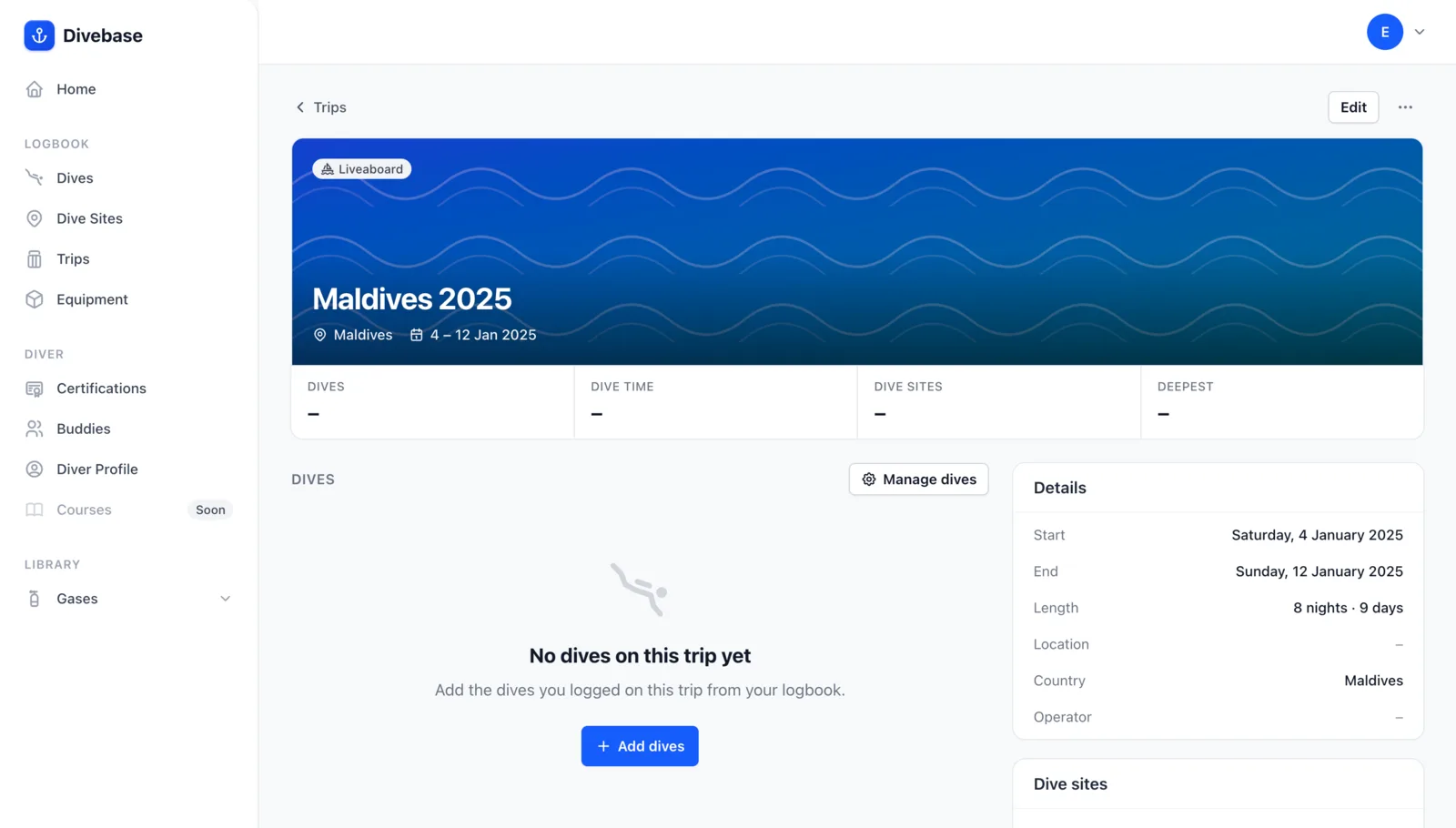
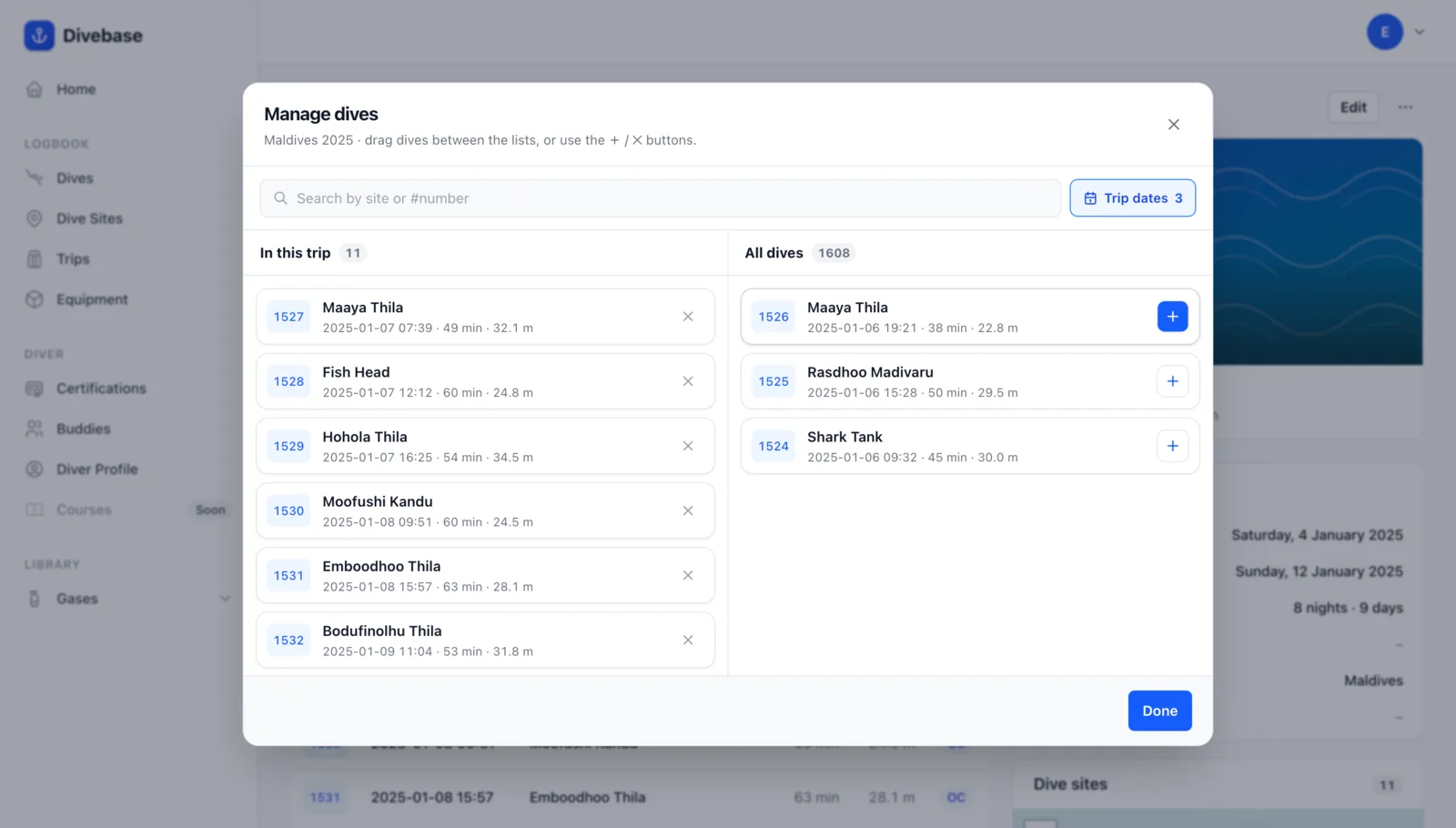
Click Add dives and the dive picker opens: the trip on the left, your whole logbook on the right, and you move dives between them by dragging or with the + and × buttons. It stays fast even when your logbook runs to hundreds or thousands of dives.
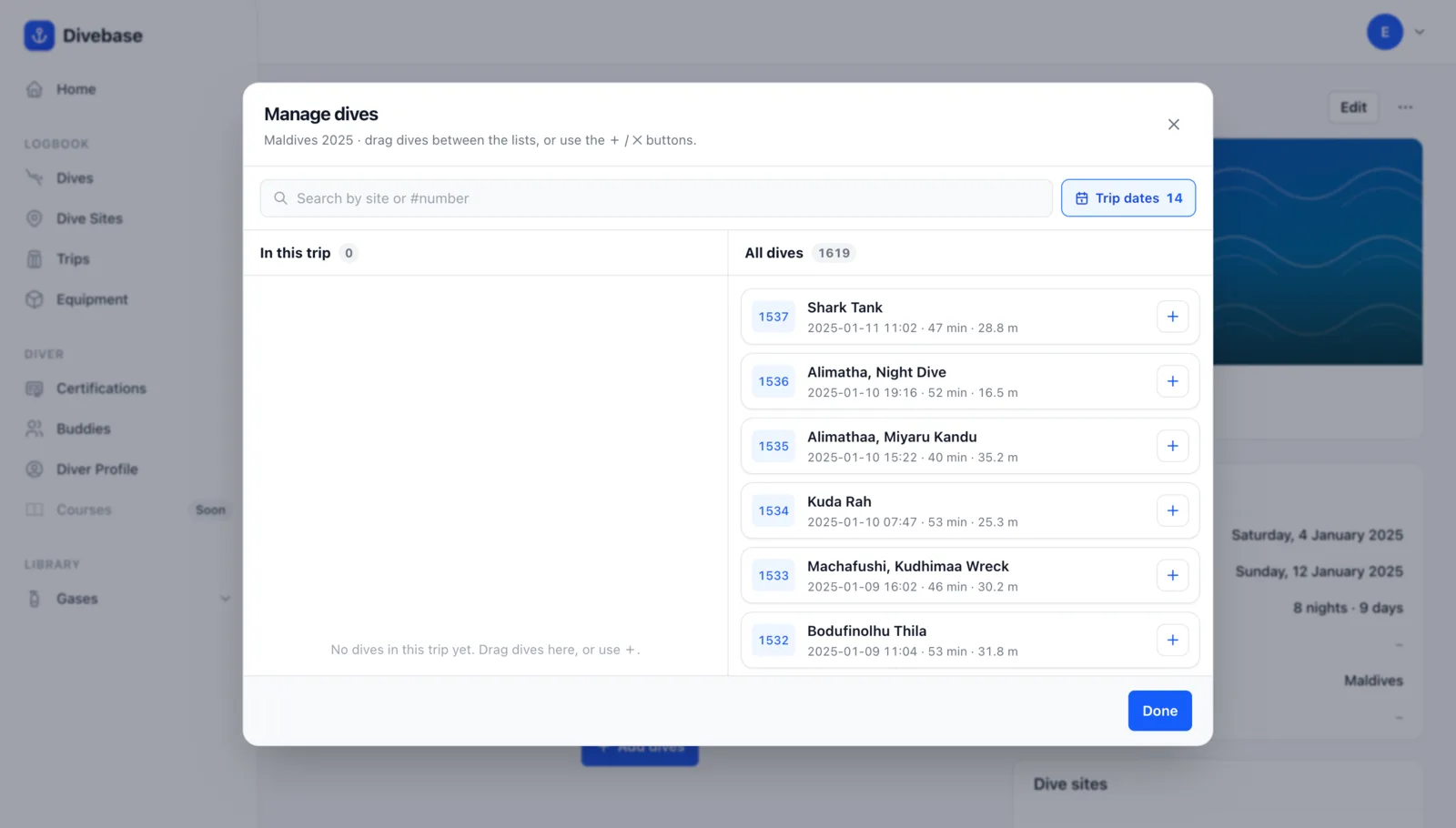
The handiest touch is the Trip dates filter. A trip already knows when it happened, so one tap narrows the whole logbook down to the dives that fall inside those dates. Add them all in a few clicks, or search by site or dive number to pick out exactly the ones you want.
An old idea, finally at home
Trips aren't a new idea. UDDF, the Universal Dive Data Format, was among the first to model them, wrapping a set of dives into a trip element, and a handful of divelogs have offered their own take over the years. It never quite became standard, which is exactly why I wanted it built in from the start.
For now trips are something you create in Divebase; you can't import them yet. That's coming: when you bring in a UDDF file that already carries trips, Divebase will reconstruct them for you, and the other formats will follow. Until then, wrapping a handful of dives into a trip takes only a moment.
Go group a journey you're proud of, and, as always, dive safe! 🤿