
Recording your dive conditions
A dive is shaped by the water it happens in. The same site is a different dive on a calm, clear morning than it is in a cold, murky current. Today Divebase gains a small but genuinely useful addition: a new Conditions tab on every dive, where you can record and revisit the conditions you dived in. These are the details that never fit in the basics but tell the real story of a dive, and having them on hand changes how much a logged dive is worth to you later.
So what can you record as dive conditions? The Conditions tab gathers everything into four panels:
- Water — how far you could see and how the water was moving. Visibility is a distance in meters, paired with a clarity rating from Zero to Excellent for the times a number alone doesn't capture the impression. Current runs from none through light, moderate, and strong.
- Temperatures — the air temperature above the surface, and the water temperature at its warmest (near the surface) and its coldest (down at depth), so a dive through a sharp thermocline reads at a glance.
- Weather — the sky over the surface: sunny, cloudy, rainy, windy, or foggy.
- Logistics — the practical side of the dive: whether you got in and out by boat or from shore, and how much weight you carried.
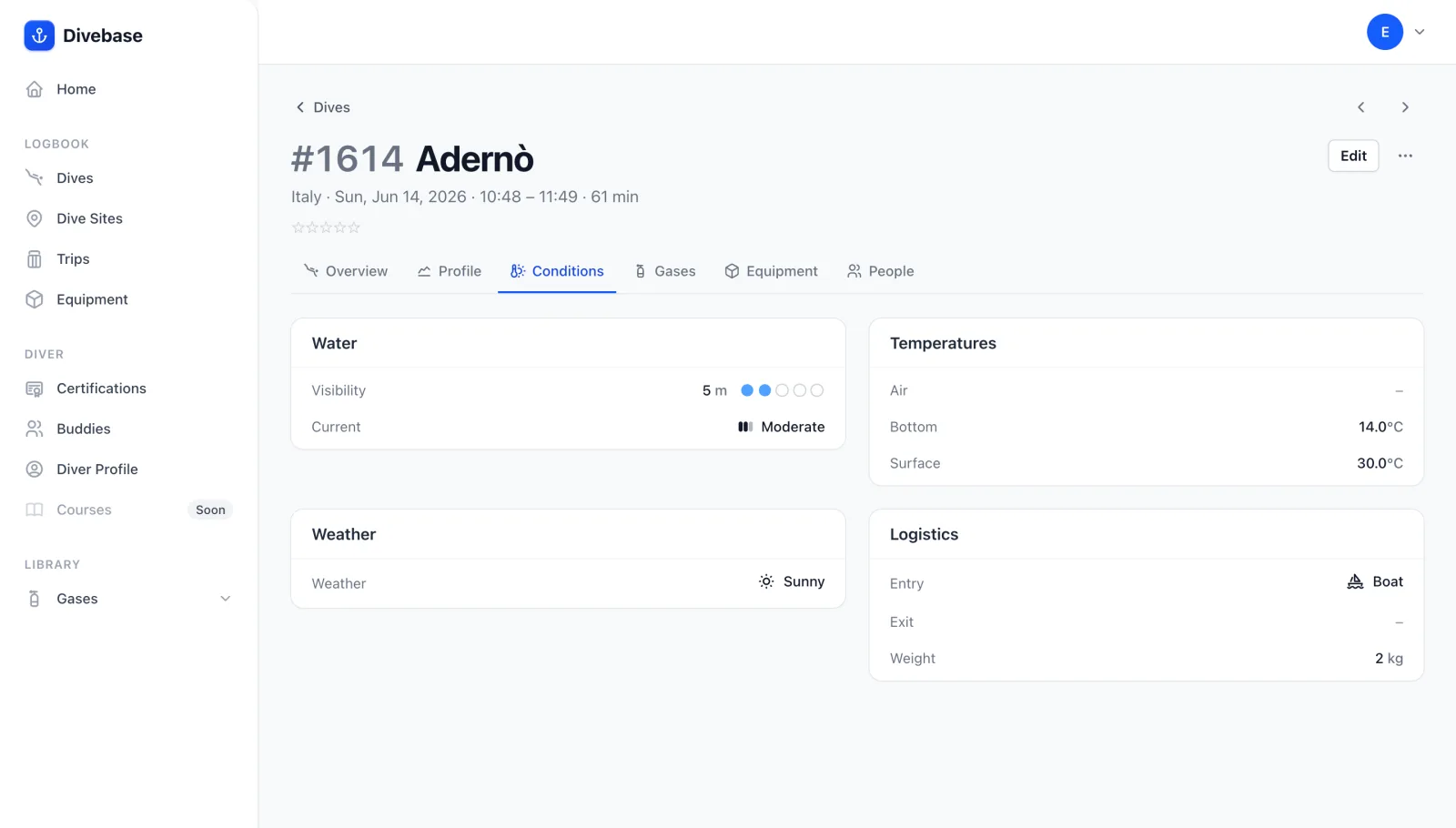
Here's why that pays off. Imagine you head out on a liveaboard in the Red Sea, but you're used to diving a 15 L steel tank in the Mediterranean. In the warm, salty Red Sea you'll need noticeably more lead. You sort out your weighting over the first dives and, sensibly, record it on each dive. A couple of years later you're back on the same boat and you can't for the life of you remember how much weight you ran last time. No problem: open one of those dives, check the Logistics panel, and you're weighted correctly before you've even kitted up.
There's plenty more where that came from. Because conditions sit right alongside your rating of a dive, you can put the two together over time. Maybe a site you remember as spectacular scored poorly the last time you dived it, and the Conditions tab reminds you it was blown out by a strong current and three-meter visibility, not the site's fault at all. In general, conditions give you the context that turns a bare entry back into a memory when you look at it years from now.
Conditions don't sit off on their own, either. When a dive carries a dive profile, Divebase reads the coldest and warmest water temperatures straight from the samples your computer logged, so they're already filled in when you open the tab, and the bottom temperature feeds the water-temperature figure on the dive overview. Conditions also flow in from your imports: bring a dive in from UDDF and it can carry the air temperature, visibility, current, weight, and entry method along with it, while a Garmin FIT dive fills in the water temperatures from its temperature channel. Anything a file doesn't carry, you can always add by hand.
That's all for now: log a few dives, note the water you found them in, and, as always, dive safe! 🤿