
Equipment, dive by dive
Every dive has its own kit. Starting today, you can record exactly which gear you took on each dive. It builds on the equipment inventory you already keep in Divebase: the same scuba gear, now connected to the dives where you actually used it.
Open any dive and you'll find a new Equipment tab. It lists the gear for that individual dive, each item with its details, and a click on any entry takes you straight to that equipment's page.
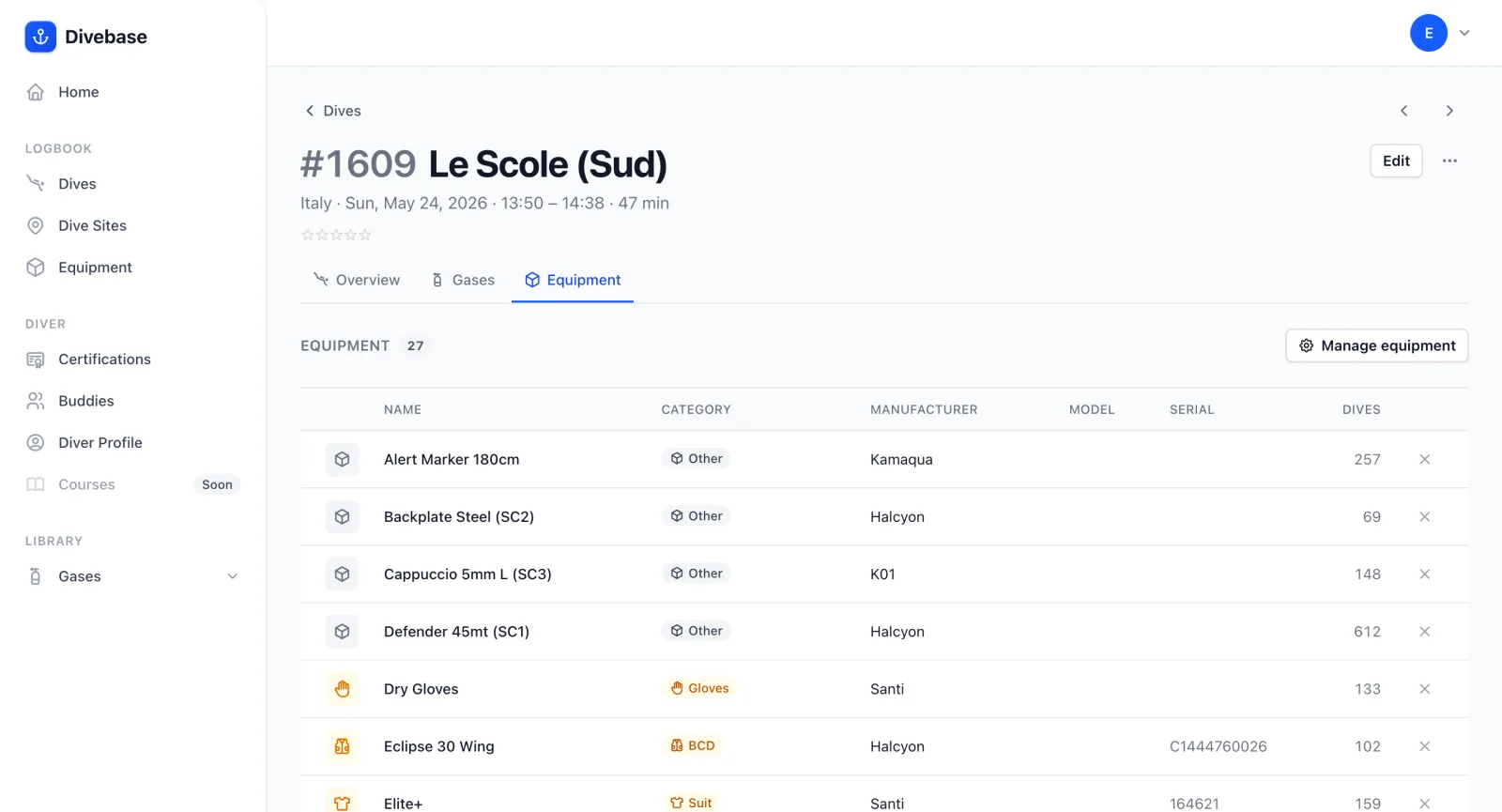
The list starts empty, unless you imported the dive from a source that carried the equipment across, in which case it's already filled in for you.
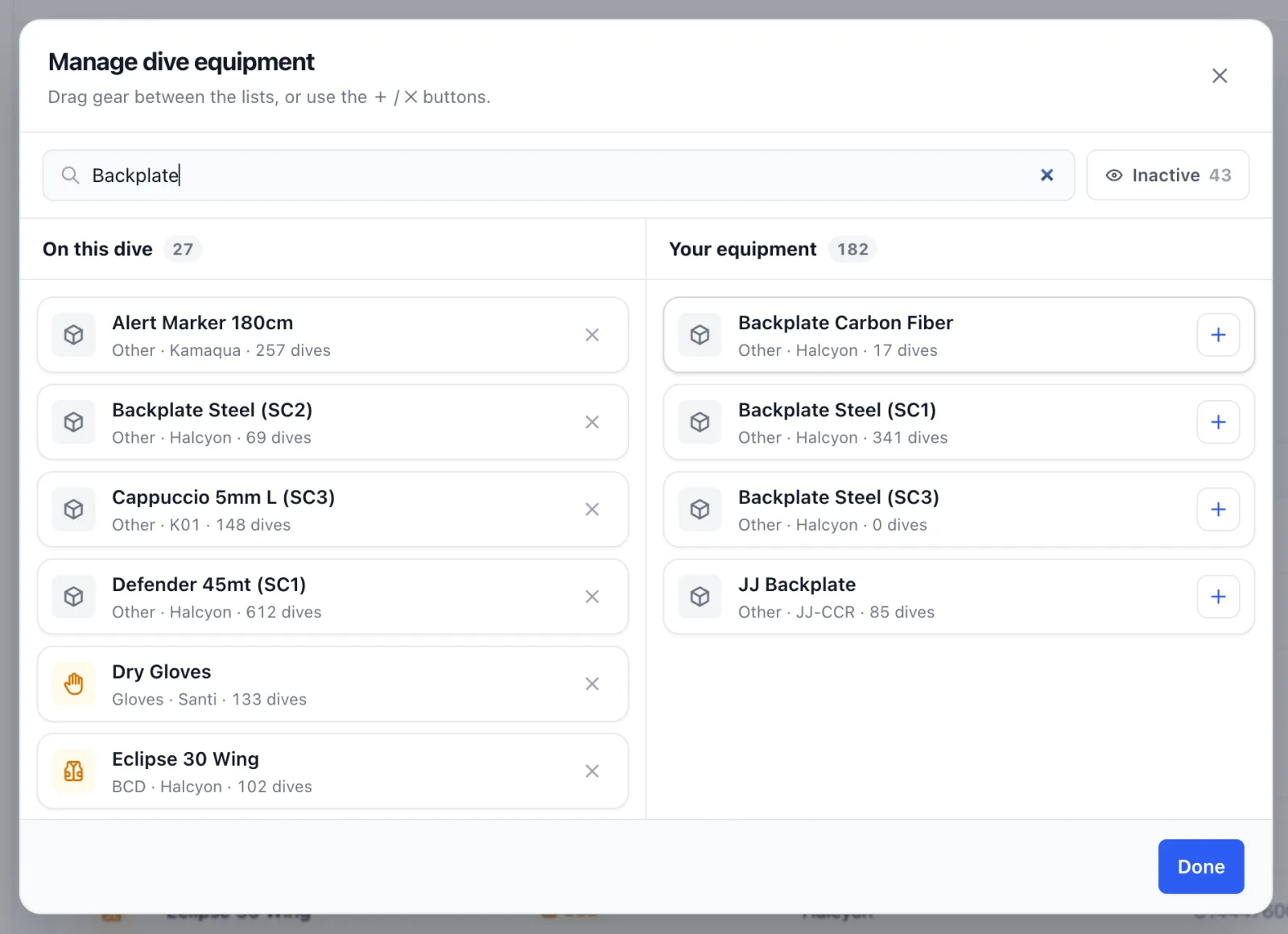
To add gear, click Manage equipment and a panel opens with your whole inventory. Search for an item, then drag and drop it onto the dive. Repeat for everything you used, and watch the list update in real time.
Your inventory gains something in return: the equipment list now carries a Dives column that counts how many dives each item has actually been on. Click the count to filter your logbook down to those dives, and see every one where that little (or big) piece of kit came along.
That closes the loop between your gear and your logbook: build the inventory once, attach it as you dive, and let the counts tell the story. As always, dive safe! 🤿