
Introducing gas mixes management
I've said before that a dive holds more detail than anything else in a logbook. That's no accident: the dive is the center of every diving experience, as we explored last time. And that experience takes many forms, from open circuit to rebreather, each with its own way of feeding you the gas you breathe.
The sidebar now carries a new section: Gases. It has actually been hiding in a few earlier screenshots, quietly under construction, and it's finally ready. It manages two essentials: gas mixes and cylinders. Let's start with gas mixes; cylinders get their turn in a later update.
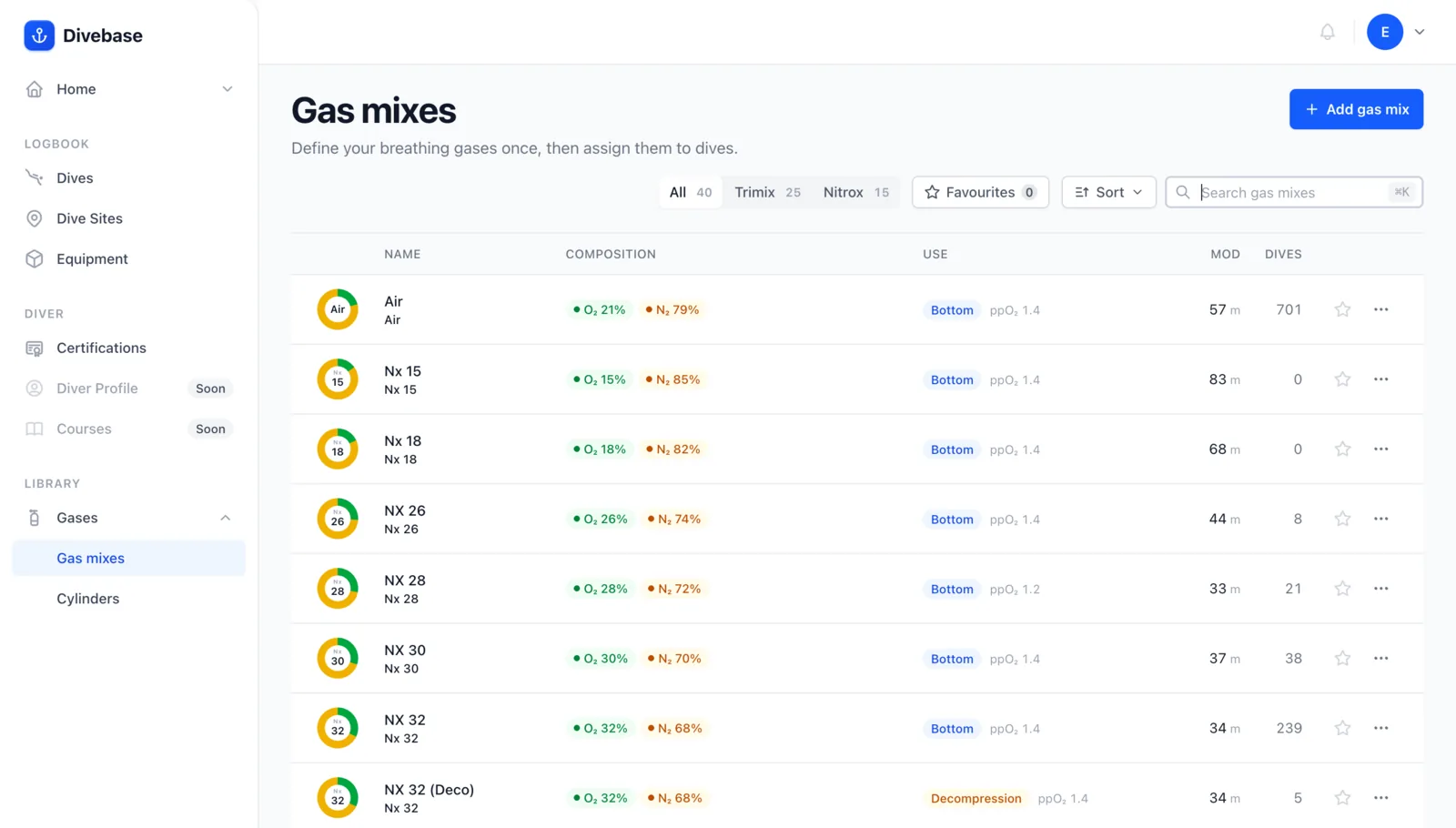
What goes into a mix
A gas mix is simply a breathable blend, made from any proportion of three gases:
- oxygen
- nitrogen
- helium
As your maths teacher would insist, the parts add up to the whole: together they always make 100% of the mix. The most common one is plain Air, roughly 21% oxygen with the remaining 79% (give or take) nitrogen.
Two other mixes turn up constantly. Nitrox shifts the oxygen share, usually upward, and is common even in recreational diving, where it often goes by EAN (enriched air nitrox). Trimix adds helium to the blend and lives mostly in technical diving.
In Divebase
Here's the form for building one:
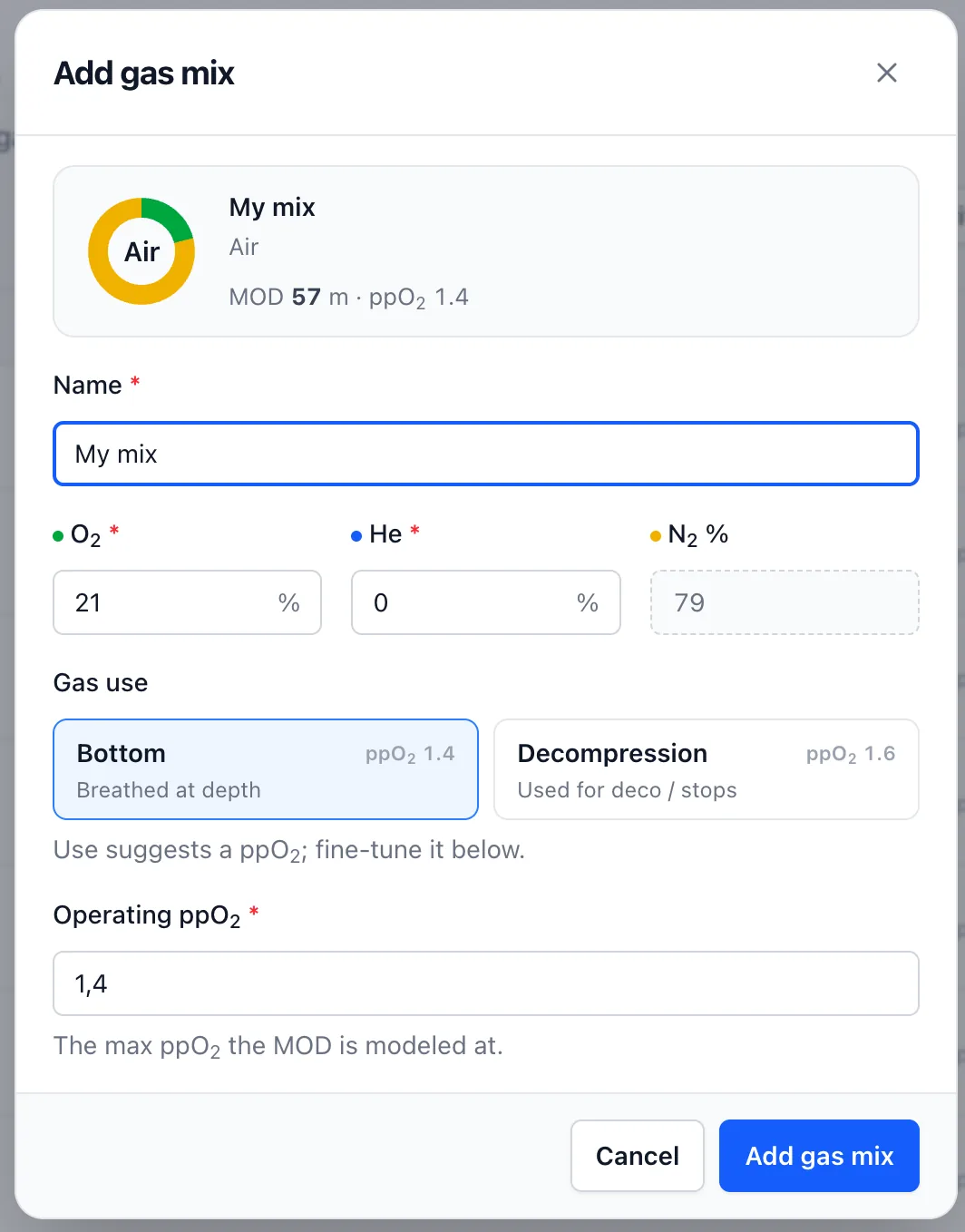
Divebase captures all of this, and more. Give a mix a name and set its oxygen and helium; nitrogen simply fills in whatever is left. From there the mix earns a label computed from its contents automatically: TX 18/45, NX 32, and so on.
Pick a use, bottom or decompression, and Divebase suggests a matching operating ppO2 you can still fine-tune. That ppO2 is the value the MOD (maximum operating depth) is modeled at. If none of this means anything to you yet, no problem: you won't spend much time in this corner of the app anyway.
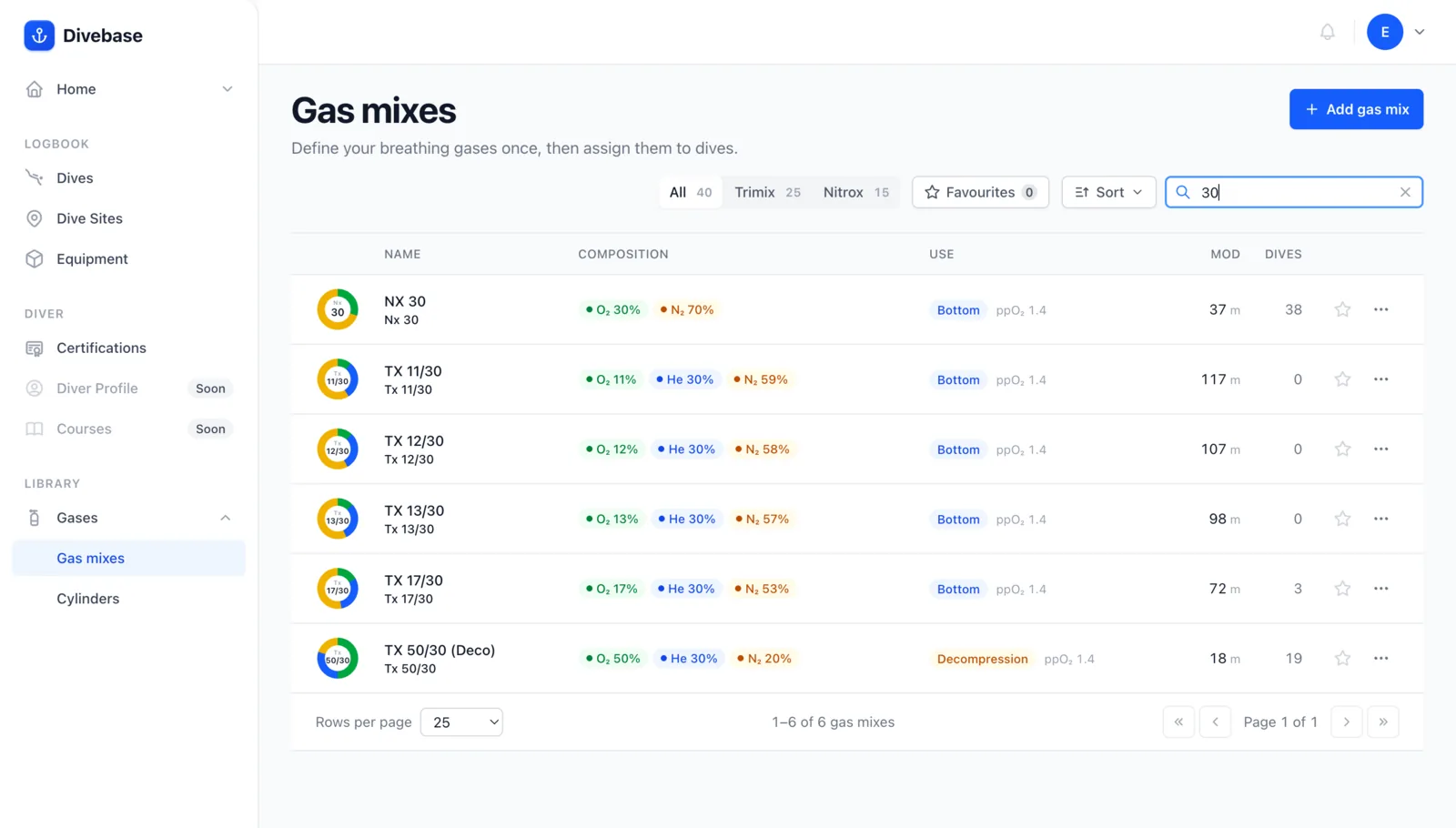
And, as always, you can list, search, and filter your mixes.
There's still more of your logbook to surface, cylinders included. Until next time, dive safe! 🤿