
Introducing dive profiles
A dive is more than its deepest point. Today Divebase gains one of its most significant additions yet: the dive profile. A dive profile is the trail of readings your dive computer records at regular intervals through a dive, the data that lets you visualise and replay how the dive actually unfolded.
Dive profiles are made possible by dive computers. Throughout a dive they monitor parameters like depth, time, temperature, and ppO2, and record them into the log at periodic intervals. When you download a dive from your computer you aren't just capturing the basics (dive time, duration, maximum depth, temperature); you're downloading a collection of dive samples. Each sample is a snapshot of those readings at a single moment in the dive, and those samples can be put to work later in a number of ways: to plot the dive profile, or to inspect one particular aspect of the dive.
If a dive has a profile attached, the main dive overview now shows a simple dive profile preview, tracing depth against time. It gives you an instant picture of the dive to refresh your memory.
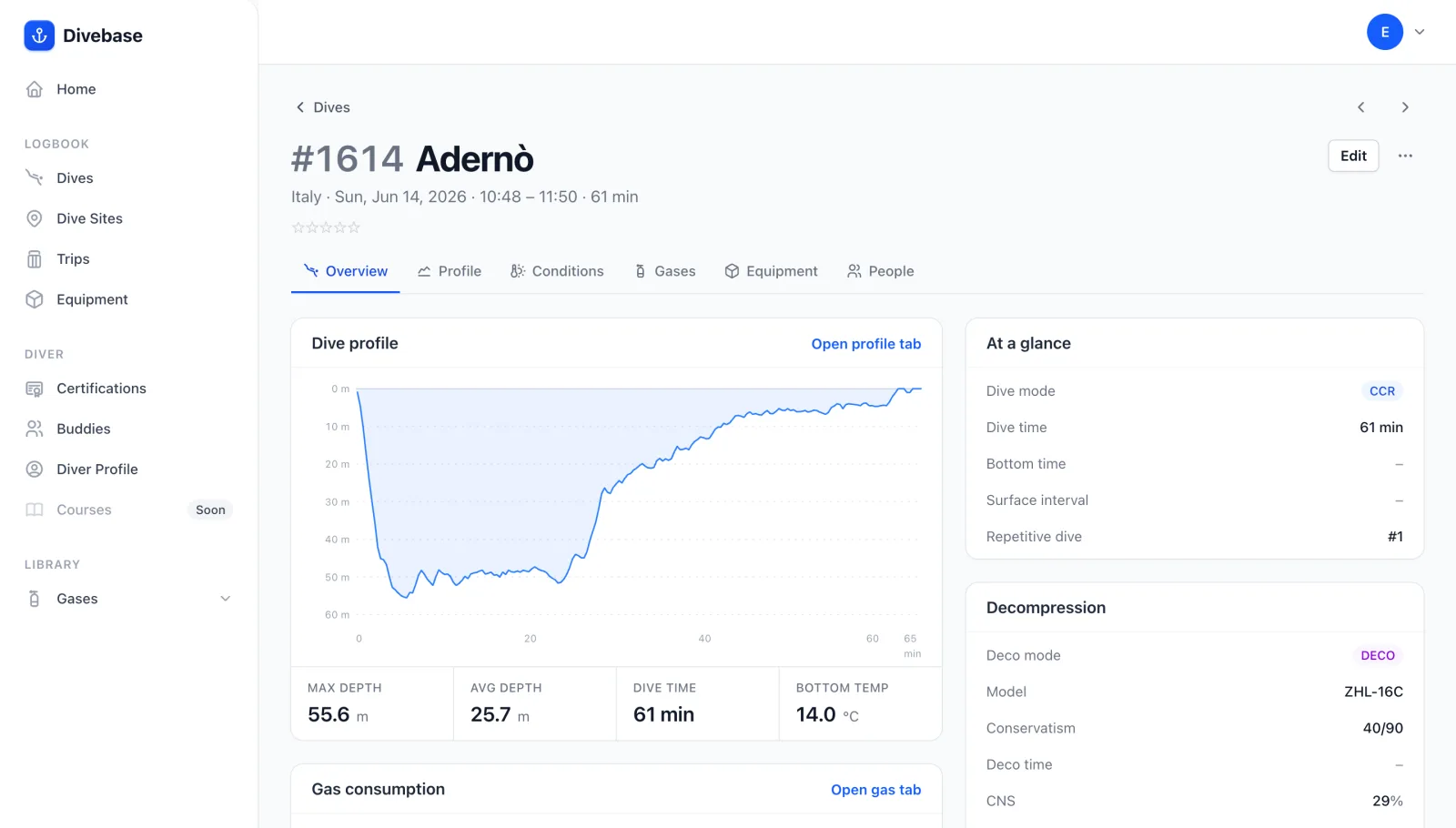
The dive profile is imported automatically when you bring a dive in via UDDF, and in the future when you download dives straight from your dive computer. If you entered the dive by hand, or your UDDF file carried no profile samples, you'll see a standard placeholder instead.
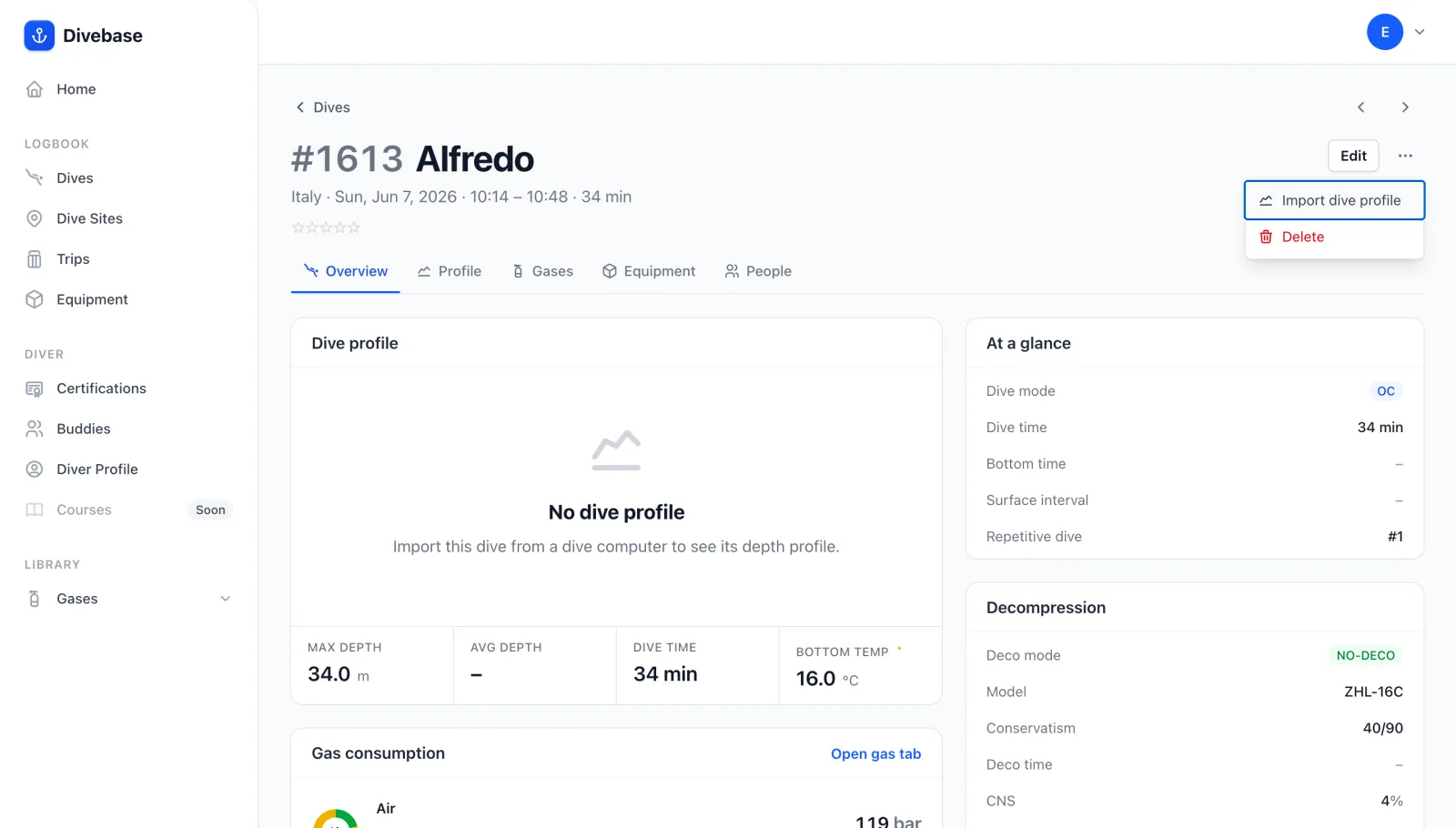
You can attach a dive profile to an existing dive at any time. Open the dive, choose … > Import dive profile, and upload a supported format such as UDDF. Divebase augments the current dive with the profile it finds.
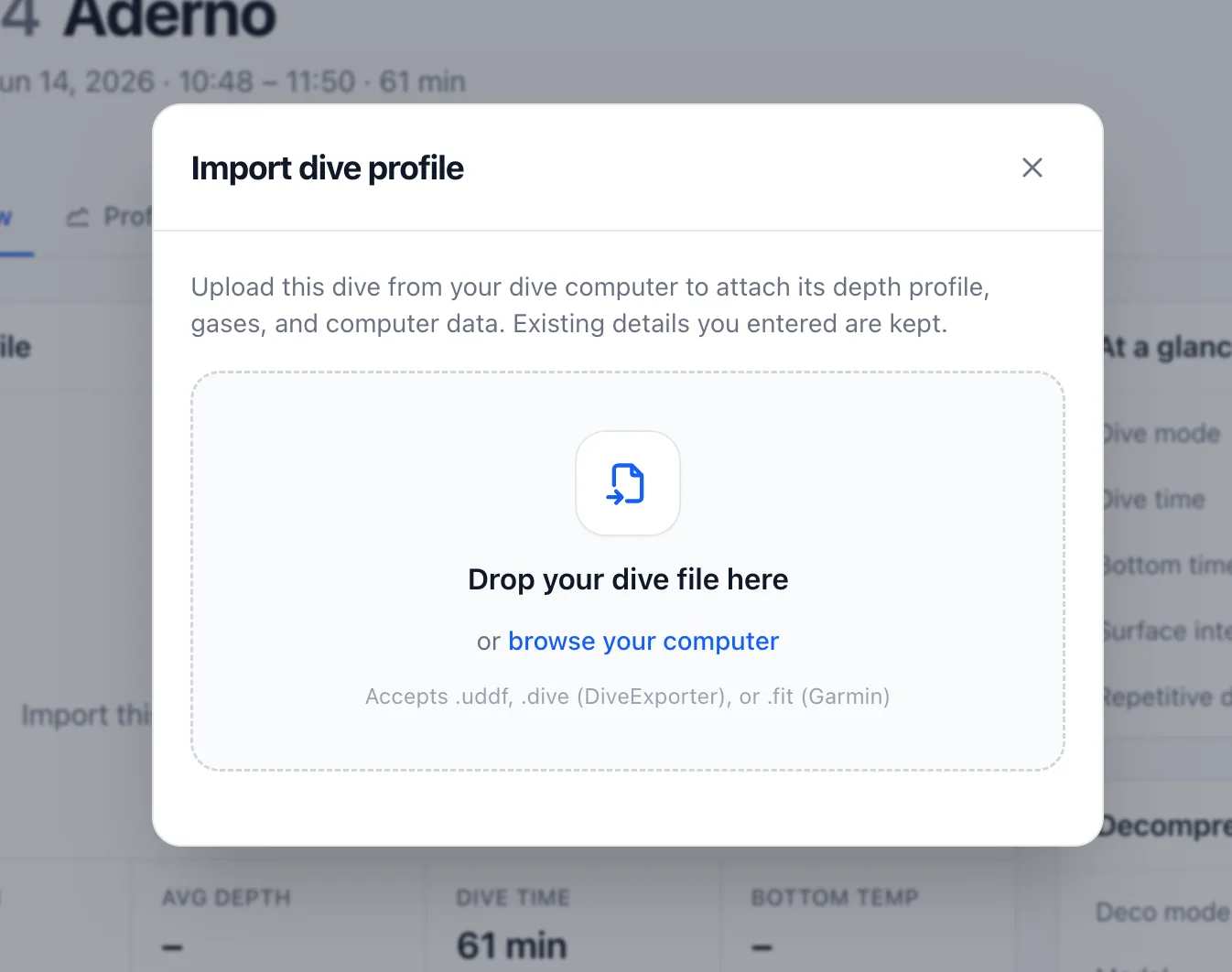
Importing a profile also fills in some of the dive's details when they are missing, such as the dive time, maximum depth, and average depth. You can still edit any of them by hand afterwards.
This is only the surface of what dive profiles make possible. I'm already working on a dedicated section where you'll be able to dive deeper into each profile. Stay tuned, and dive safe! 🤿