Always shipping

Changelog

Every update to Divebase, in order. The thinking, the screenshots, and the why behind each one.

All updates RSS feed

Introducing dive tags

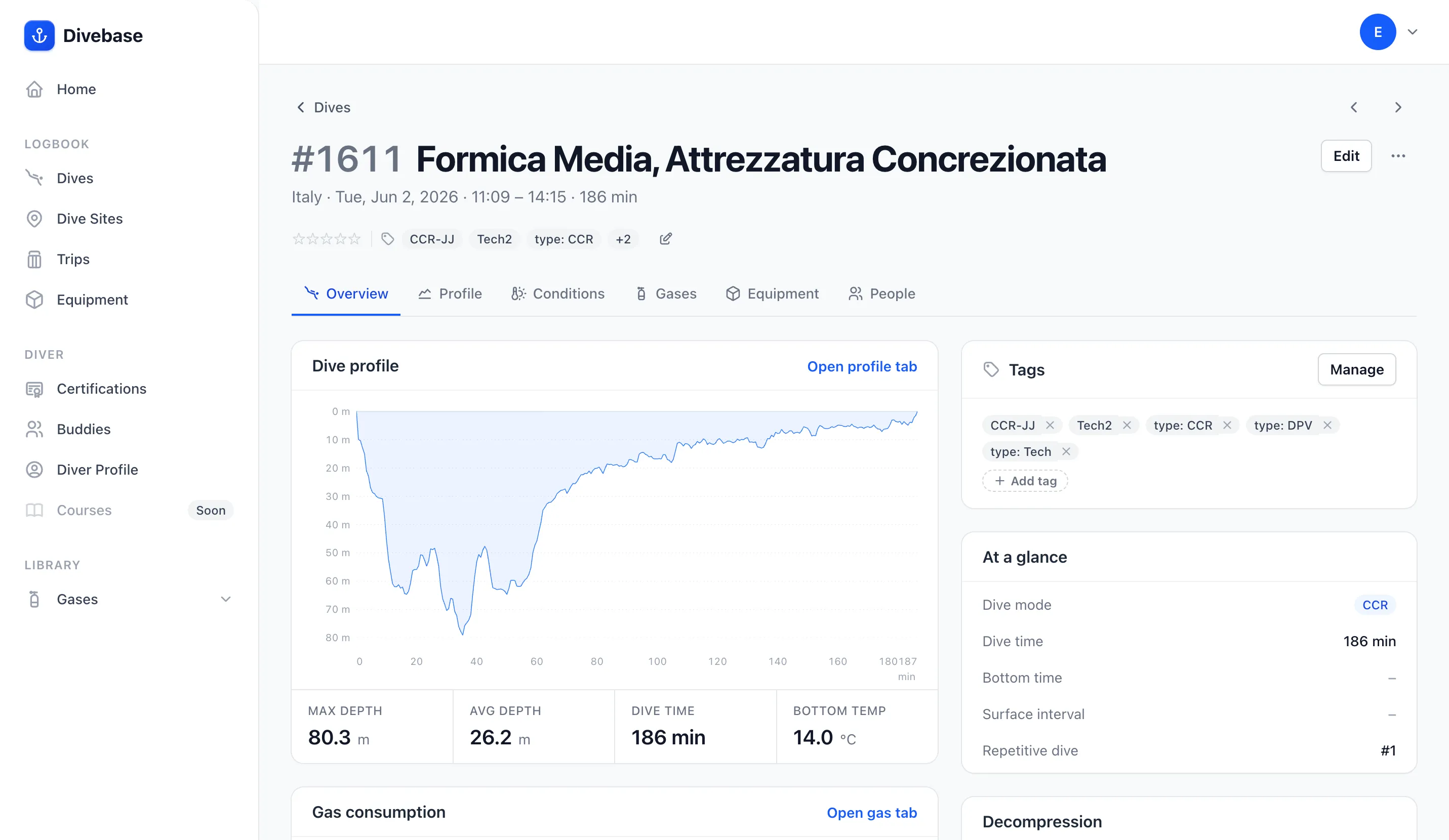
A Divebase dive page, its meta line under the title showing three tag pills and a +2, and a Tags panel in the side column listing all five with a remove control on each

Some things about a dive don't fit in a field. Divebase has a home for your depth, your duration, your gas, your gear, your buddies and your conditions, and between them they describe most of what happened underwater. What they don't describe is that it was a night dive, that it was the checkout for a course, that it was the spring cleanup you do every year. There's no field for those, and there shouldn't be: they're your categories, not mine.

That's what tags are: your own words, on your own dives, in whatever vocabulary you already think in.

This one has been waiting a while. When I wrote about the MacDive import I listed tags among the things that didn't fully come across: Divebase read them out of your database, but only used them as hints (a CCR tag set the dive's mode, a Wreck tag marked the site) and then threw them away. Today that paragraph is out of date.

Read update

Importing your whole MacDive logbook

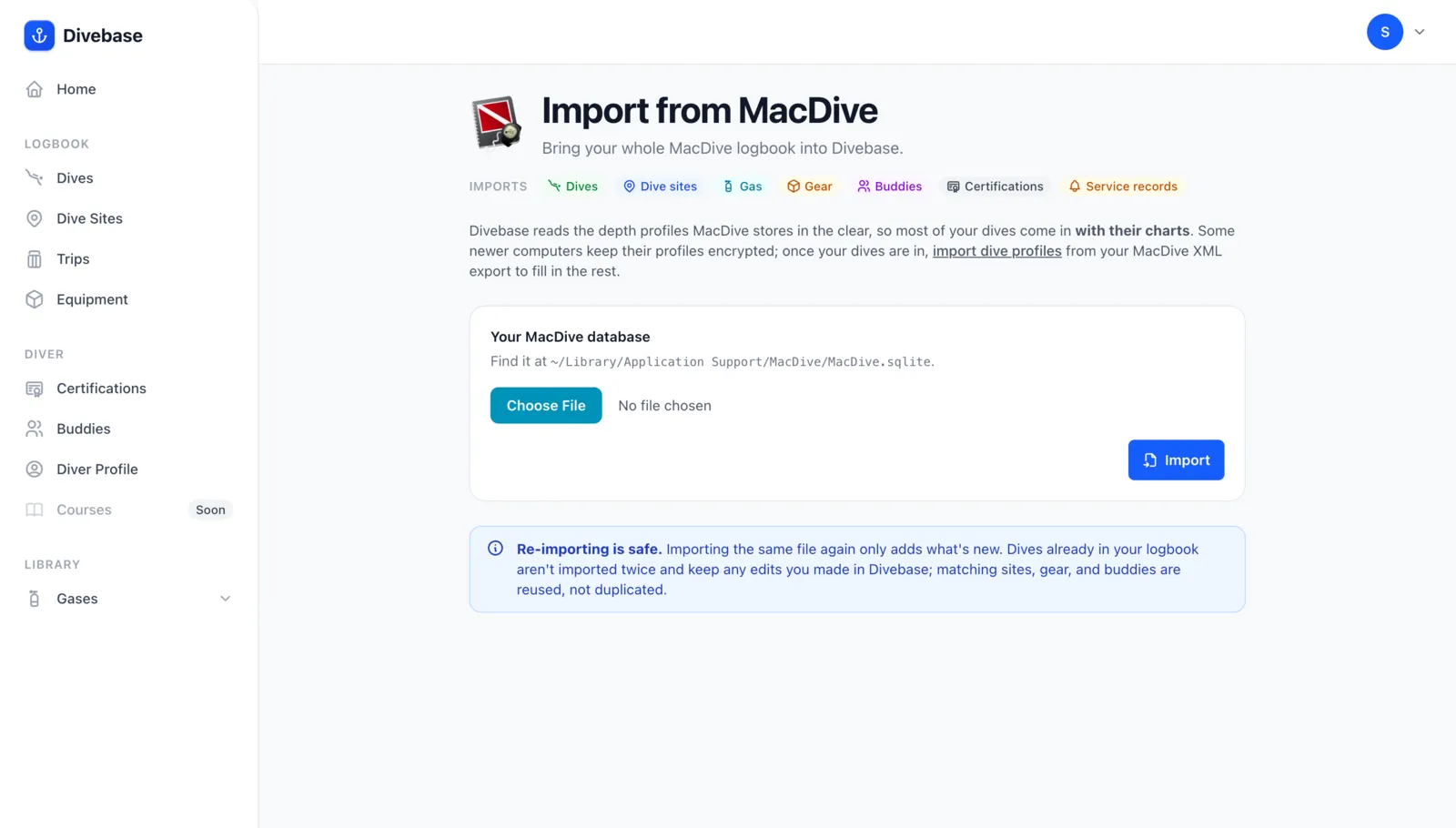
The Divebase MacDive import section, showing what the import brings in and a drop zone for the MacDive database file

MacDive has been my logbook for over ten years, and I owe it a great deal. It shaped the way I approach diving: it taught me to look at a profile instead of a single depth number, to track which gear was on which dive, to care about when a regulator was last serviced. A good part of what Divebase is today began as a habit MacDive gave me, so please don't read this entry as a replacement announcement. It isn't one.

What changed is the pace of development. MacDive has been quiet for a long time now, and the libdivecomputer it bundles predates my current computer, so it can't download from a Halcyon Symbios and realistically never will. That's what pushed me to write Dive Exporter (the whole story is here), and eventually to build Divebase.

There are 1,625 dives in my MacDive library, 58 days underwater across seventeen years. I wasn't going to move all of that with an importer that was merely "good enough to get started": I wanted everything MacDive knows about my diving to land in Divebase, in the right fields. Today the MacDive import is here, and it takes the whole database.

Read update

Equipment service tracking for dive gear

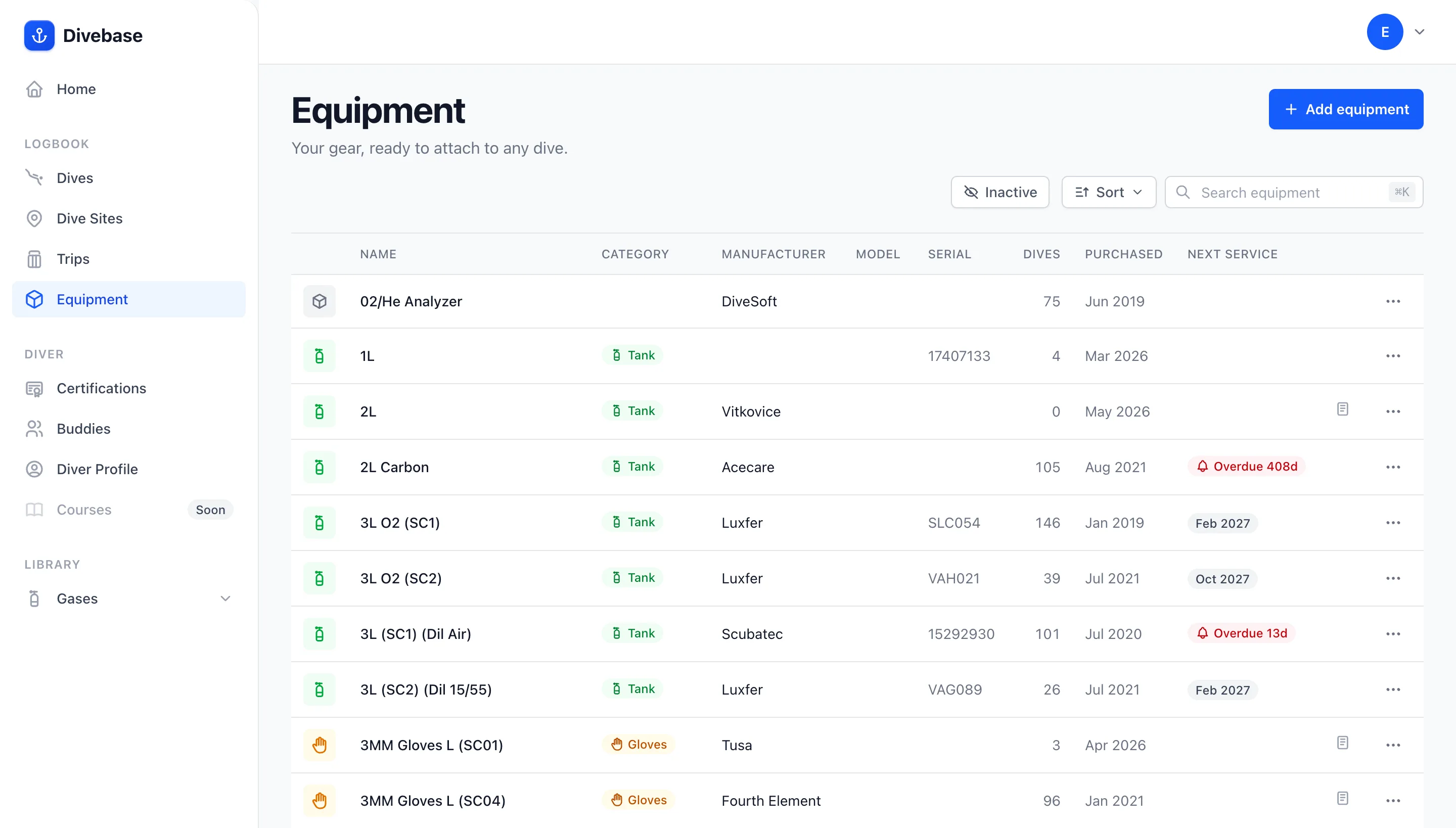
The Divebase equipment list with a Next Service column, some items showing an upcoming month and others flagged in red as overdue by a number of days

Gear that keeps you alive deserves a maintenance record. Regulators get overhauled, tanks get their hydro test, rebreather sensors get swapped: every piece of kit has its own rhythm of servicing, and forgetting where each one stands is how you end up on the boat with a cylinder that's out of test. When I opened the Equipment section I promised the Service tab was coming. Today it's here.

Service tracking gives every item in your inventory a full maintenance history and a clear next-service date, so you always know what's been done and what's due. And it's more than good housekeeping: as of May 2026, Italy's "Legge del Mare" makes keeping a register of equipment testing and maintenance a legal requirement for diving operators (Legge 7 maggio 2026, n. 70). Whether you're a professional who has to keep the register or a diver who just wants peace of mind, it's the same tab.

Read update

Introducing Trips

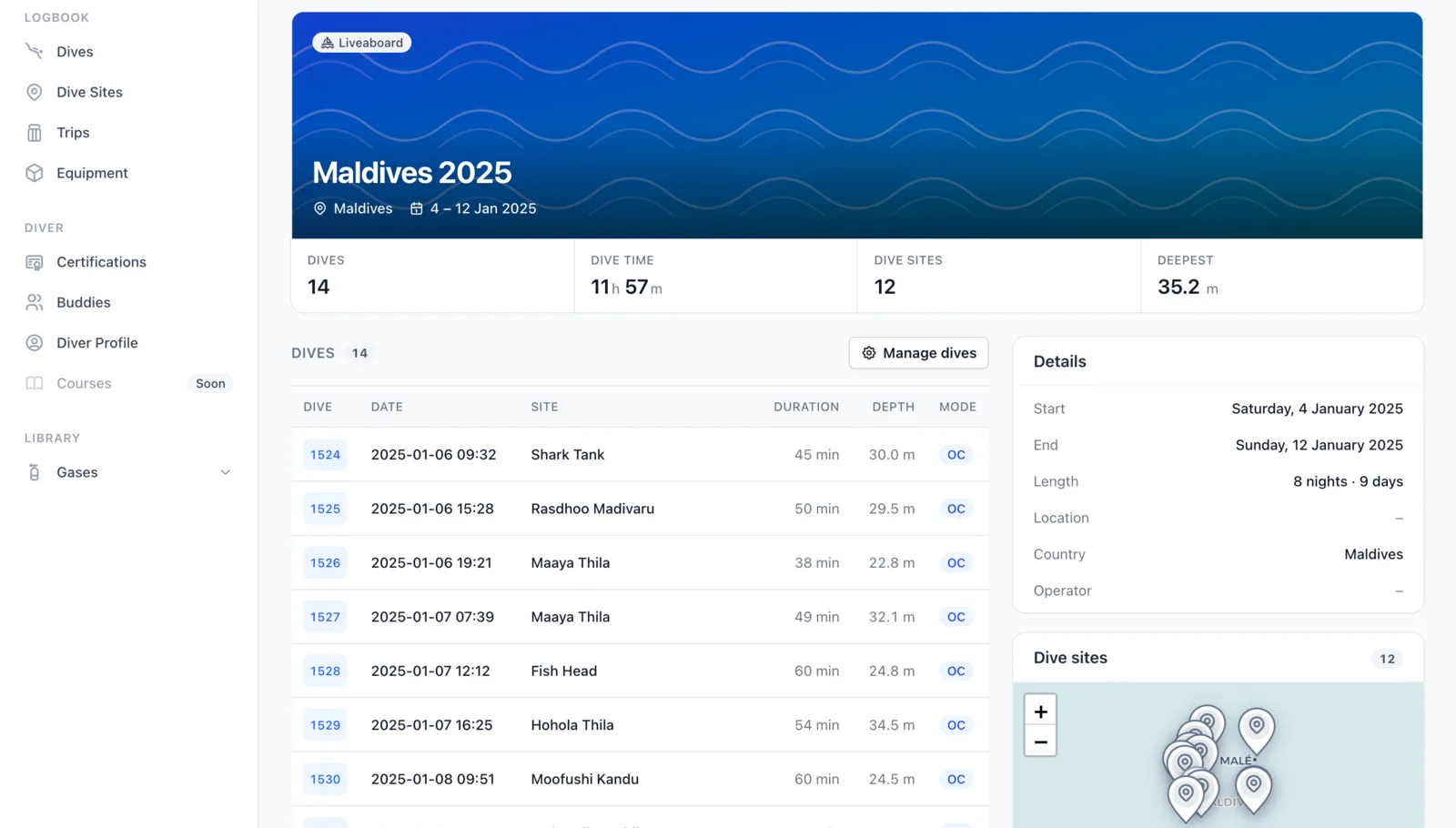
A Divebase trip page for a Maldives liveaboard, showing the dive count, total dive time, sites and deepest dive up top, the full list of dives, and a map of every site visited

Some dives belong together. The fourteen you logged on that liveaboard week in the Maldives, the handful from a weekend at the local quarry, the season of dives from a research campaign: each of those is one journey, scattered down your logbook as separate entries. Today Divebase gets a whole new section to hold them. Meet Trips.

A trip groups the dives you logged on a single journey, with its own dates, its own location, and its own running totals. Instead of scrolling your logbook and squinting at dates to remember which dives came from where, you open the trip and the whole journey is right there: every dive, every site, the total bottom time, the deepest point.

I've wanted this for a very long time. I've kept my logbook in MacDive for over ten years, and it's still my favourite divelog, but it has no concept of a trip, and neither do many other divelogs. Every time I came home from a week of diving I wished I could wrap those dives into something I could name and look back on as one.

There are all sorts of ways to use a trip. A few that I reach for:

  • Liveaboard — a week aboard a boat, hopping between sites.
  • Resort — a diving holiday based out of a resort or a single dive center.
  • Excursion — a short outing, a weekend or a day trip to a nearby site.
  • Expedition — a longer campaign, often with a purpose beyond leisure.
  • Other — anything that doesn't fit the moulds above; the box is yours to fill.

Expeditions are close to my heart. An expedition is a campaign with a goal, and very often that goal is research: marine biologists, archaeologists surveying a wreck, citizen-science groups running transects season after season. They all need to keep the dives from a single campaign together, distinct from their recreational logbook, and an expedition gives that work a home. If you dive for science, Divebase now speaks your language too.

Read update

Recording your dive conditions

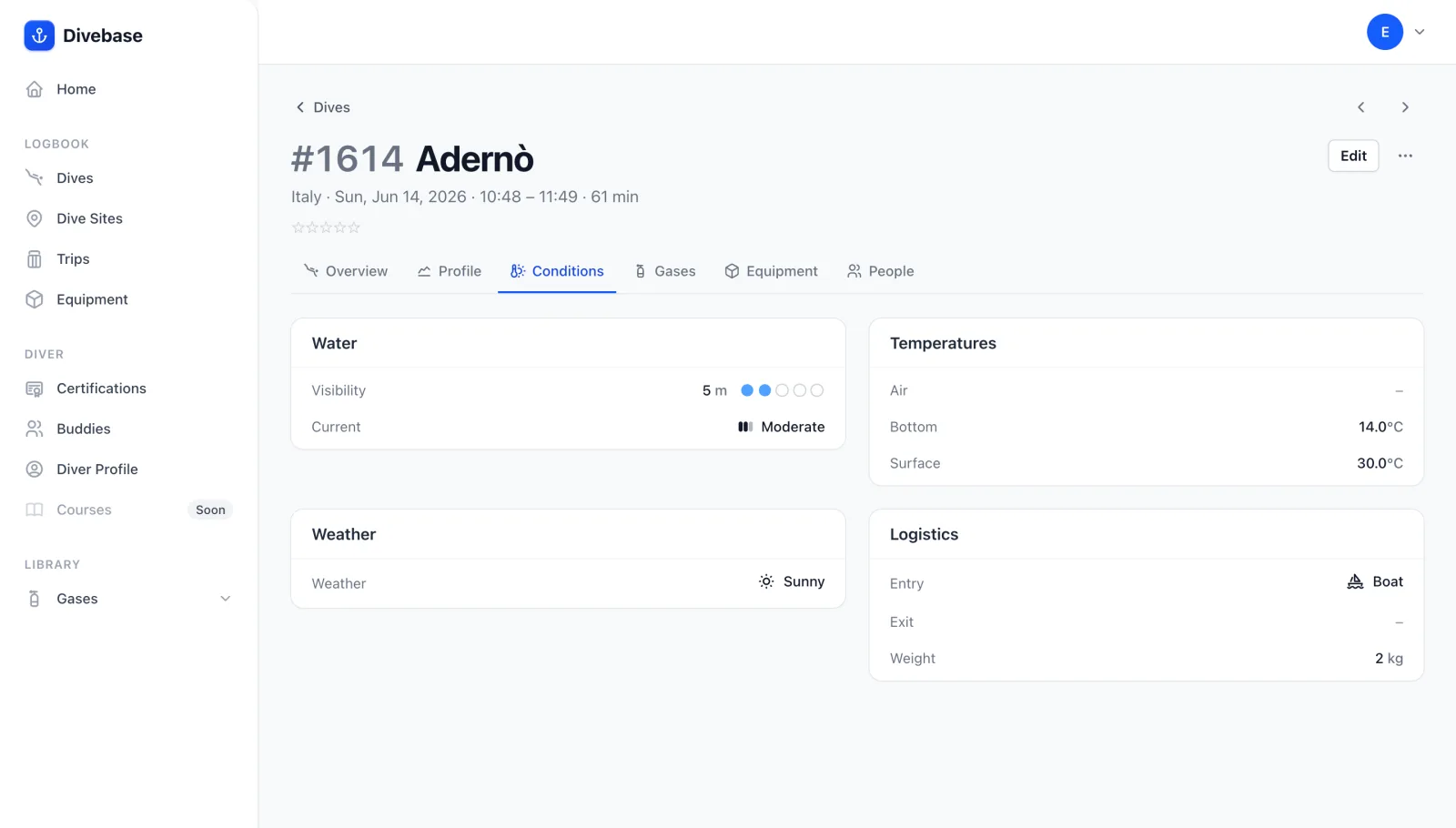
The new Conditions tab on a Divebase dive, showing the Water, Temperatures, Weather, and Logistics panels

A dive is shaped by the water it happens in. The same site is a different dive on a calm, clear morning than it is in a cold, murky current. Today Divebase gains a small but genuinely useful addition: a new Conditions tab on every dive, where you can record and revisit the conditions you dived in. These are the details that never fit in the basics but tell the real story of a dive, and having them on hand changes how much a logged dive is worth to you later.

So what can you record as dive conditions? The Conditions tab gathers everything into four panels:

  • Water — how far you could see and how the water was moving. Visibility is a distance in meters, paired with a clarity rating from Zero to Excellent for the times a number alone doesn't capture the impression. Current runs from none through light, moderate, and strong.
  • Temperatures — the air temperature above the surface, and the water temperature at its warmest (near the surface) and its coldest (down at depth), so a dive through a sharp thermocline reads at a glance.
  • Weather — the sky over the surface: sunny, cloudy, rainy, windy, or foggy.
  • Logistics — the practical side of the dive: whether you got in and out by boat or from shore, and how much weight you carried.
Read update

Introducing the interactive dive chart

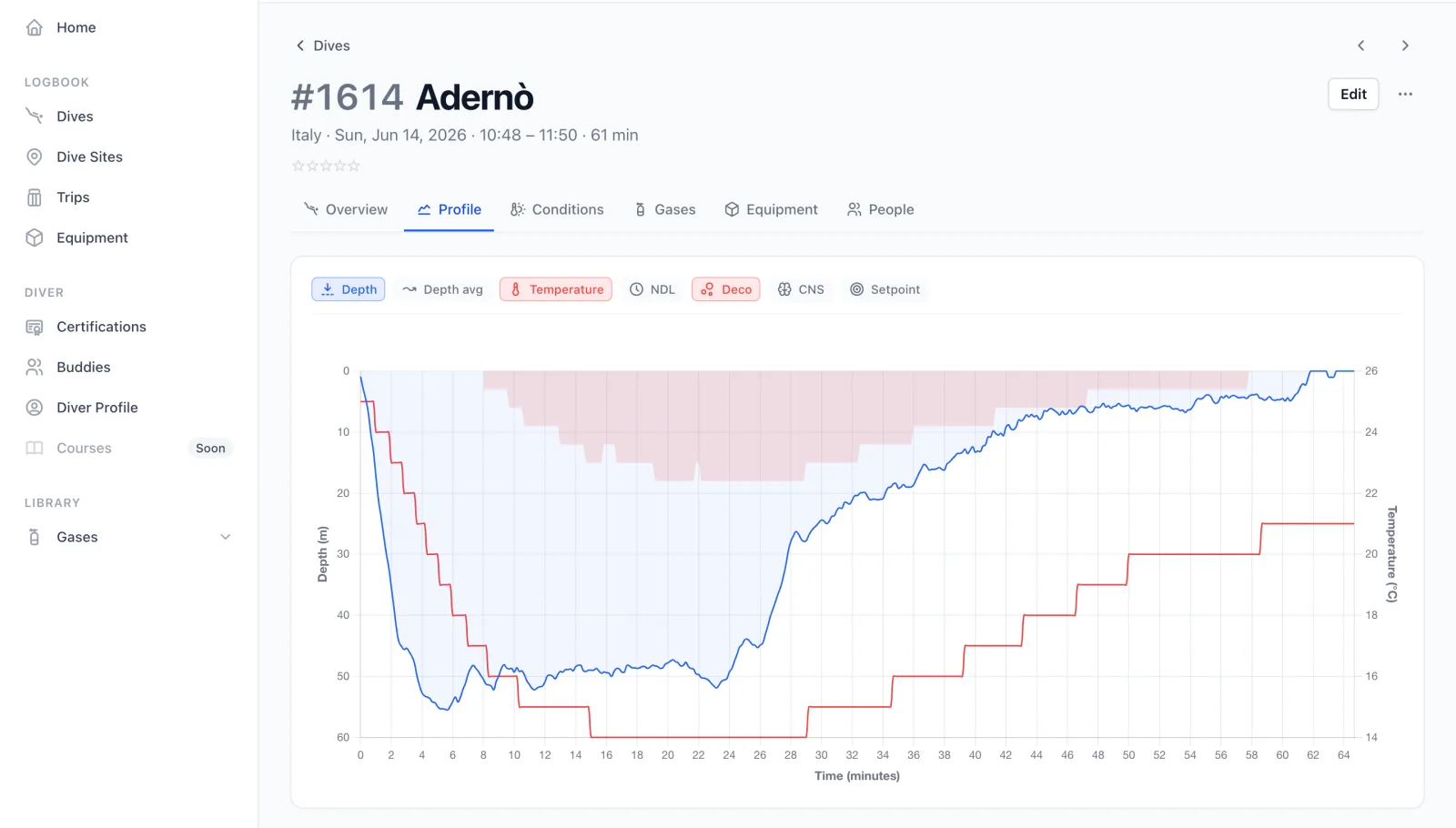
The Divebase interactive dive chart tracing depth against time, with the channel toggles ranged across the top

A few days ago I shared the first piece of the dive profile. Today I'm finally presenting the rest: the new dive profile section, built around an interactive dive chart that lets you replay your dive, event by event and condition by condition. It reads the samples your dive computer records at periodic intervals through the dive, tracking depth, temperature, CNS, ppO₂ and much more.

This is one of the features I'm most proud of. I've relied on dive charts for years to review my own dives, for all sorts of reasons: inspecting the profile of a deco dive, working out the best navigation for a site, or debugging my rebreather's ppO₂ and sensor readings. For all of those, and many more, the interactive dive chart is now there for you too.

Read update

Importing your dives from Garmin FIT

A dive imported from a Garmin FIT file in Divebase, its depth-and-time profile filled in

Since we released the UDDF importer, many of you asked to import dives straight from your Garmin dive computers. Garmin dives can't easily be exported to UDDF, but they can be exported to Garmin's proprietary format, FIT.

The Garmin Flexible and Interoperable Data Transfer (FIT) protocol is designed specifically for storing and sharing data from sport, fitness, and health devices. That includes, you guessed it, dives, their dive sites, and their coordinates.

Today we're opening up support for importing dives from Garmin FIT files. Importing a dive from a FIT file doesn't just create the dive; it also populates the dive profile.

Read update

Introducing dive profiles

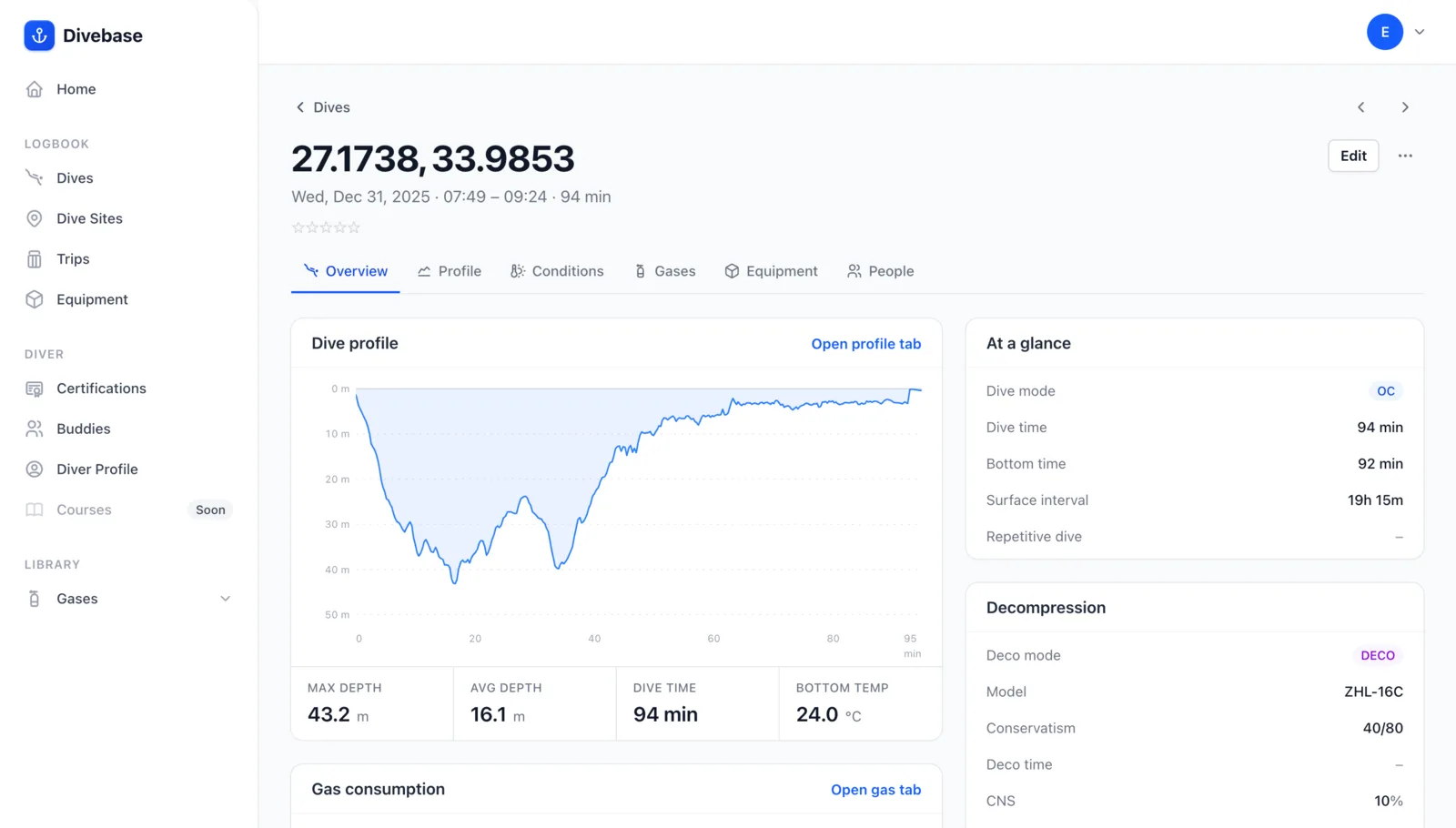
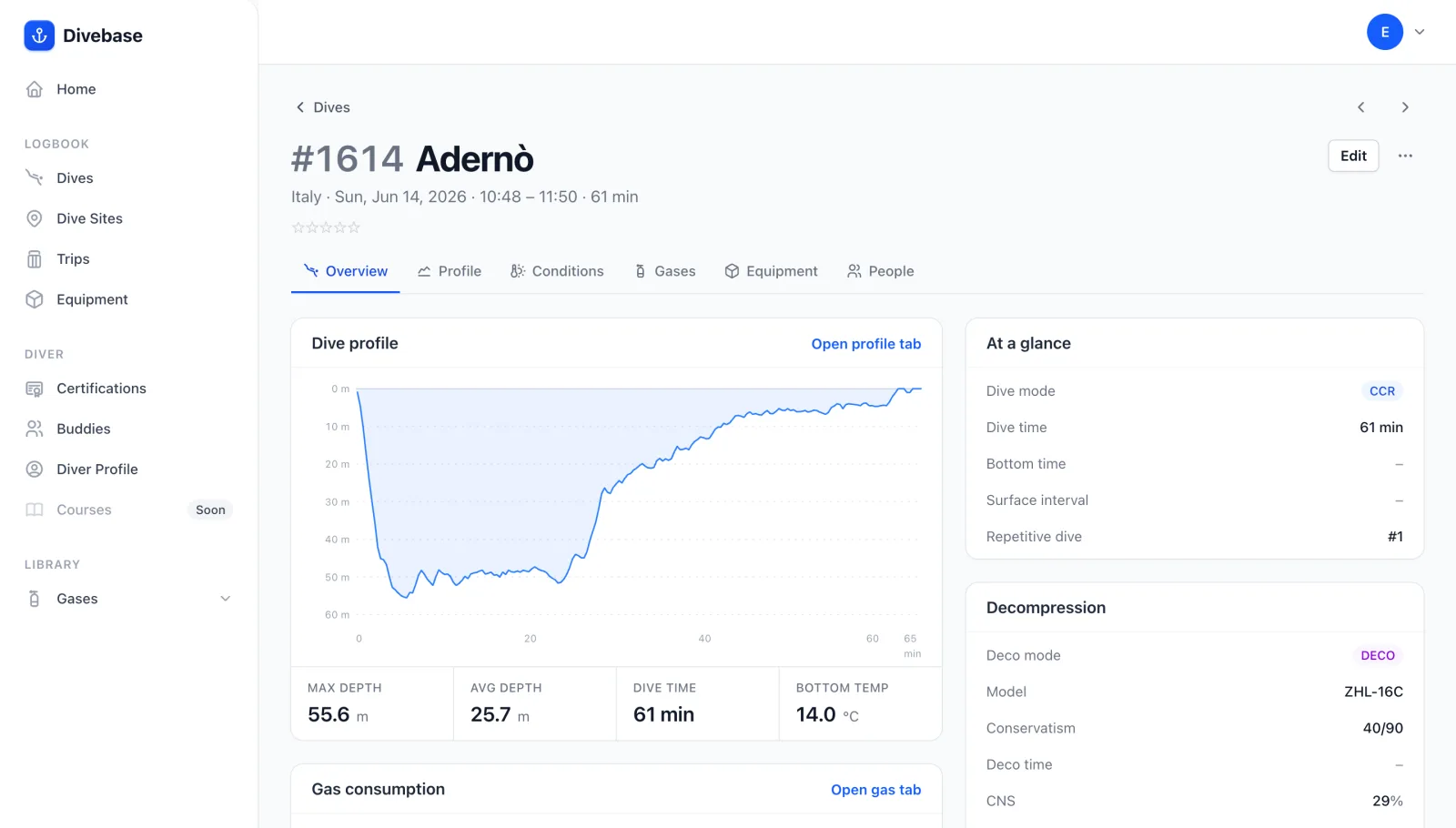
A Divebase dive overview showing the new dive profile preview, tracing depth against time

A dive is more than its deepest point. Today Divebase gains one of its most significant additions yet: the dive profile. A dive profile is the trail of readings your dive computer records at regular intervals through a dive, the data that lets you visualise and replay how the dive actually unfolded.

Dive profiles are made possible by dive computers. Throughout a dive they monitor parameters like depth, time, temperature, and ppO2, and record them into the log at periodic intervals. When you download a dive from your computer you aren't just capturing the basics (dive time, duration, maximum depth, temperature); you're downloading a collection of dive samples. Each sample is a snapshot of those readings at a single moment in the dive, and those samples can be put to work later in a number of ways: to plot the dive profile, or to inspect one particular aspect of the dive.

If a dive has a profile attached, the main dive overview now shows a simple dive profile preview, tracing depth against time. It gives you an instant picture of the dive to refresh your memory.

Read update

Introducing dive buddies

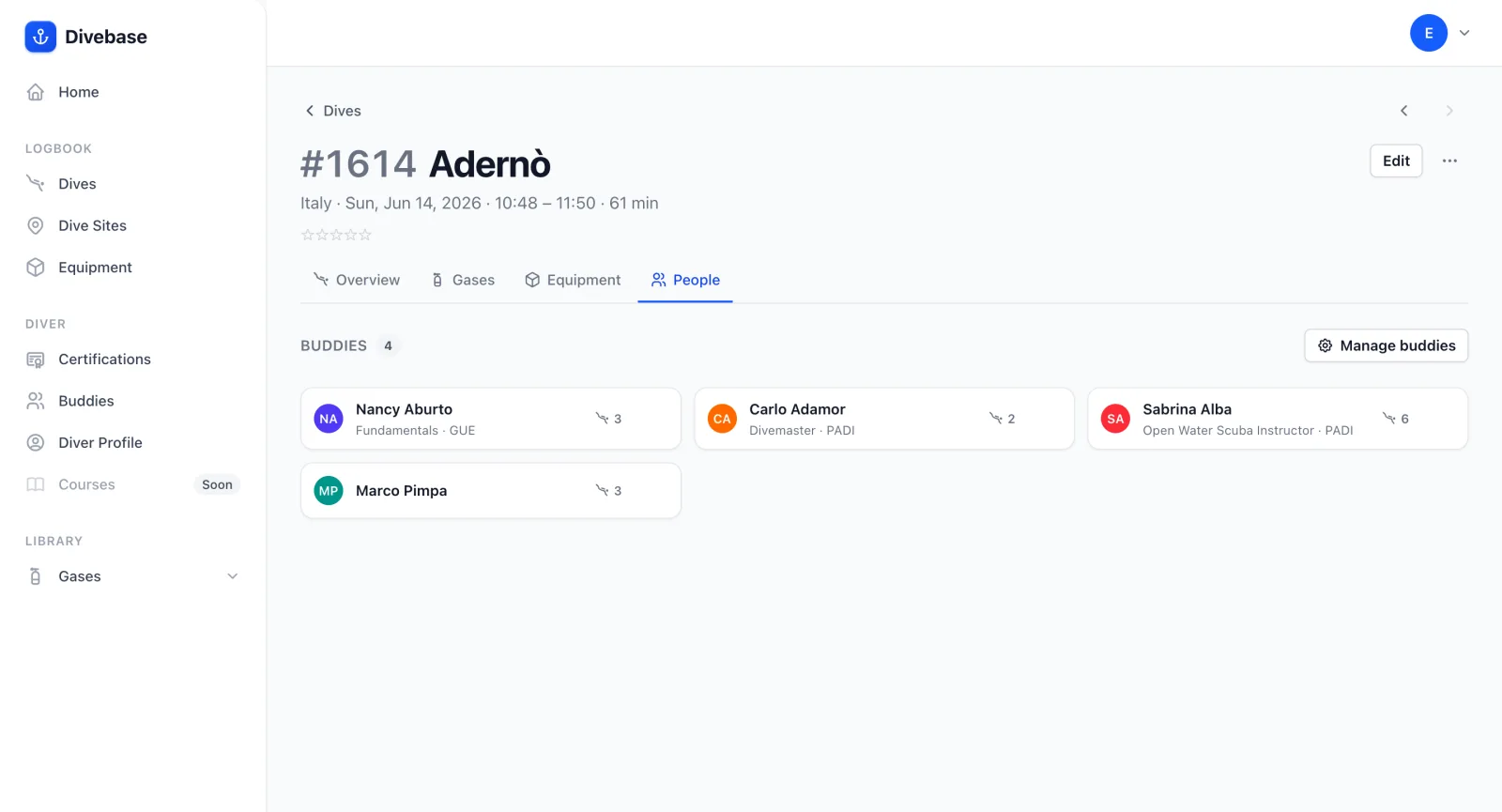
The new People tab on a Divebase dive, listing the dive buddies with a Manage buddies action

Diving is better with friends. Yet until now, Divebase remembered every dive but not the people you shared it with. Open any dive and you'll now find a new People tab where you record whoever was in the water with you, the same way you already attach equipment.

Read update

Equipment, dive by dive

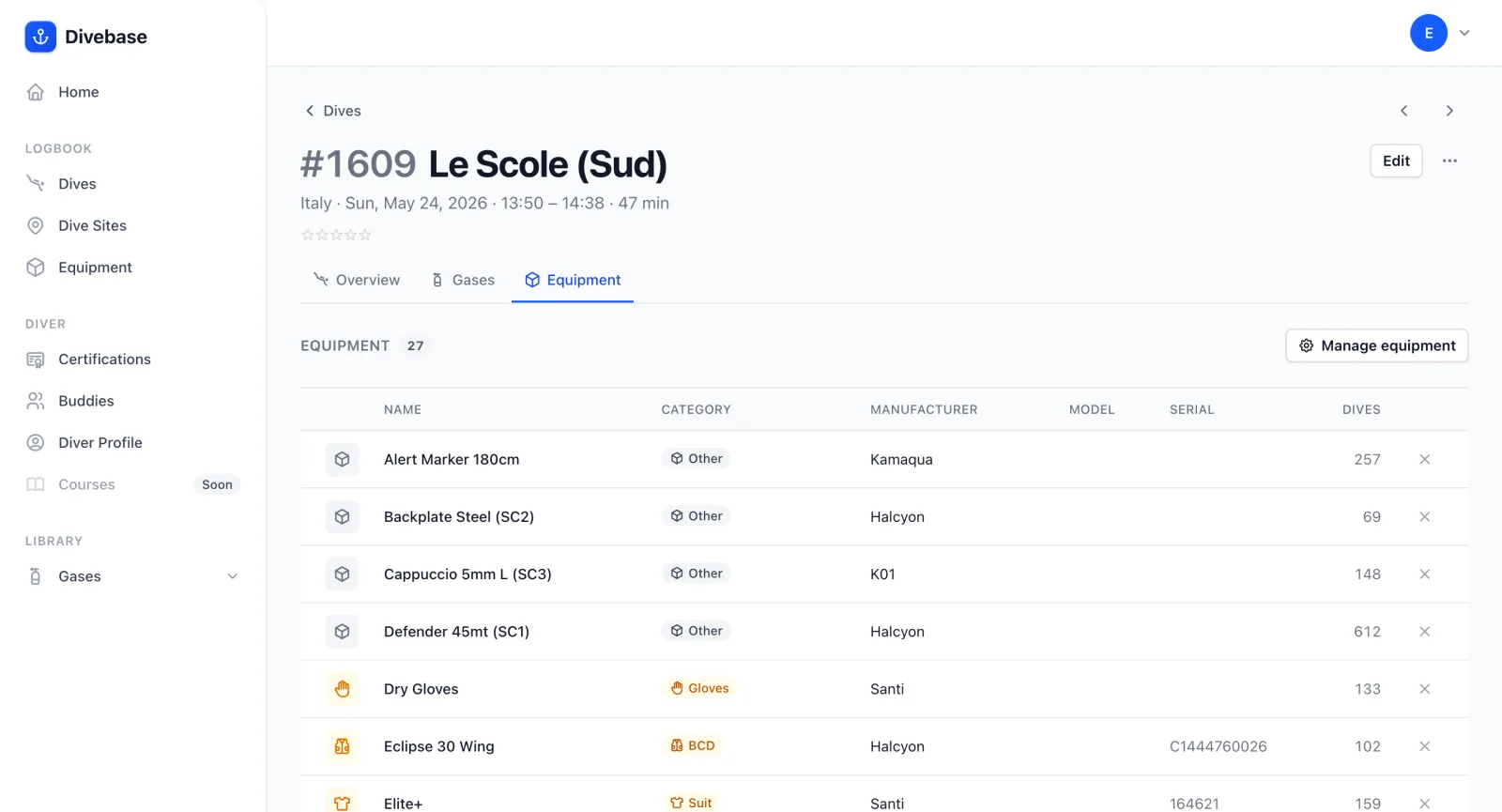
The new Equipment tab on a Divebase dive, listing the gear used on that dive

Every dive has its own kit. Starting today, you can record exactly which gear you took on each dive. It builds on the equipment inventory you already keep in Divebase: the same scuba gear, now connected to the dives where you actually used it.

Open any dive and you'll find a new Equipment tab. It lists the gear for that individual dive, each item with its details, and a click on any entry takes you straight to that equipment's page.

Read update