Always shipping

Changelog

Every update to Divebase, in order. The thinking, the screenshots, and the why behind each one.

All updates RSS feed

A wallet for your dive insurances
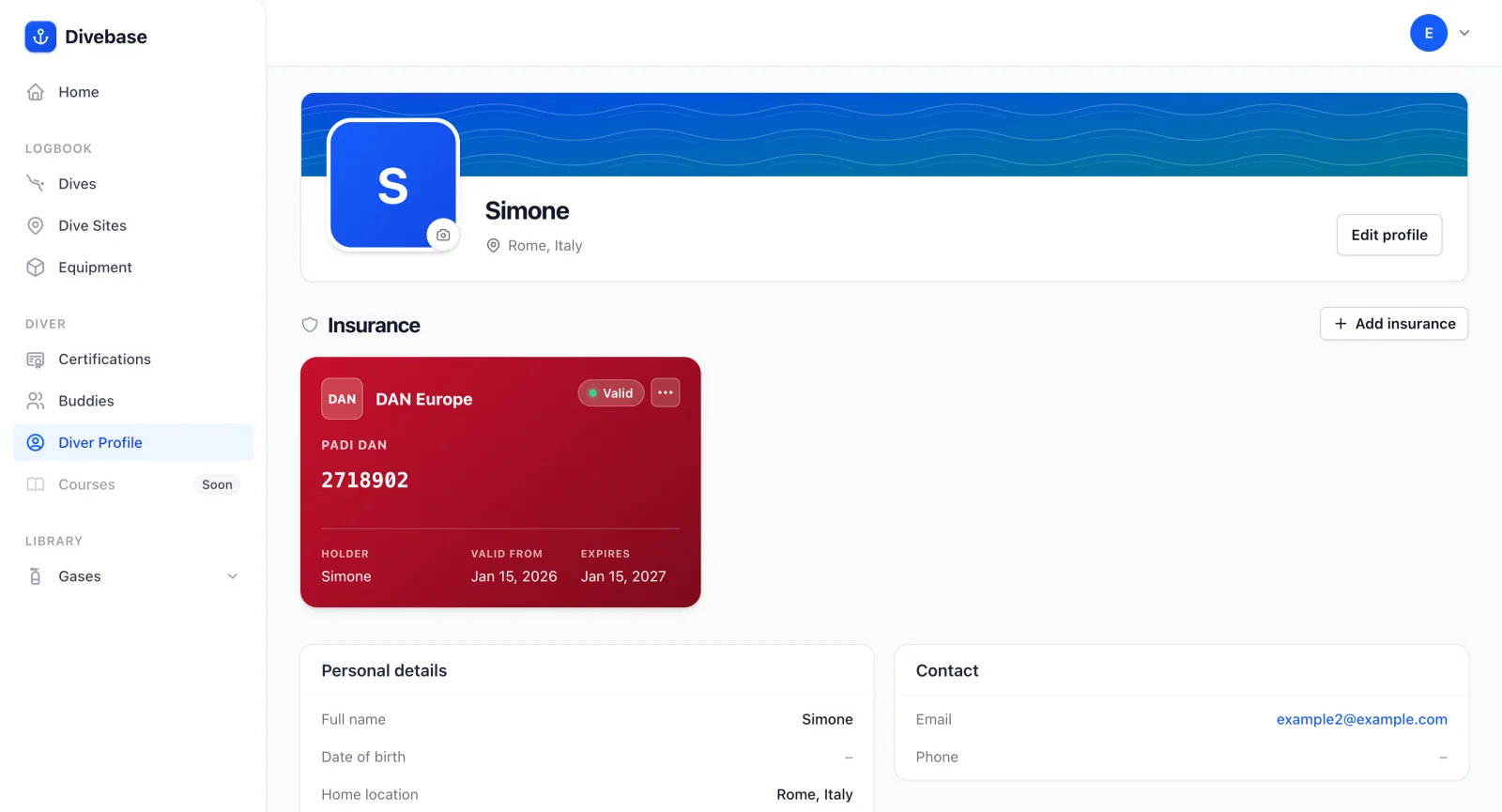
A dive insurance shown as a card in the Divebase diver profile, with its insurer, holder, policy number, and validity period

Some dives ask for more than a certification. Dive professionals like instructors and divemasters need an active insurance policy to stay in teaching status. And plenty of dive activities, trips and liveaboards among them, won't let you join unless you're insured for the duration.

Keeping track of your policies, their numbers, and their expiration dates is something divers are notoriously bad at. Starting today, Divebase tracks them for you, right inside the diver profile.

The new section lets you add each of your dive insurances along with the details that matter: the insurer, the insurance holder, the policy number, and (most importantly) the validity period. Once saved, the insurance shows up as a card in your diver profile.
Read update

Introducing the diver profile

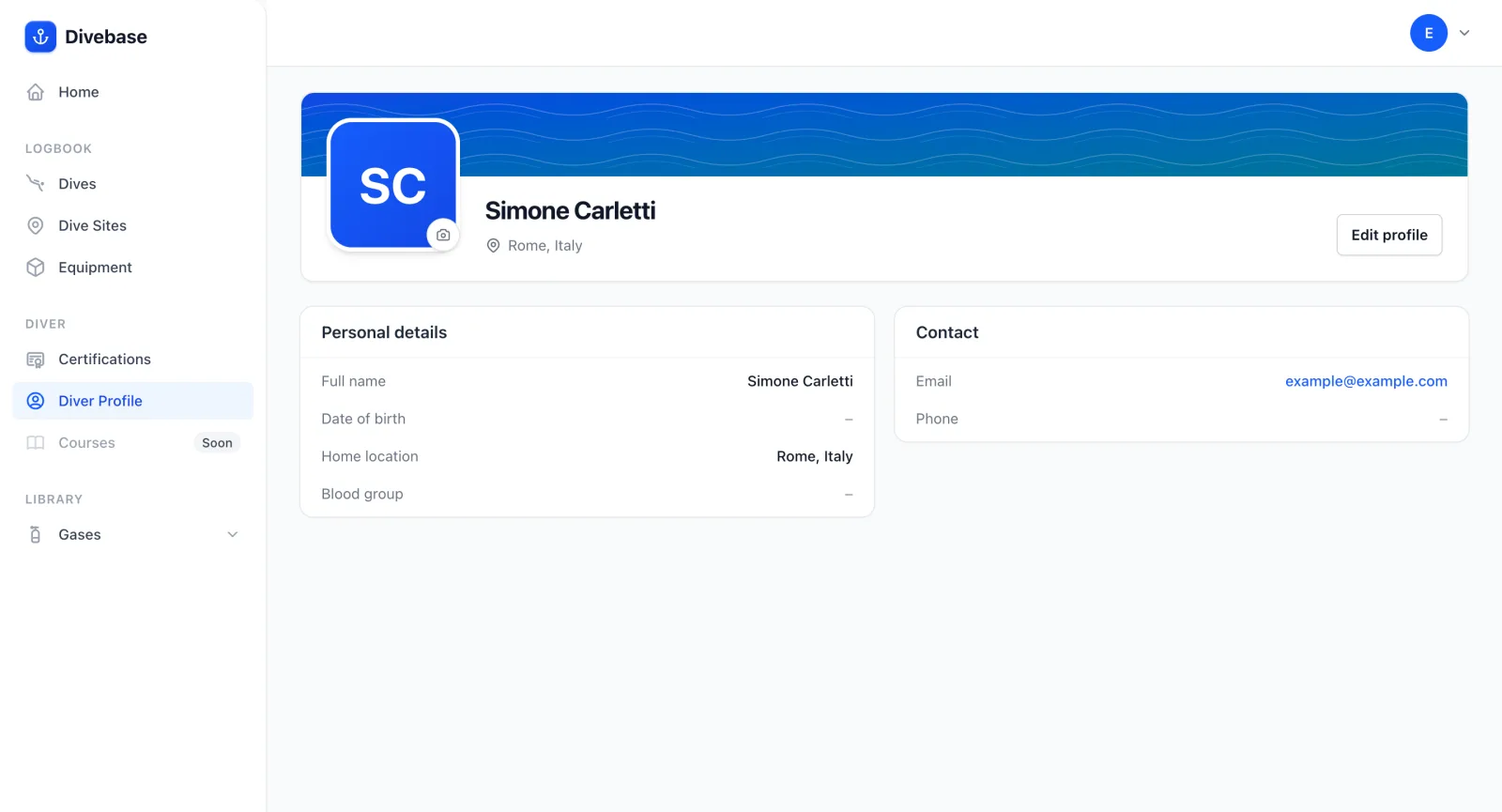
The Divebase diver profile, showing personal details (name, date of birth, home location, blood group) alongside contact details

Who's the diver? You are. And until today, Divebase didn't know the first thing about you. That changes now with the diver profile, a new section that's all about the person behind the logbook. You'll find it in the left sidebar, right where it used to sit with a quiet "SOON" tag beside it.

The profile is where you introduce yourself. Tell Divebase your name and date of birth, where you call home, and a little more if you like: a contact email and phone, kept separate from your account login, and your blood group.

Read update

Grading dive site difficulty

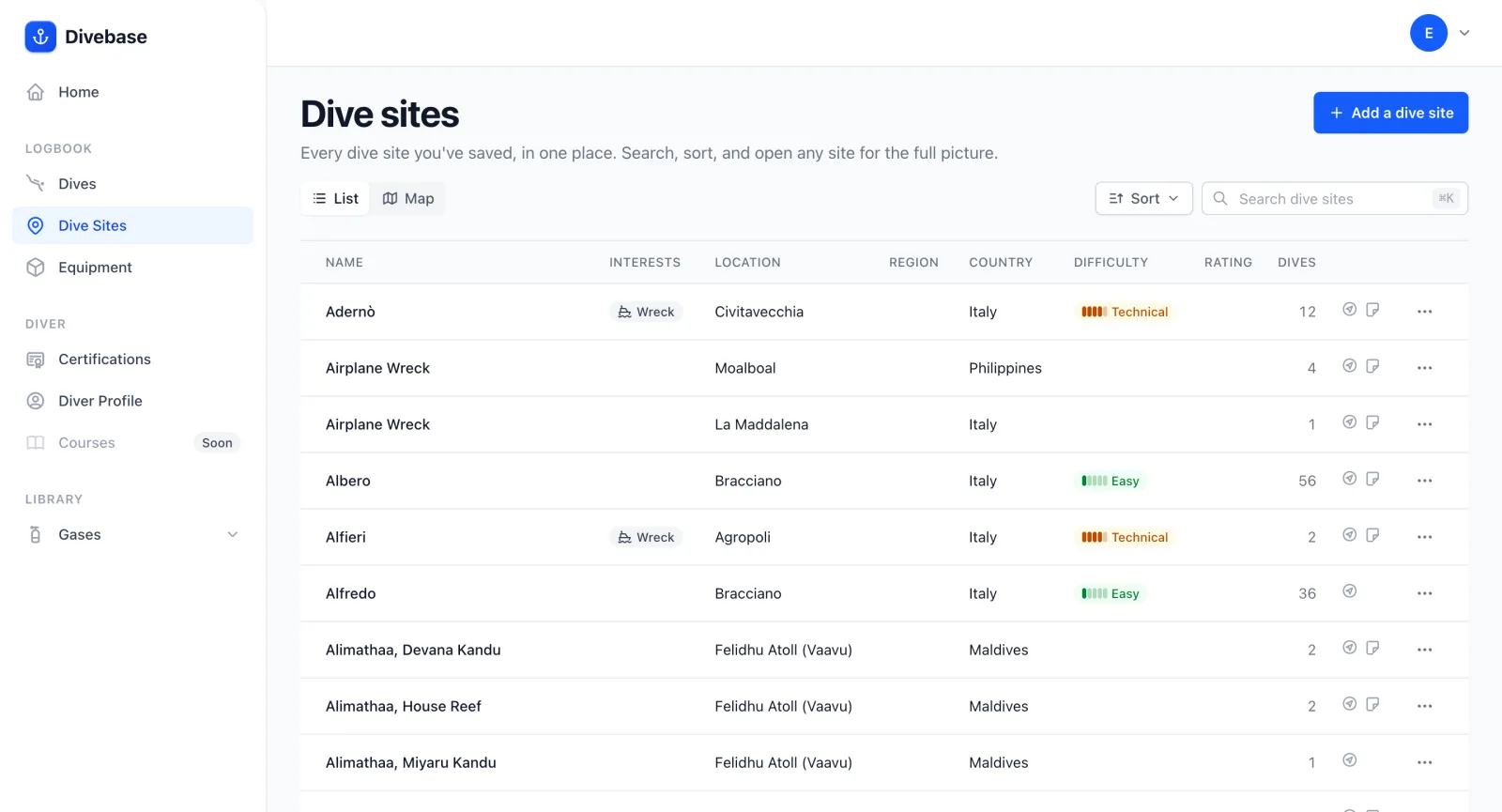
The Divebase dive site list, each site showing its difficulty level beside its name

Some dive sites ask more of you than others. A sheltered bay and a deep wreck in current are both great dives, but they're not the same commitment. You can already tag your sites by interest; now you can grade them by difficulty too.

Difficulty is a single value on a scale from 1 to 5, where 1 is the most accessible and 5 the most specialized:

  1. Easy: calm, shallow, forgiving conditions any certified diver can enjoy.
  2. Intermediate: a little more depth or current, comfortable once you have a few dives behind you.
  3. Advanced: depth, current, or conditions that reward genuine experience.
  4. Technical: beyond recreational limits, the kind of site that calls for technical training and gear.
  5. Special: the most demanding sites, reserved for divers with the specific training they require.
Read update

Announcing the Divebase API

This might be the most important update since Divebase began. Today I'm unveiling the Divebase API: a REST API that lets you connect to Divebase and manage your whole logbook in code, from your dives and dive sites to your equipment, certifications, cylinders, and gas mixes.

That single change turns Divebase into a platform: a true dive database that anyone can read from and write to. Your logbook stops being something locked inside one app and becomes something you can build on.

Read update

Your dive sites on an interactive map

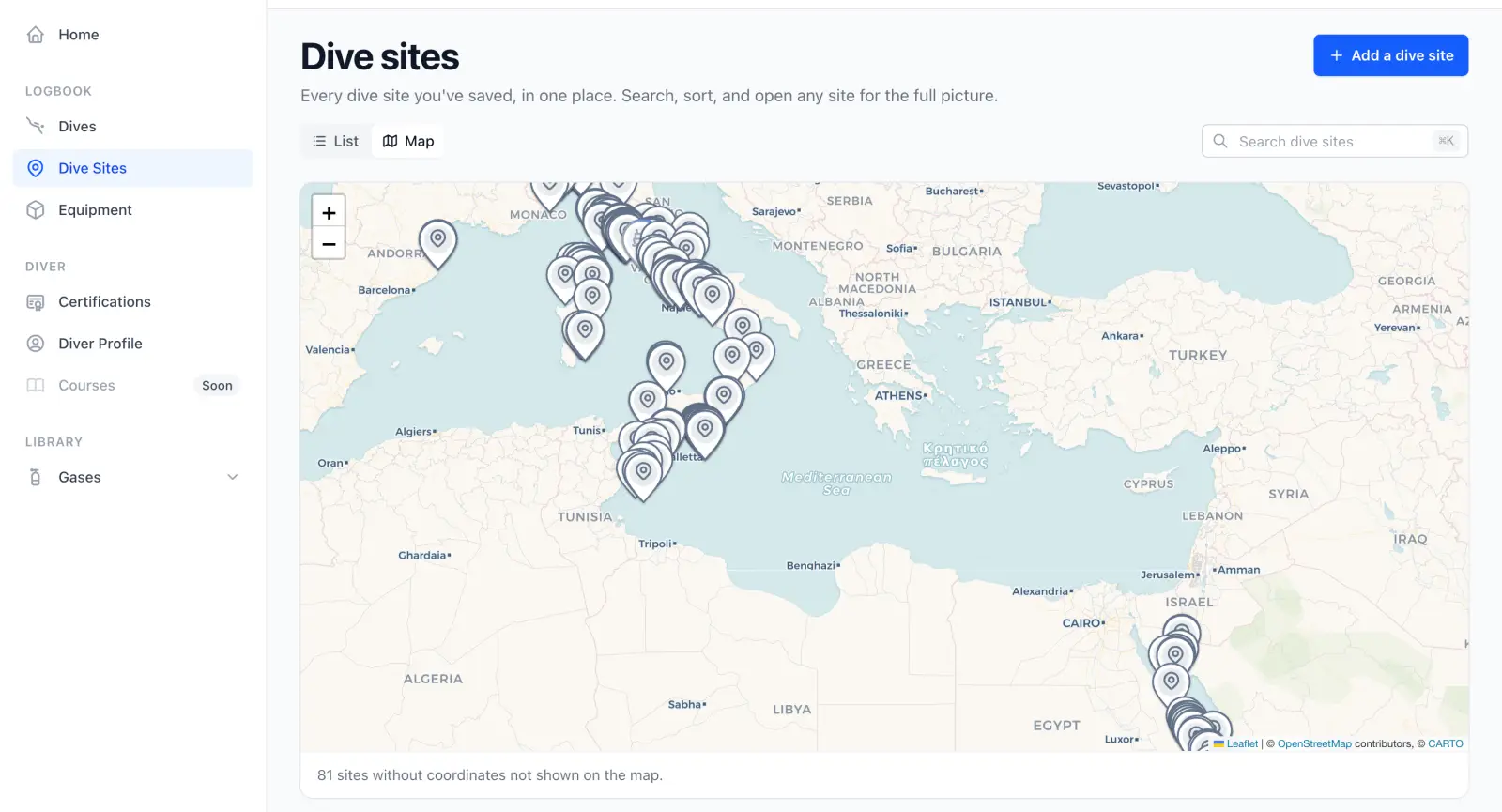
The Divebase dive sites map, every saved site plotted across the Mediterranean with a search box above the map

A map is one of my favourite ways to make sense of a place. Frequent travellers know the feeling, and scuba divers doubly so: half the joy of keeping a dive log is showing off where you've actually been underwater.

You've been able to drop your dive sites on a map for a while now. This update gives that map a promotion: every dive site in your logbook sits on one interactive map, and it searches and filters exactly like the rest of your listings. Type a name, narrow the list, and the map keeps pace with whatever you're looking for.

Read update

Tracking dive site interests

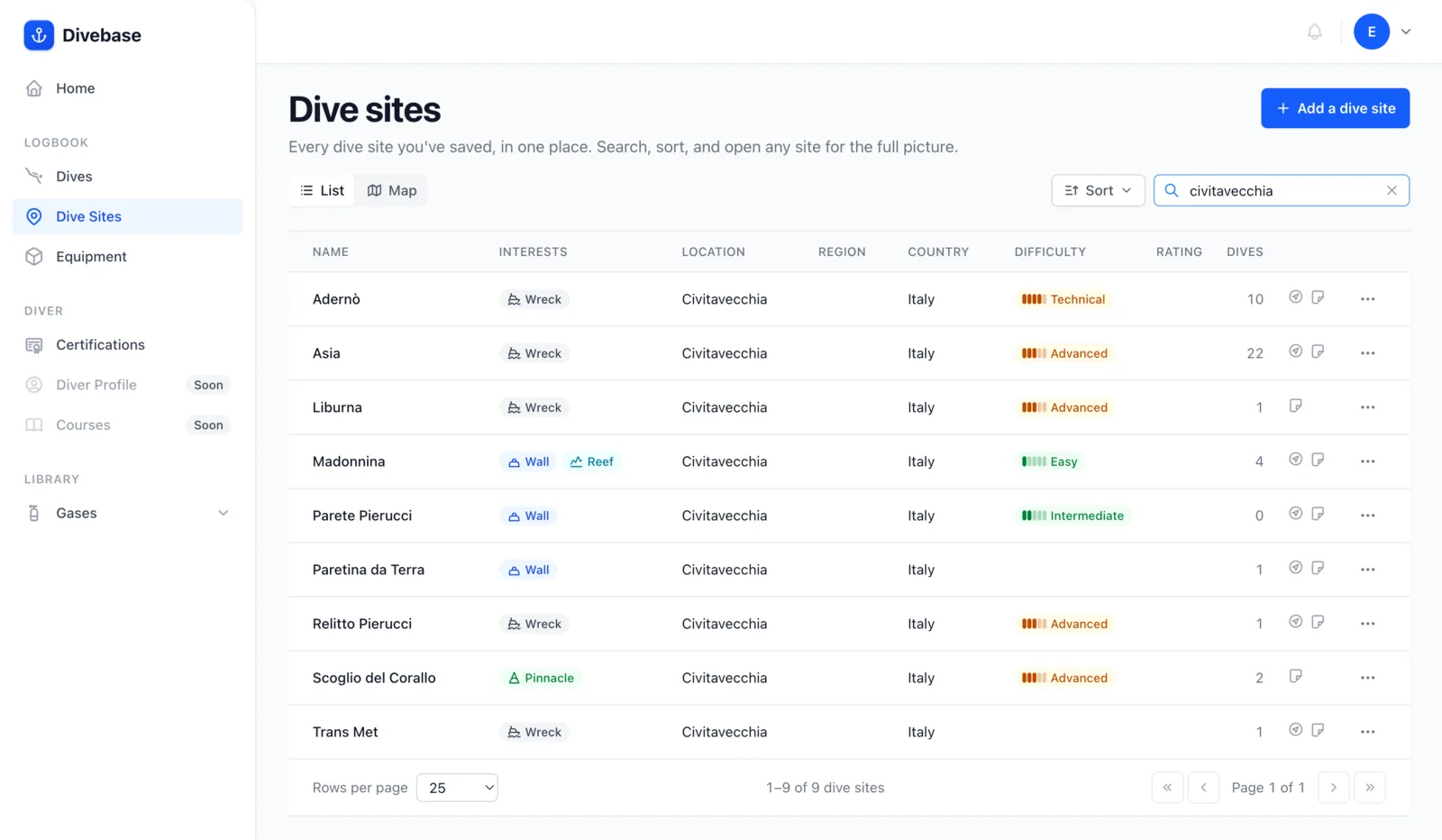
The Divebase dive site list, each site's interests shown as chips beside its name

Not all dive sites are equal. Each one has its own character: what you came to see, and the reason you planned the dive in the first place. Today I'm rolling out a change that lets you capture exactly that, by adding interests to any dive site.

An interest is a short, deliberate label for what a dive site is known for. The catalogue is intentionally small: a finite, easy-to-scan classification rather than an overwhelming pile of tags. In this first version there are five:

  • Wreck: sunken ships, planes, statues, or any artificial structure on the bottom.
  • Cave: any overhead environment, from caverns and tunnels to swim-throughs and full caves.
  • Pinnacle: an underwater spire or seamount rising from a deeper bottom (what Italian divers call a secca).
  • Wall: a vertical or near-vertical drop-off.
  • Reef: coral, rocky reef, or boulder fields.

Interests show up in your dive site list, right next to the name, so the kind of dive is obvious at a glance.

Read update

Importing your logbook dives via UDDF

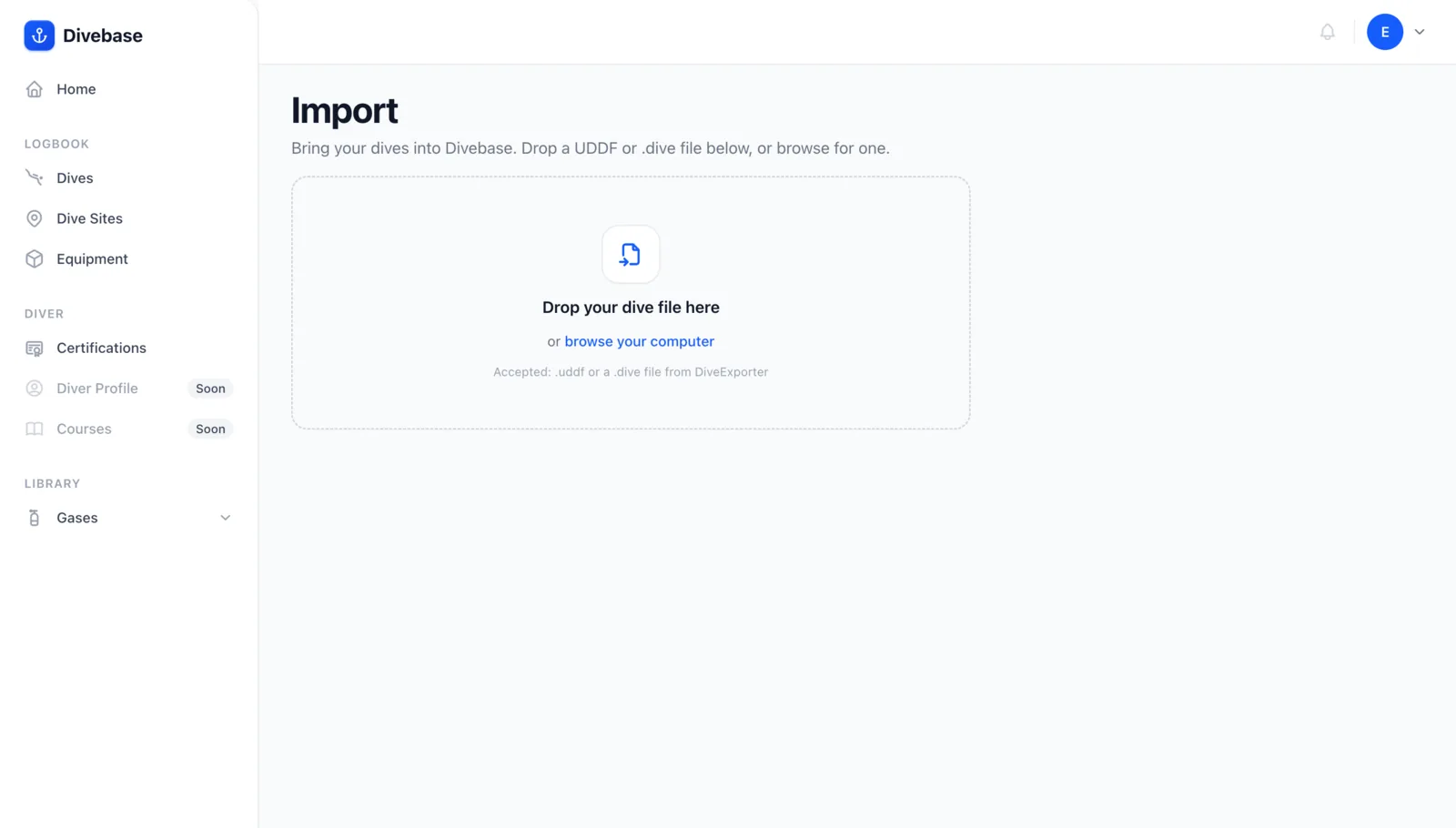
The Divebase Import screen, with a drop zone for a UDDF or .dive file

Diving is fun. Visualizing your dive sites is fun, browsing your dive log history is fun... but manually typing every dive into your logbook? Not fun. We hear you.

When I started building a divelog, I knew nobody would use it unless there was an easy, convenient way to bring their existing dives in. Dives come from many sources and in many formats, and one of the most widely adopted is UDDF, the Universal Dive Data Format.

UDDF files aren't just for dive entries. They're little databases in their own right: a single file can carry your dives, but also the associated dive sites, your equipment, your diver certifications, and more.

Divebase now imports UDDF files. Today we pull out the dive list, the dive sites, the dive details, the per-dive gas usage, and even the dive samples, enough to build an initial version of the dive profile and to surface useful decompression information: the dive computer model, the gradient factors or conservatism setting, and so on.

Read update

Tracking the gas you breathe, dive by dive

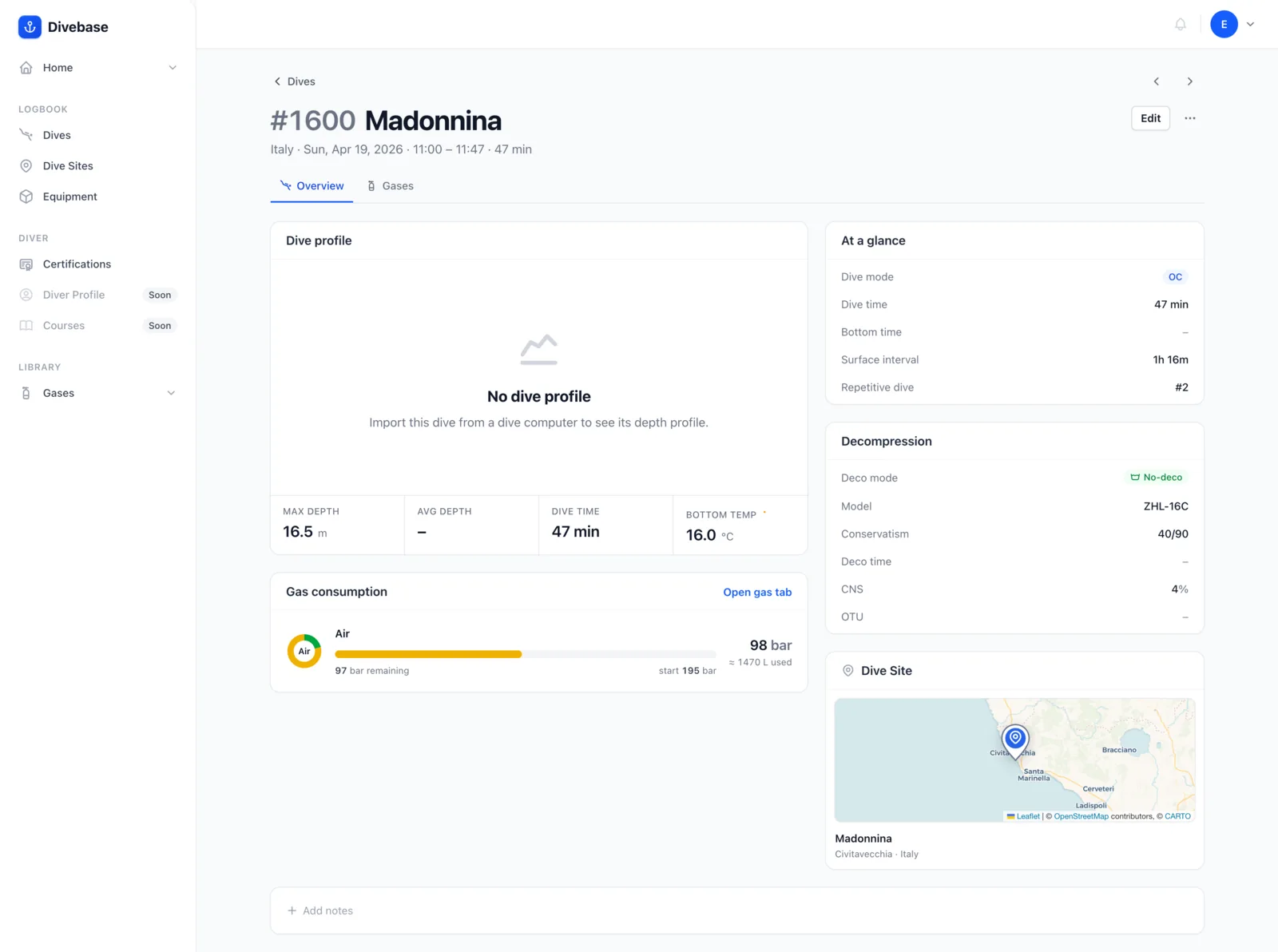
A Divebase dive Overview with its new Gas consumption panel, summarizing each tank and mix breathed

You can build your gas mixes, you can define your cylinders, and the obvious next step writes itself: putting the two to work on an actual dive. A mix tells you what you breathed and a cylinder how much you carried; pair them on a dive and Divebase can finally answer the question every logbook dances around, how much gas did you actually use?

A new Gas consumption panel now rides in your dive's Overview. It's the summary view: every tank and mix you breathed on the dive, each with its blend, a pressure gauge, and the gas you got through.

Read update

Introducing cylinder management

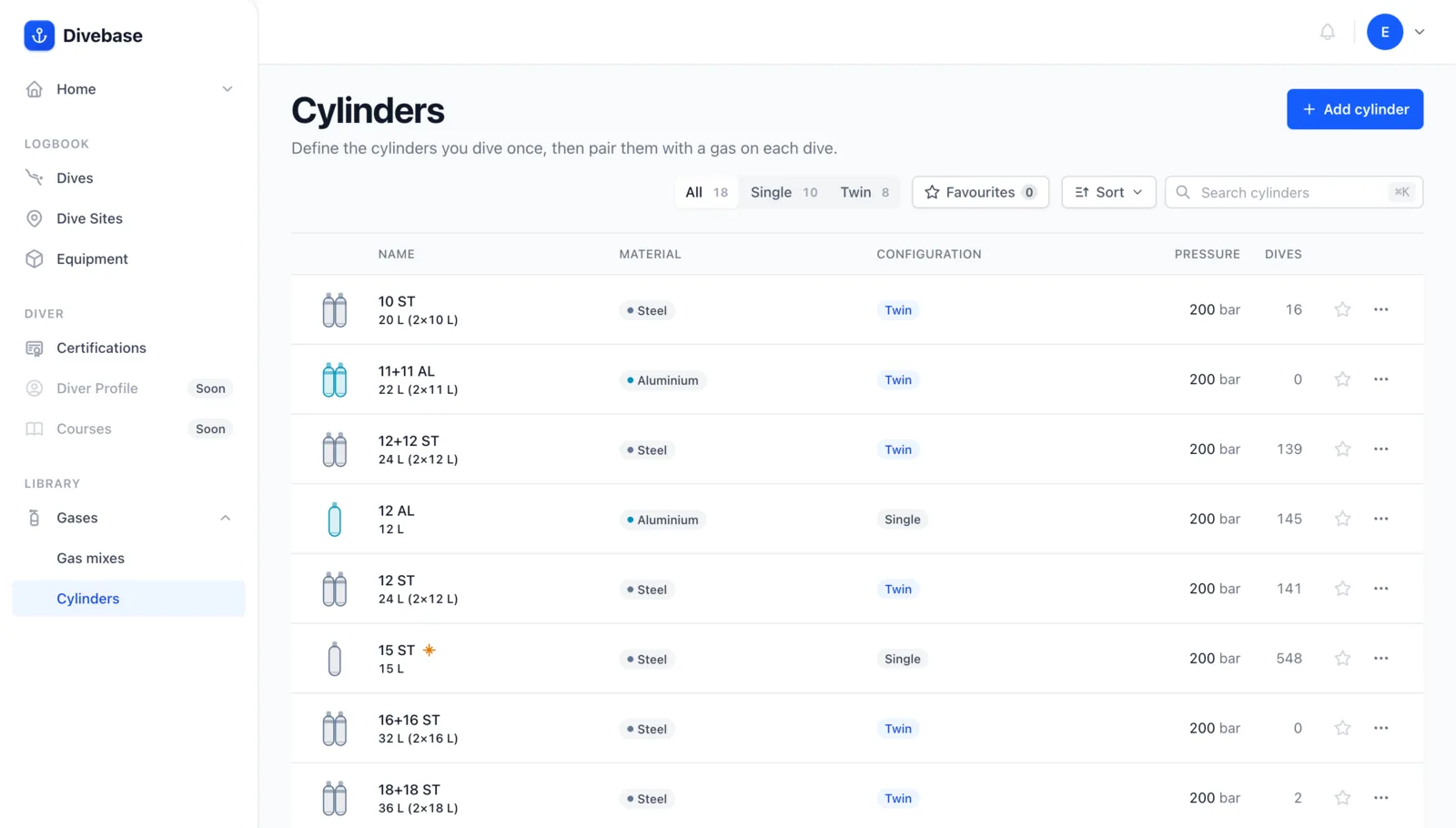
The Divebase cylinders list, every tank you own in one place

Last time I introduced gas mixes and promised the other half of the Gases section. Here it is: cylinders. A gas mix tells you what you breathe; a cylinder tells you how much of it you carry, and the two belong together.

So why bother defining your tanks at all? Two good reasons, and a third for the gear nerds.

Read update

Introducing gas mixes management

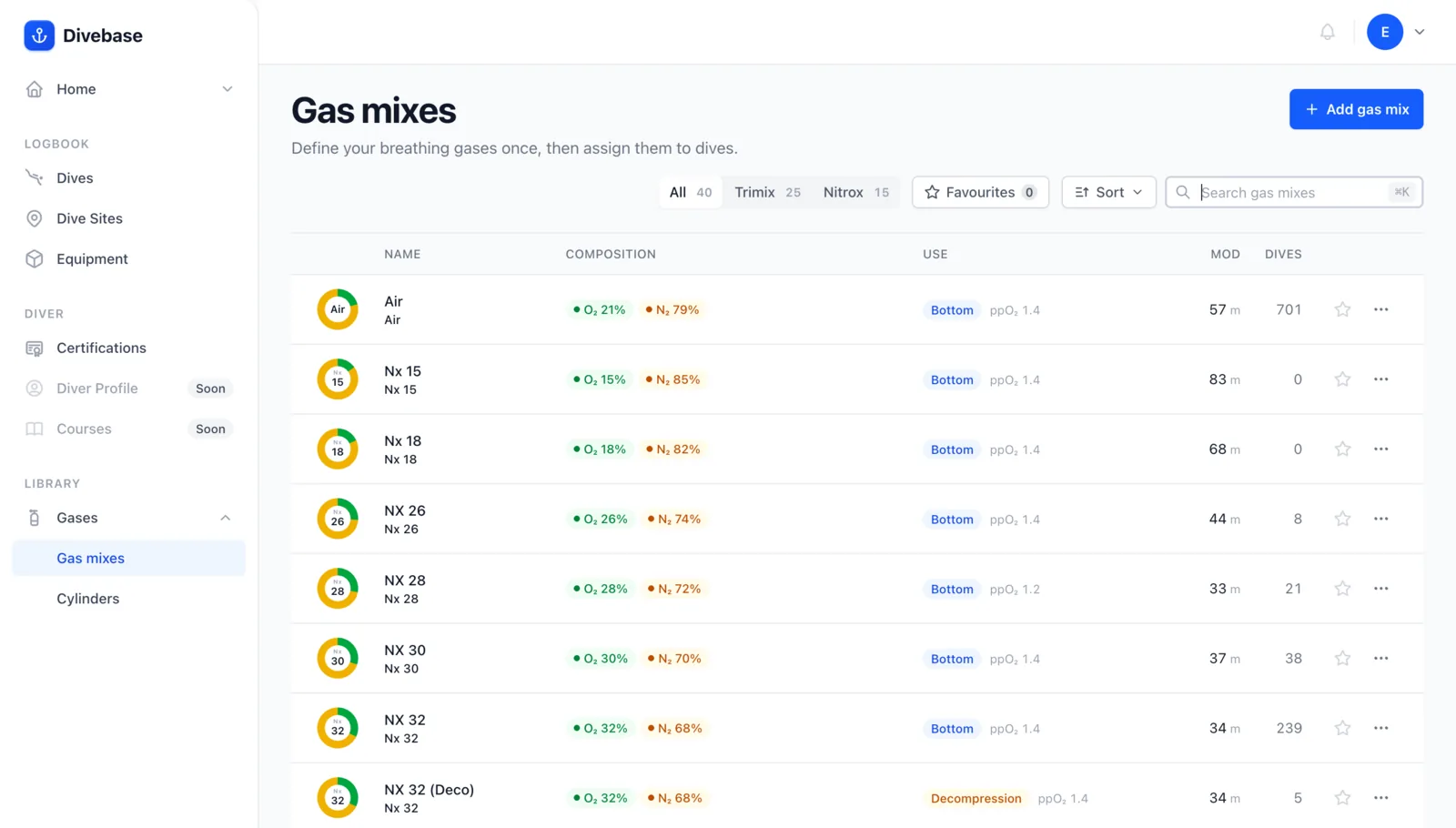
The Divebase gas mixes list, every blend you breathe in one place

I've said before that a dive holds more detail than anything else in a logbook. That's no accident: the dive is the center of every diving experience, as we explored last time. And that experience takes many forms, from open circuit to rebreather, each with its own way of feeding you the gas you breathe.

The sidebar now carries a new section: Gases. It has actually been hiding in a few earlier screenshots, quietly under construction, and it's finally ready. It manages two essentials: gas mixes and cylinders. Let's start with gas mixes; cylinders get their turn in a later update.

Read update