
Importing your whole MacDive logbook
MacDive has been my logbook for over ten years, and I owe it a great deal. It shaped the way I approach diving: it taught me to look at a profile instead of a single depth number, to track which gear was on which dive, to care about when a regulator was last serviced. A good part of what Divebase is today began as a habit MacDive gave me, so please don't read this entry as a replacement announcement. It isn't one.
What changed is the pace of development. MacDive has been quiet for a long time now, and the libdivecomputer it bundles predates my current computer, so it can't download from a Halcyon Symbios and realistically never will. That's what pushed me to write Dive Exporter (the whole story is here), and eventually to build Divebase.
There are 1,625 dives in my MacDive library, 58 days underwater across seventeen years. I wasn't going to move all of that with an importer that was merely "good enough to get started": I wanted everything MacDive knows about my diving to land in Divebase, in the right fields. Today the MacDive import is here, and it takes the whole database.
What comes across
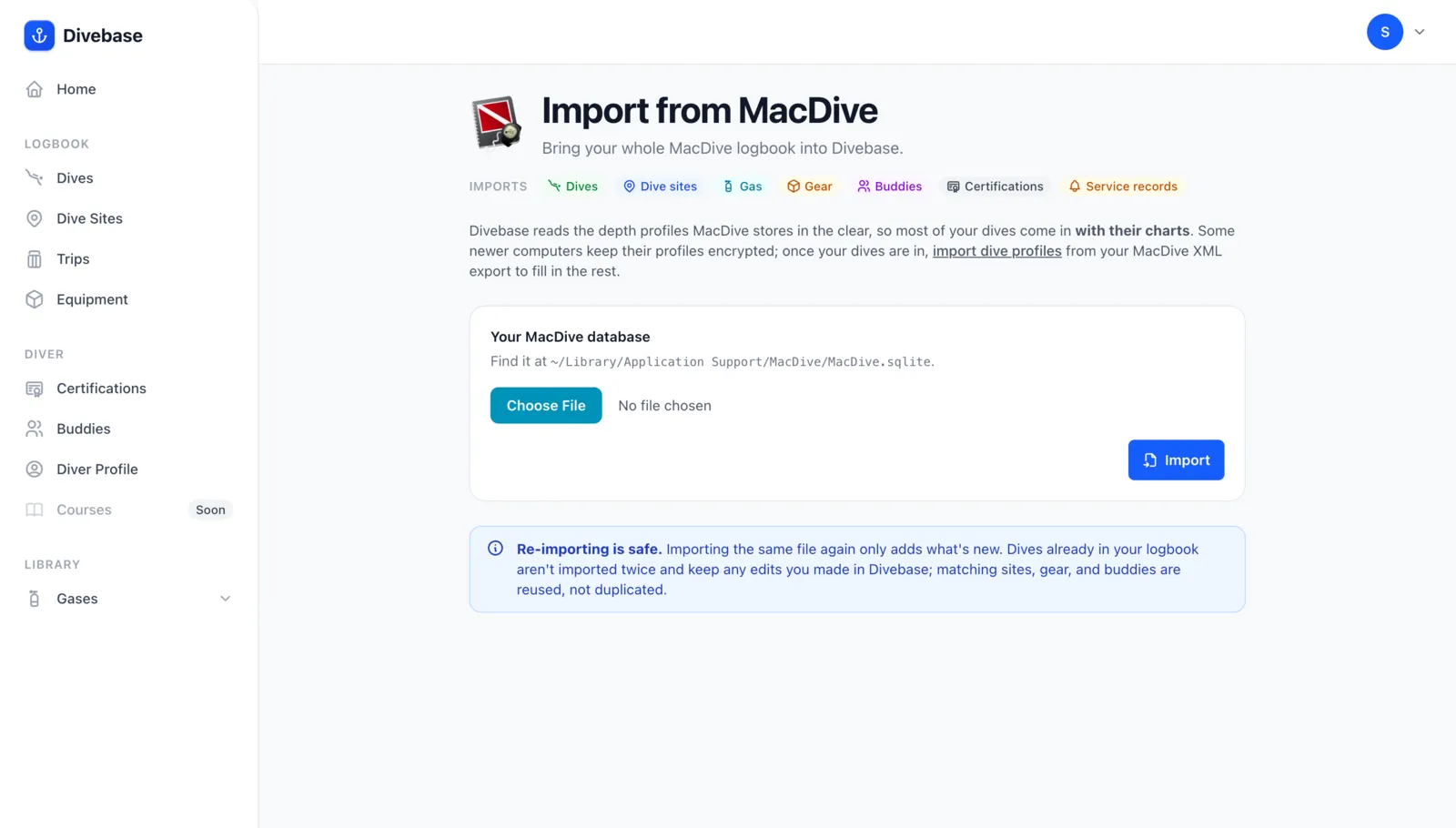
Upload your MacDive database and Divebase reads all of it:
- Dives — number, date and time zone, duration, depth, rating, notes, surface interval, repetitive number, CNS, and the decompression model your computer ran, gradient factors and all.
- Dive sites — name, coordinates, altitude, location, country, difficulty, water type and body of water, notes.
- Conditions — air and water temperatures, visibility as both a distance and a clarity rating, current, weather, entry method, and the weight you carried. See dive conditions.
- Gas and cylinders — your mixes and your tanks with real volume, working pressure, material, and single or twin, plus the start and end pressures on every dive.
- Gear — every item with its manufacturer, serial, purchase date and price, and which gear was on which dive.
- Service history — every service record on every item, with its date, provider, and notes. Service tracking exists in Divebase partly because MacDive's version served me so well for years.
- Buddies — everyone you logged a dive with, linked back to those dives.
- Certifications — agency, card name, numbers, instructor, issue and expiry dates.
- Dive profiles — the ones MacDive stores in the clear come straight from the database. The rest need one extra step, and I explain why below.
In several places the importer goes past what MacDive itself can do today. Divebase reads dives from computers MacDive can no longer reach, my Symbios among them, through Dive Exporter and UDDF. The interactive chart plots each rebreather oxygen cell on its own line. Sites carry interests and difficulty, dives group into trips, and your gear knows how many dives it has done since its last service.
A few gaps are still open, and I'd rather you hear about them now. Critters are the big one: MacDive lets you log what you saw on a dive, I want it badly, and it needs a model of its own, so it's planned for a later release. Tags and dive types are the second. Divebase already reads them out of your database, though only as signals: a CCR tag sets the dive's mode, and a Wreck tag marks the site as a wreck. They aren't yet kept as tags you can browse and filter by. Photos on a dive and equipment sets round out the list. All four are on the roadmap, and everything else should be covered.
MacDive exports UDDF. Upload the database anyway.
MacDive can export UDDF, and that route has worked in Divebase since the very first importer. It's a perfectly good way to move a handful of dives.
For your whole logbook it's the wrong tool. An export is a conversion, and a conversion only keeps what the destination format has a home for: MacDive's own UDDF export drops the per-sample oxygen partial pressure and no-decompression limit that a rebreather or a deco dive depends on. The database, on the other hand, is exactly what MacDive stores, gear items, service records, tank geometry, conditions and all. If you want the whole thing, give Divebase the whole thing.
The encrypted profiles, and why there are two steps
There's one awkward part, and it's worth understanding before you start.
MacDive keeps each dive's samples, the depth-every-few-seconds trace behind the chart, in a blob inside the database. That blob comes in two flavours. The older one is plain: a simple array of numbers that Divebase decodes directly. I verified the decode against the same dives exported to UDDF, and the two are identical down to the millimetre. If your dives came from a Suunto, an XDEEP, or a Mares, they arrive fully charted from the database alone, no second file needed.
The newer one is encrypted. Dives synced over Bluetooth from a Shearwater, a Halcyon, or an Apple Watch are stored in a form Divebase can't read. Those dives come in complete in every other respect, but without their chart.
The way out is that MacDive's XML export writes those same samples in the clear. So the import is two passes:
- The database brings in your logbook: every dive, every record, and the profiles that are readable.
- The XML export, optional and only if you need it, fills in the profiles that were encrypted.
The second pass never creates anything. Each XML dive is matched to a dive already in your logbook by the recording computer's own per-dive reference (the database import stores it for exactly this purpose), so there's no risk of duplicating your log. It only attaches what's missing.
And it attaches more than a depth trace. From the XML, Divebase reads per-sample ppO₂ and NDL, derives the setpoint your rebreather was holding, and turns your computer's own events into markers on the chart: gas switches, ascent-rate and decompression warnings, deep and safety stops, bookmarks. That's why this step wants the XML export and not MacDive's UDDF: the XML carries all of it, the UDDF doesn't.
Step by step
1. Find your database. It lives at ~/Library/Application Support/MacDive/MacDive.sqlite. Quit MacDive first so everything is written out, then open Finder, press ⇧⌘G, paste that path, and copy MacDive.sqlite somewhere easy like your Desktop. Divebase always reads a scratch copy of what you upload and never writes back, but working from a copy of your own is a good habit with a decade of logbook at stake.
2. Upload it. In Divebase, open the top-right menu, choose Import & Export, and pick the MacDive card. The database goes here rather than through the drop zone: a real logbook file is far too big for a quick drop, and this section is built to handle it in the background.
3. Let it run. The import starts immediately and runs on the server, so you can close the tab and come back. The page tracks it live, ticking off each resource as it lands.
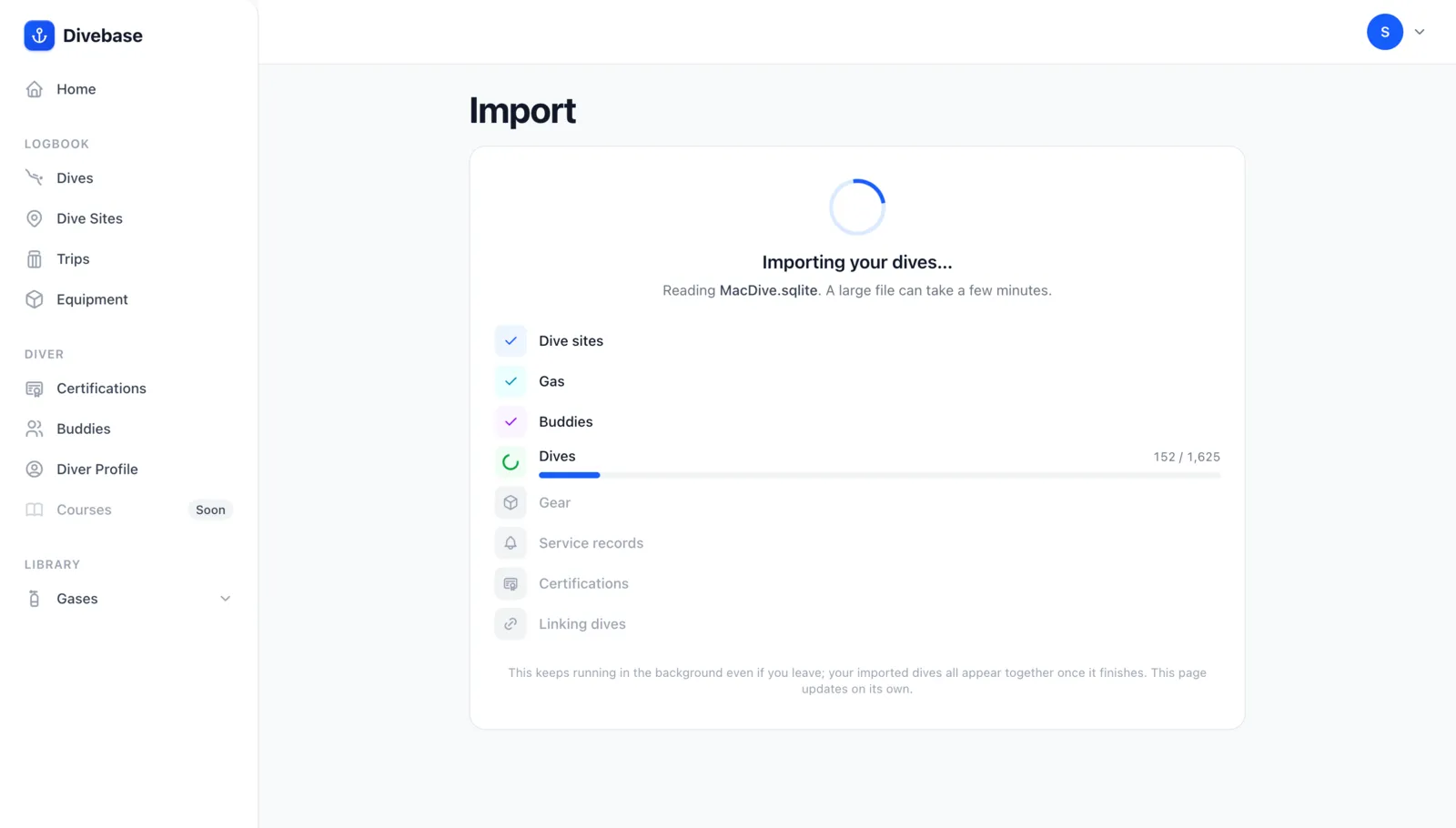
The last step is the one I'd watch. Once every record exists, a final pass wires the dives to their gas, their gear, and their buddies. On my logbook that's 30,587 links, and the checklist won't tick itself off until every one is written.
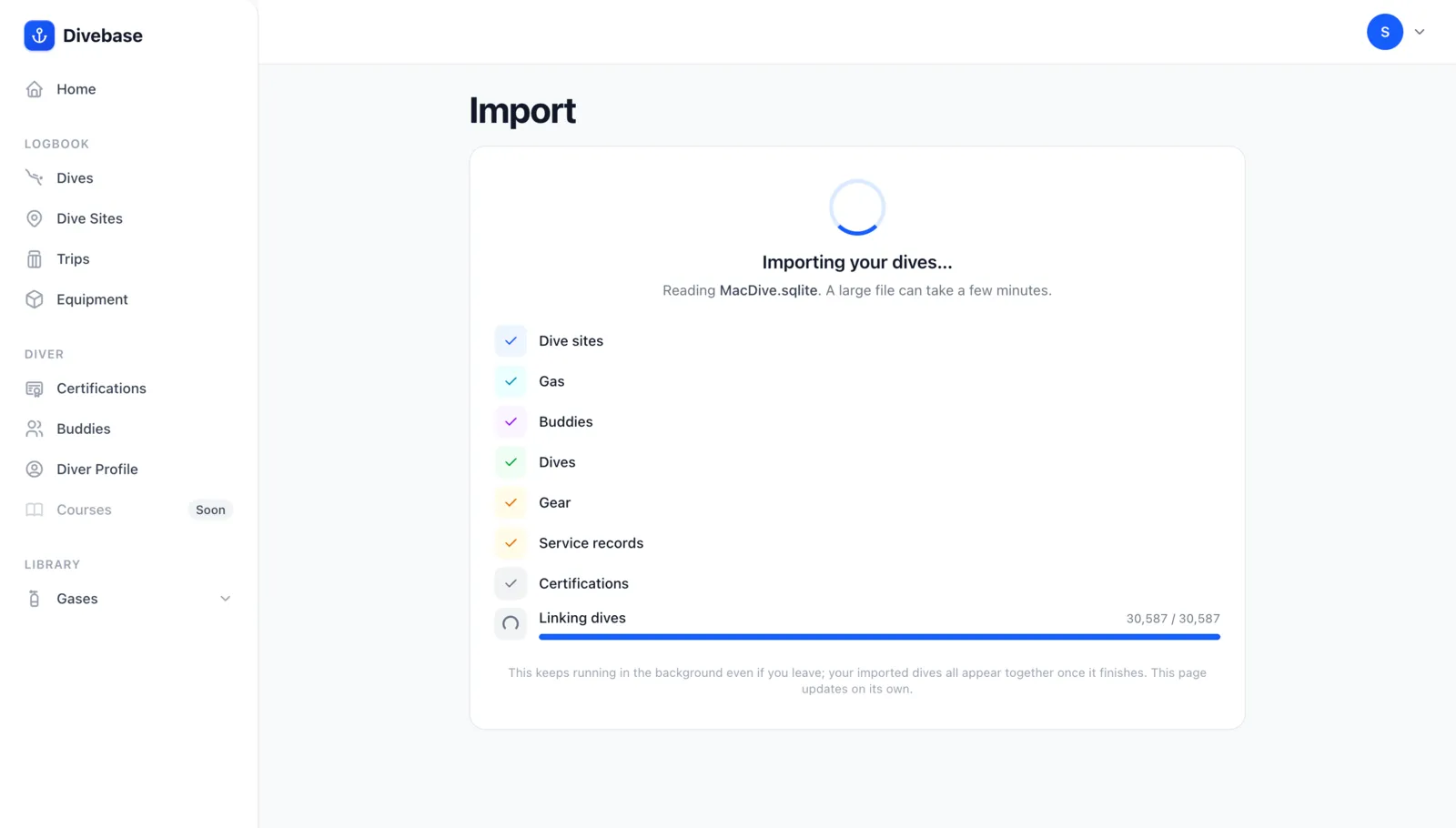
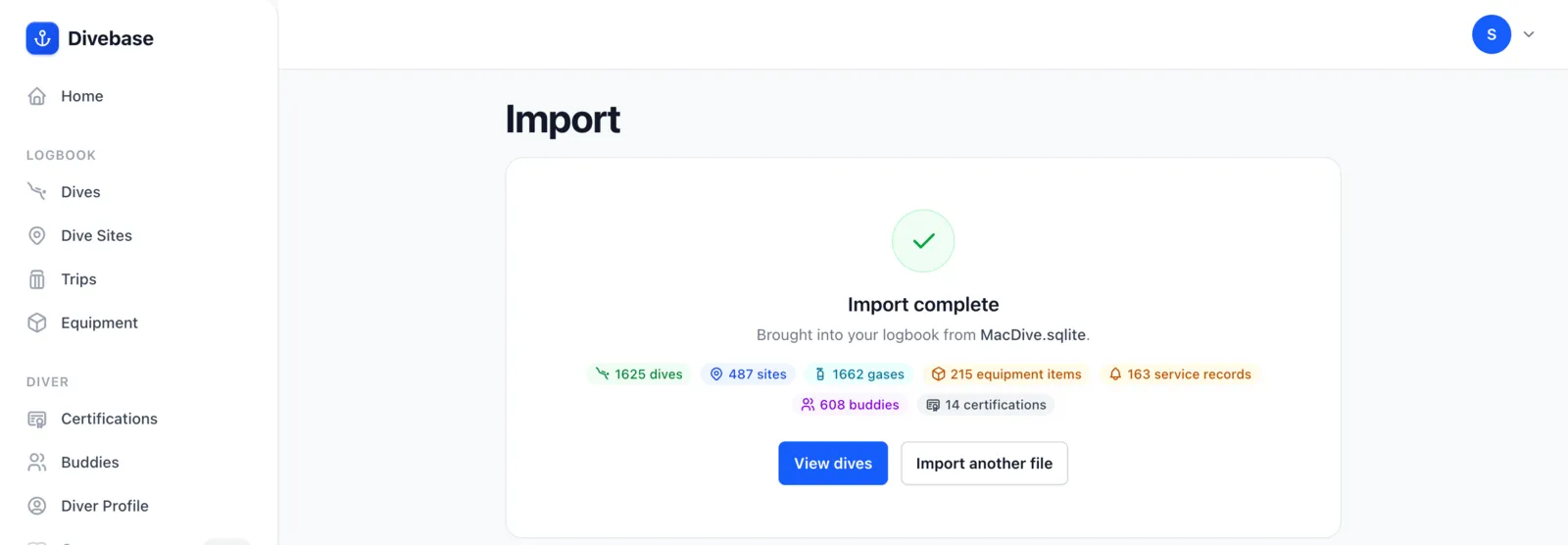
Then you get a summary of everything that came in, and a link straight to the dives this run created.
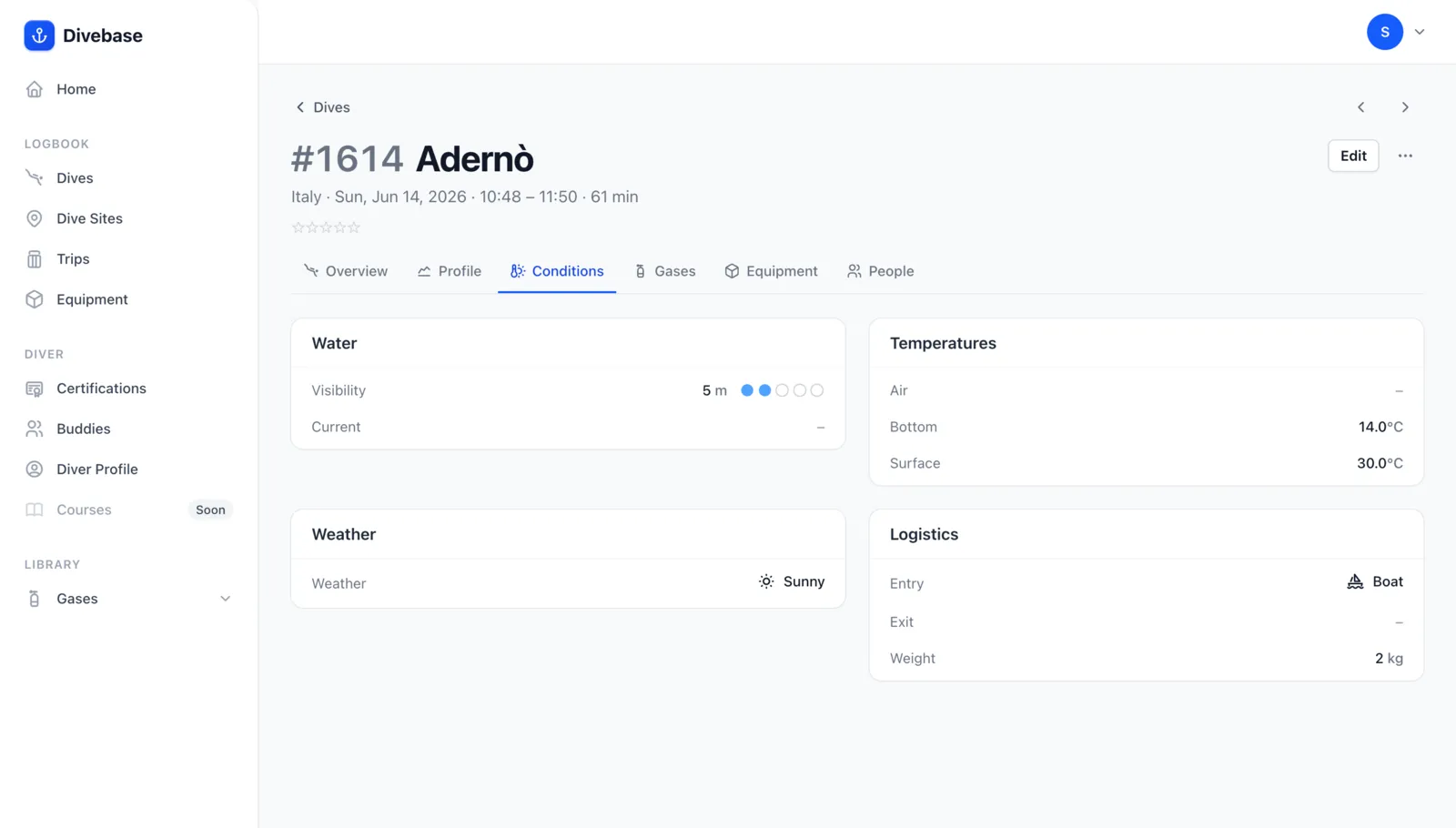
Open any of them and it should look like your MacDive dive did, fields and all. Here's the Conditions tab on a dive from June: visibility as a distance and a clarity rating, the temperature at the surface and at the bottom, the weather, how I got in, and the weight I carried. Every one of those came out of the database.
4. Fill in the remaining profiles. If some dives arrived without a chart, go back to MacDive, click All Dives in the sidebar, choose Edit → Select All, then Export → Selected as XML. Upload that file on the Import dive profiles page inside the MacDive section.
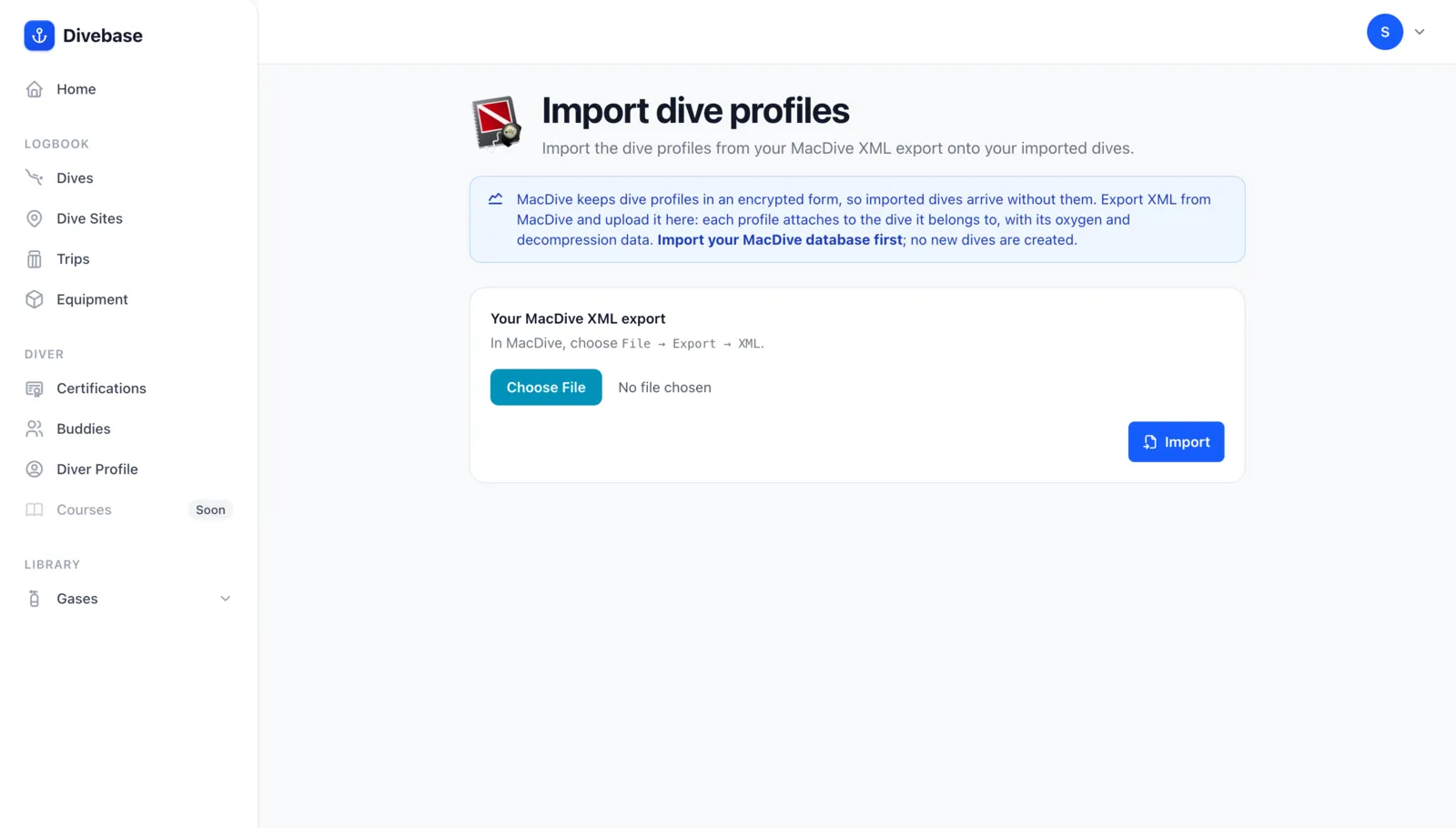
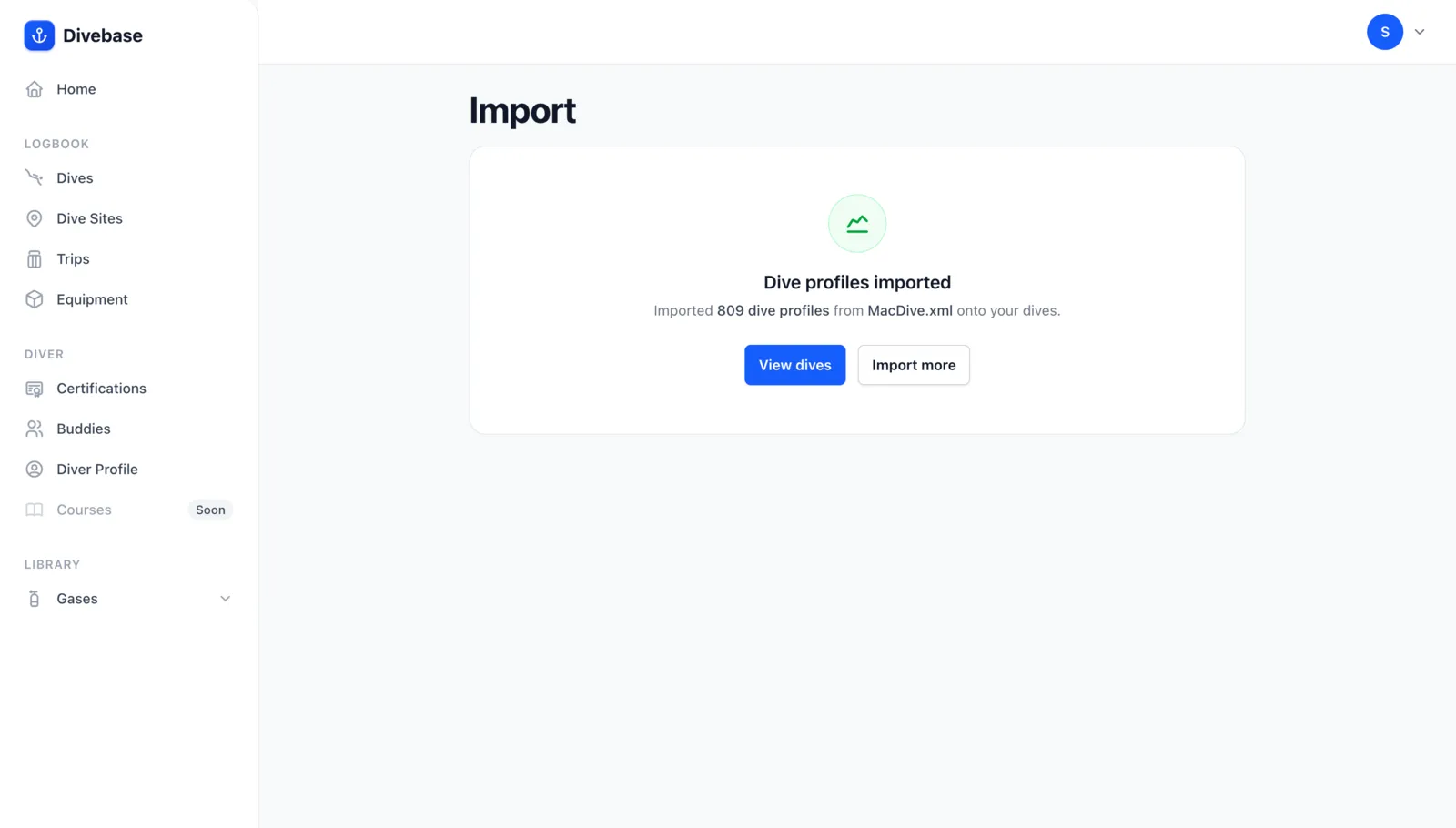
Every matched dive gets its profile, and not a single dive is created. On my own logbook that second pass attached 809 charts.
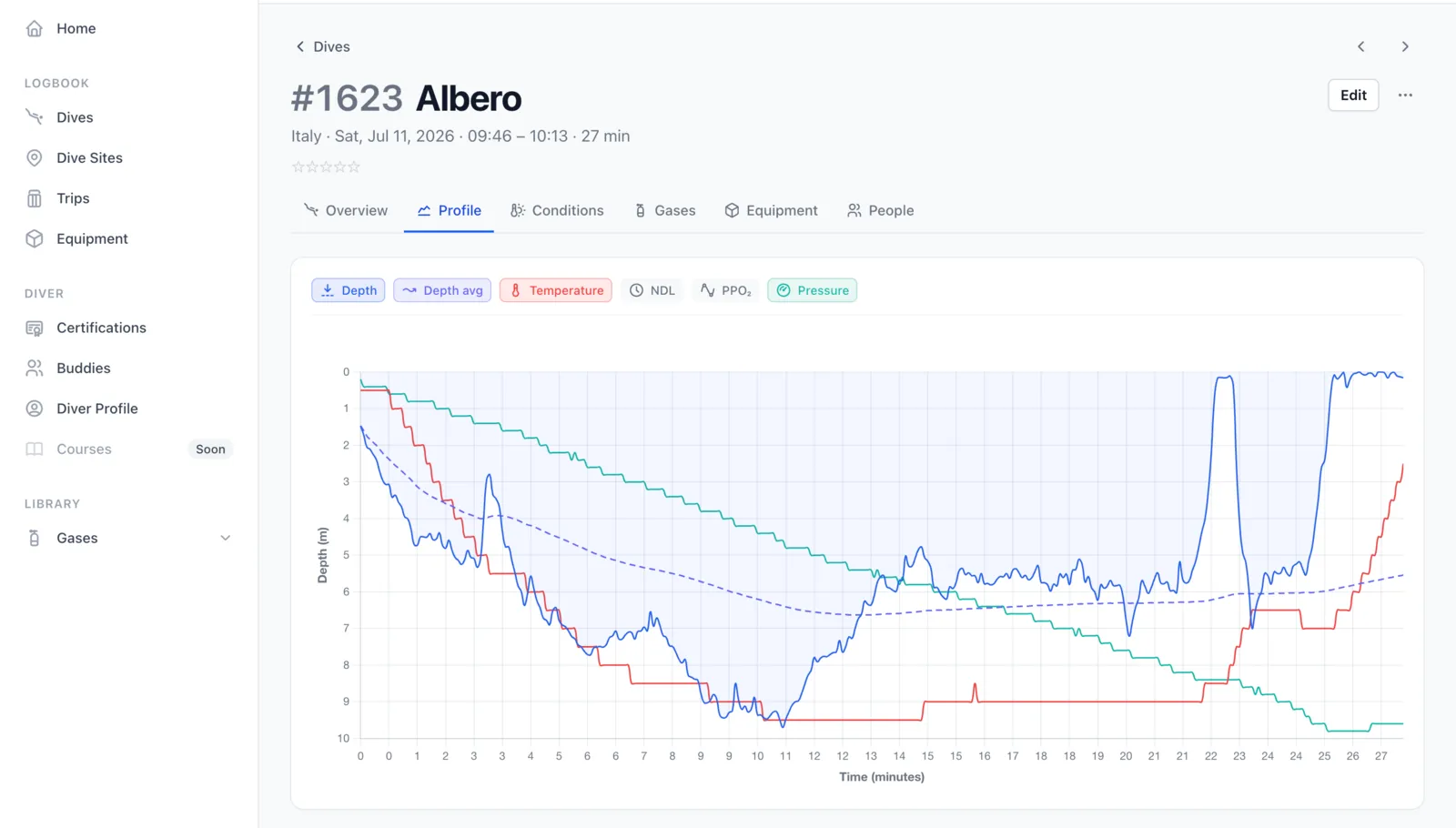
Here's one of them. Dive #1623 was recorded on a Halcyon Symbios, so the database import brought in the dive but not its trace; this whole chart came out of the XML, depth and running average depth alongside water temperature and the tank draining down. Where your computer recorded them, the same pass also carries per-sample ppO₂ and NDL, derives the setpoint, and marks the computer's own events along the dive.
Re-importing is safe. The MacDive import only ever adds. A dive already in your logbook is recognised by its MacDive identity and skipped, keeping any edits you made in Divebase; matching sites, gear, gas, and buddies are reused rather than duplicated. Keep diving in MacDive for a while and upload the database again later: only the new dives come in.
Thank you, MacDive
Ten years of logging, and every one of those dives still opens in Divebase today with its gear, its buddies, its conditions, and its chart. That's the whole point: your logbook is your logbook, and it should never be trapped in one application, mine included.
And if what you really miss is a native app, one that takes dives straight off your dive computer and into your logbook with no file in between, stay tuned: it won't live on your Mac, but it will be in your pocket.
If something of yours doesn't come across, or comes across wrong, I want to hear about it: hello@divebase.cloud. Bring your logbook home, and, as always, dive safe! 🤿