
Importing your Shearwater Cloud divelog
Shearwater Cloud was never the logbook most technical divers chose. It's the fastest way to get a dive off your wrist, and one day you notice it's holding every dive you've ever done. You buy a Perdix, a Teric, or a Peregrine, you pair it with the app because it's right there and takes ten seconds, and you tell yourself you'll file the dives properly later. Years on, the app that was only meant to replace a cable is the only complete record of your diving.
That makes Shearwater Cloud the most common starting point I see for divers coming to Divebase, and a great migration path: it's not a partial log or a subset you exported once, it's genuinely all of it. Today Divebase reads that database, whole.
Convenience is why your dives ended up there, so the long-term answer has to be just as convenient. The Divebase mobile app is being built to be the thing you reach for on the boat: download the dive straight off your computer, no cable, no desktop, no export, into a logbook that gives you the interactive chart, your gas, your gear, your sites, and your trips on the other side. Until that lands, this importer is the bridge.
What comes across
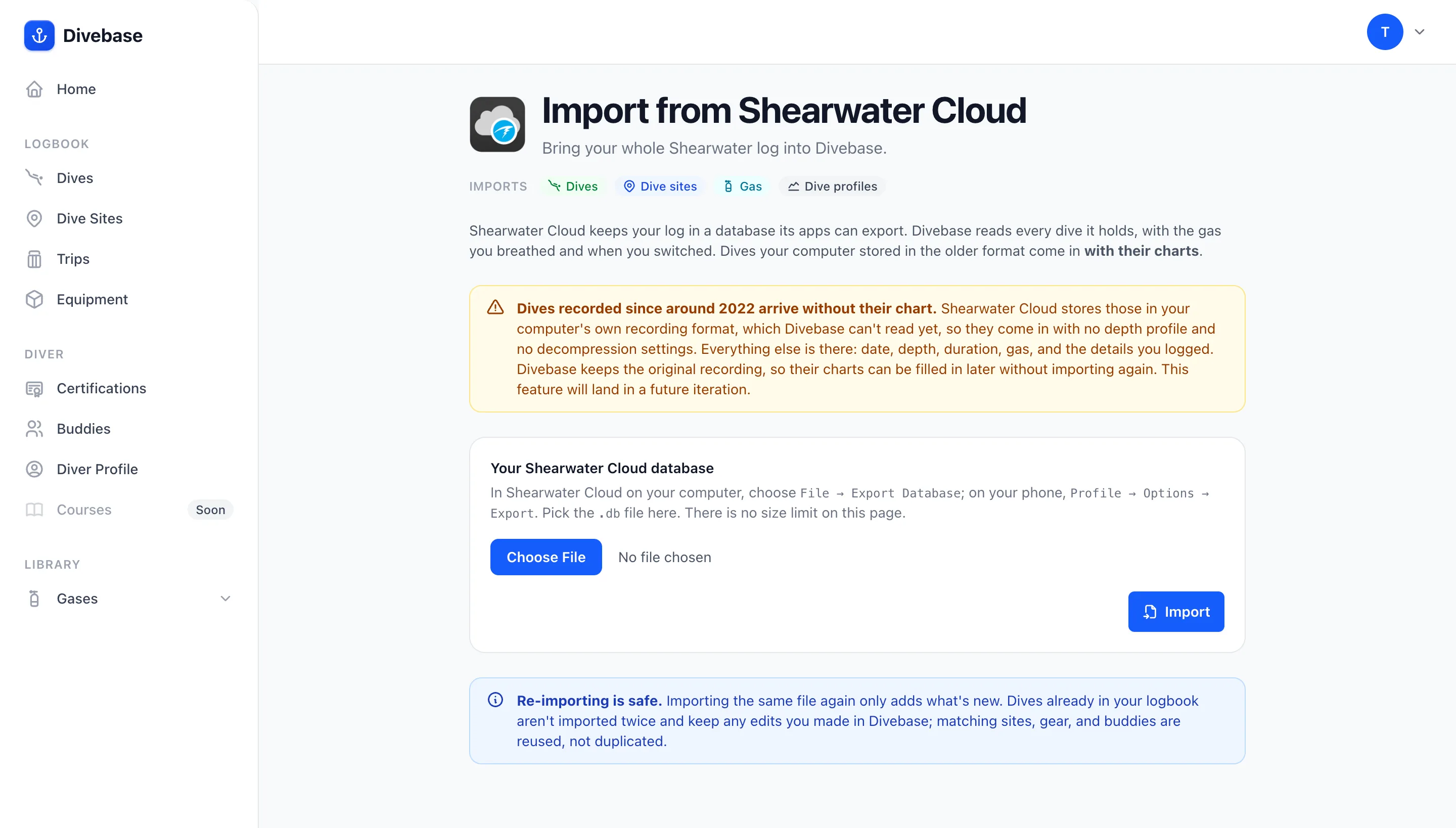
Export your database out of Shearwater Cloud, upload it, and Divebase reads:
- Dives — the computer's own dive number, the date and time it recorded, duration, maximum and average depth, minimum and maximum water temperature, whether the dive incurred a decompression obligation, and the mode the computer was in.
- The decompression model — Bühlmann with its gradient factors, or VPM-B with its conservatism, for every dive whose payload states it.
- Dive sites — the site and location recorded on the dive, with the water type read from the salinity your computer was configured for.
- Gas and cylinders — every mix on the dive with its oxygen and helium fractions, the start and end pressures your transmitters reported, and, best of all, the real window each mix was breathed in.
- Dive profiles — the full sample series for every dive stored in the older payload format: depth, water temperature, ppO₂, setpoint, CNS, no-decompression limit, time to surface, decompression ceiling, gas, circuit mode, and per-transmitter tank pressure.
- The recording computer — model, serial, and firmware version, resolved from the computer registry the database keeps.
The gas windows are the same thing that made the Subsurface import so good: Shearwater records when each mix came into use, not merely that it was on the dive, so each gas arrives with a real start, a real end, and a real duration. On a rebreather dive the diluent and the oxygen run in parallel across the whole dive, the way the loop actually works. And this part of the database is present on every dive, including the ones that arrive without a chart, so even a chartless dive carries its complete gas record.
On a closed-circuit dive, Divebase also resolves each oxygen cell separately rather than charting the single averaged number the computer displays. Three cells, three lines, which is most of the reason a rebreather diver opens a profile at all.
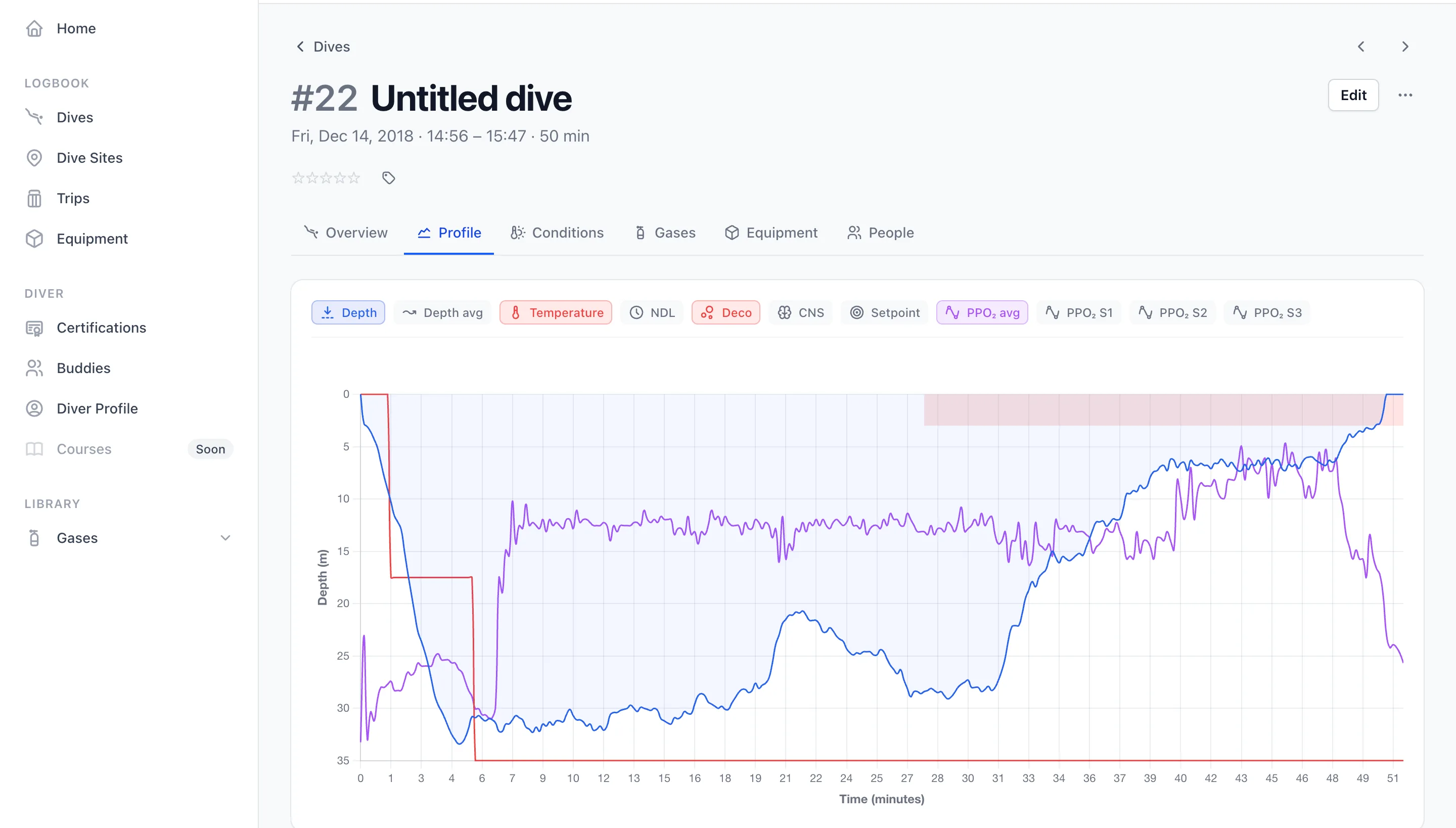
Here's a dive from 2018, its depth trace and its ppO₂ drawn over each other. The averaged ppO₂ the computer itself displayed is there, and beside it S1, S2, and S3, each cell on a toggle of its own.
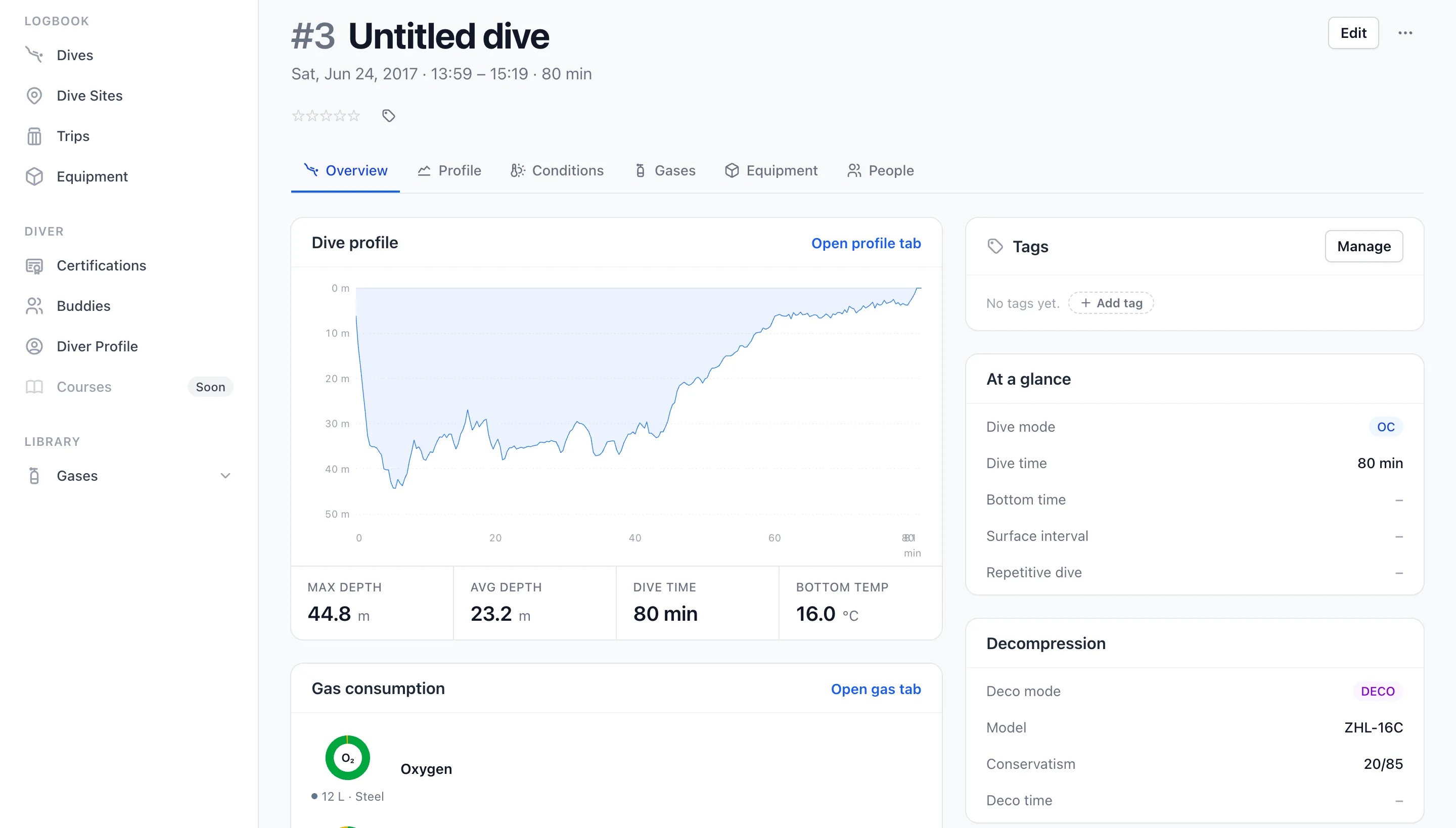
And here's the rest of a charted dive coming out of the database, on an 80-minute dive from 2017: the profile, the average depth and bottom temperature (taken from the sample-derived summary, because Shearwater Cloud leaves the columns beside them as zeros), the gas consumption, and, on the right, the decompression model the computer was actually running, ZHL-16C at 20/85.
The 2022 format change, and the dives that arrive without a chart
There's one thing to understand before you upload, or a perfectly good import will look like a broken one.
Shearwater changed how the app stores a downloaded dive around 2022. Dives stored the older way carry a fully decoded sample series inside the database, which is why they chart immediately. Dives stored the newer way carry no decoded samples at all: the app keeps the raw binary recording your computer produced, exactly as it sent it, and Divebase doesn't decode that binary yet.
So a dive recorded since the cutover comes in with its date, depth, duration, mode, gas, gas windows, and summary statistics, but with no chart, no decompression model, and no named computer. If you bought your Shearwater recently, that may be every dive you own, and the import is still doing its job.
This is what one looks like. Everything is there, the closed-circuit mode, the depths, the temperature, the gas, the decompression obligation, and where the chart should be there's an empty panel.
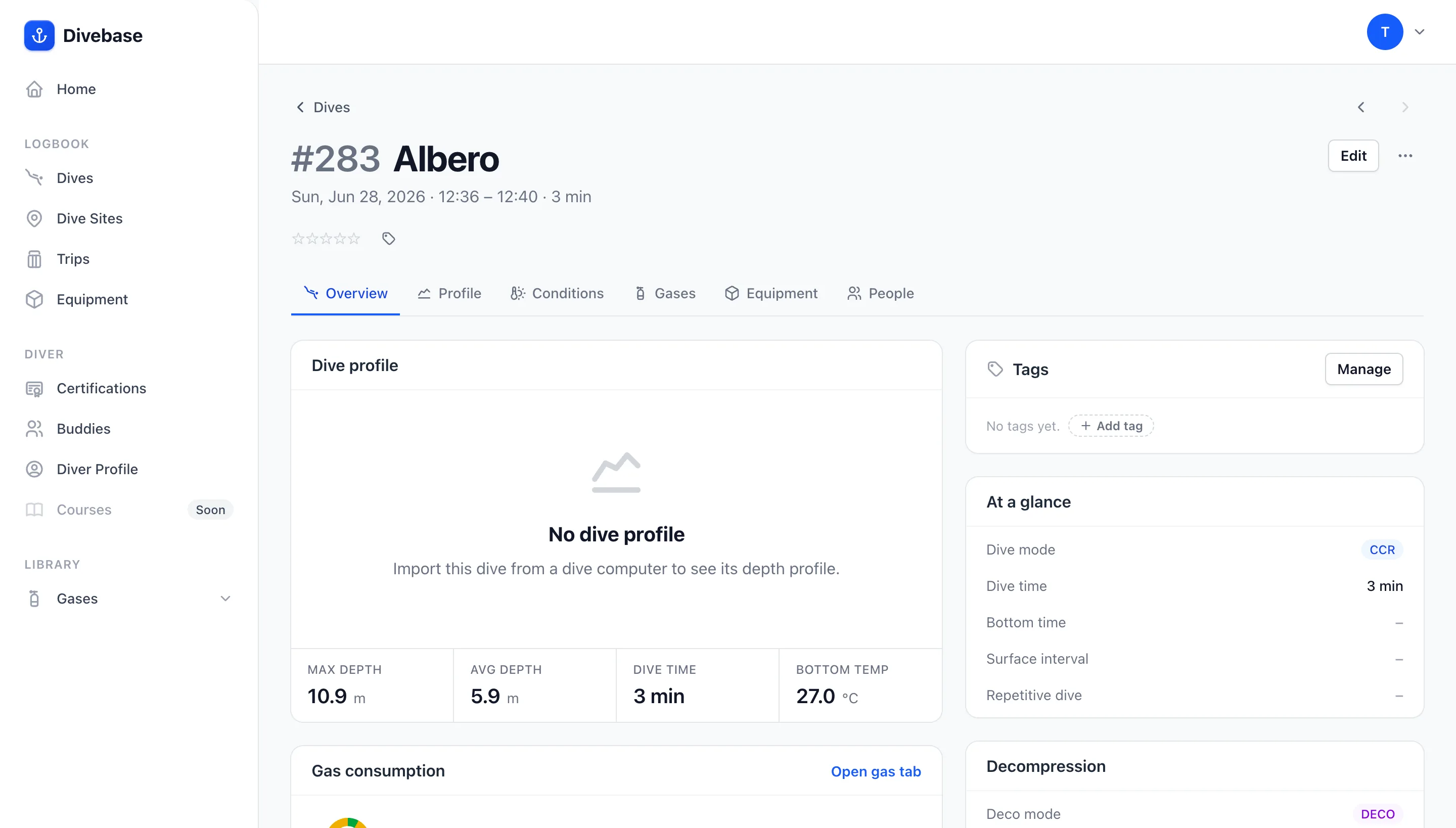
Two things make this a delay rather than a loss. Divebase keeps the original recording, the raw bytes stored with the parser key that re-reads them, so nothing about those dives is gone: undecoded, not missing. And the decode pass is on the roadmap: when Divebase learns to read the newer payload, those charts appear on the dives you already imported, with nothing to re-upload.
Step by step
1. Export your database. Shearwater Cloud doesn't keep its database anywhere you can reliably point at, so this starts with an explicit export.
- On the desktop app: File → Export Database, which writes your whole log.
- On the desktop app, for a subset: File → Export Selected in a Database, after picking a run of dives.
- On the mobile app: Profile → Options → Export.
All three write a .db file, and Divebase accepts all three. They aren't identically shaped internally, which took some care to handle, but that's my problem, not yours: upload whichever one you have.
2. Upload it. In Divebase, open the top-right menu, choose Import & Export, and pick the Shearwater Cloud card. This section has no size limit, which matters here: a full export of a long log runs to tens of megabytes.
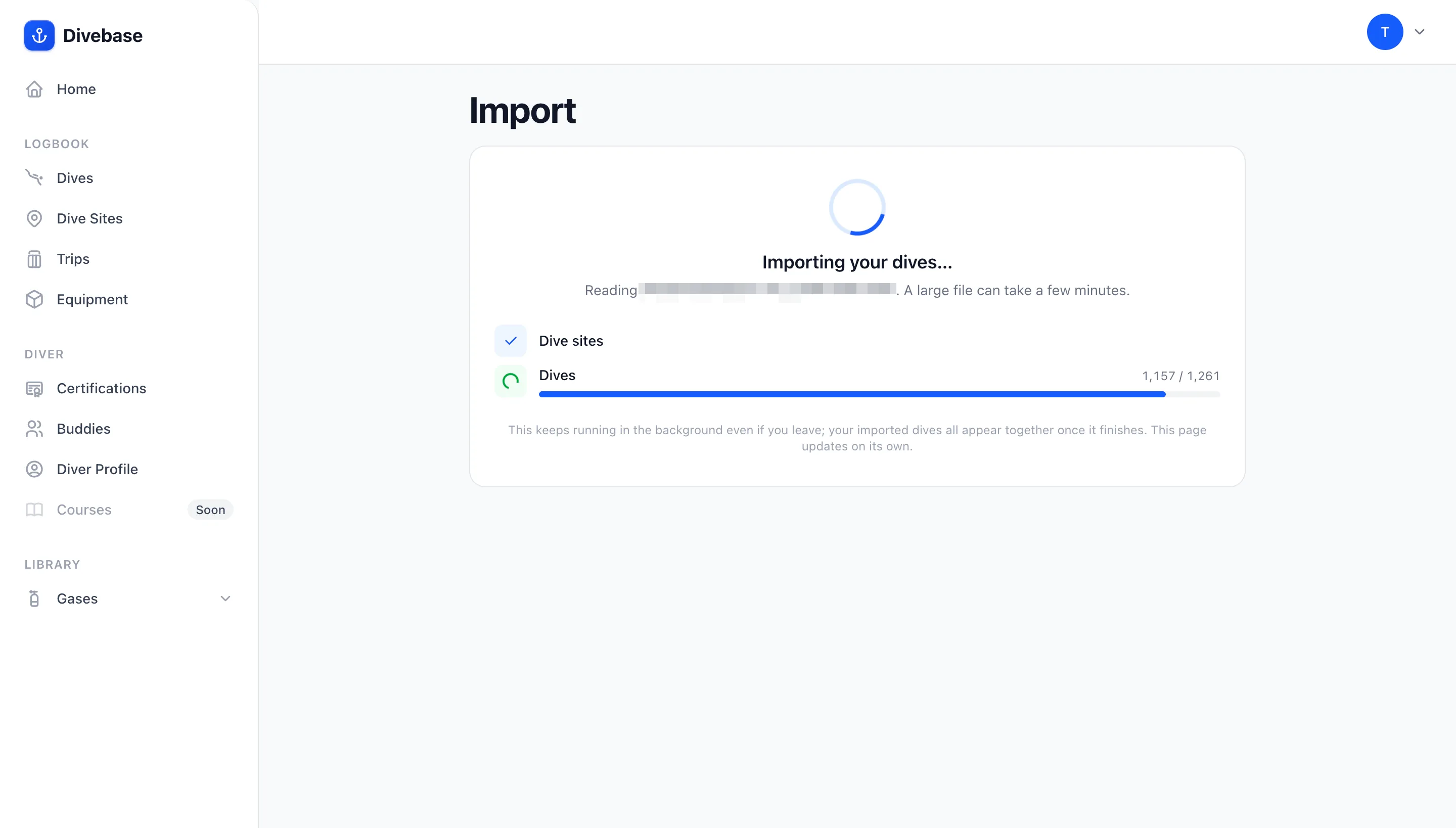
3. Let it run. The import starts immediately and runs on the server, so you can close the tab and come back to it. The page tracks it live, sites first, then the dives counted up against the number the file holds, each one written together with its gas and its profile.
4. Read the summary. When the run finishes you get a count of everything it created, dives, dive profiles, sites, and gases, and a link straight to the dives it brought in. That link filters your logbook to that single import, so you're looking at exactly what one file added and nothing else.
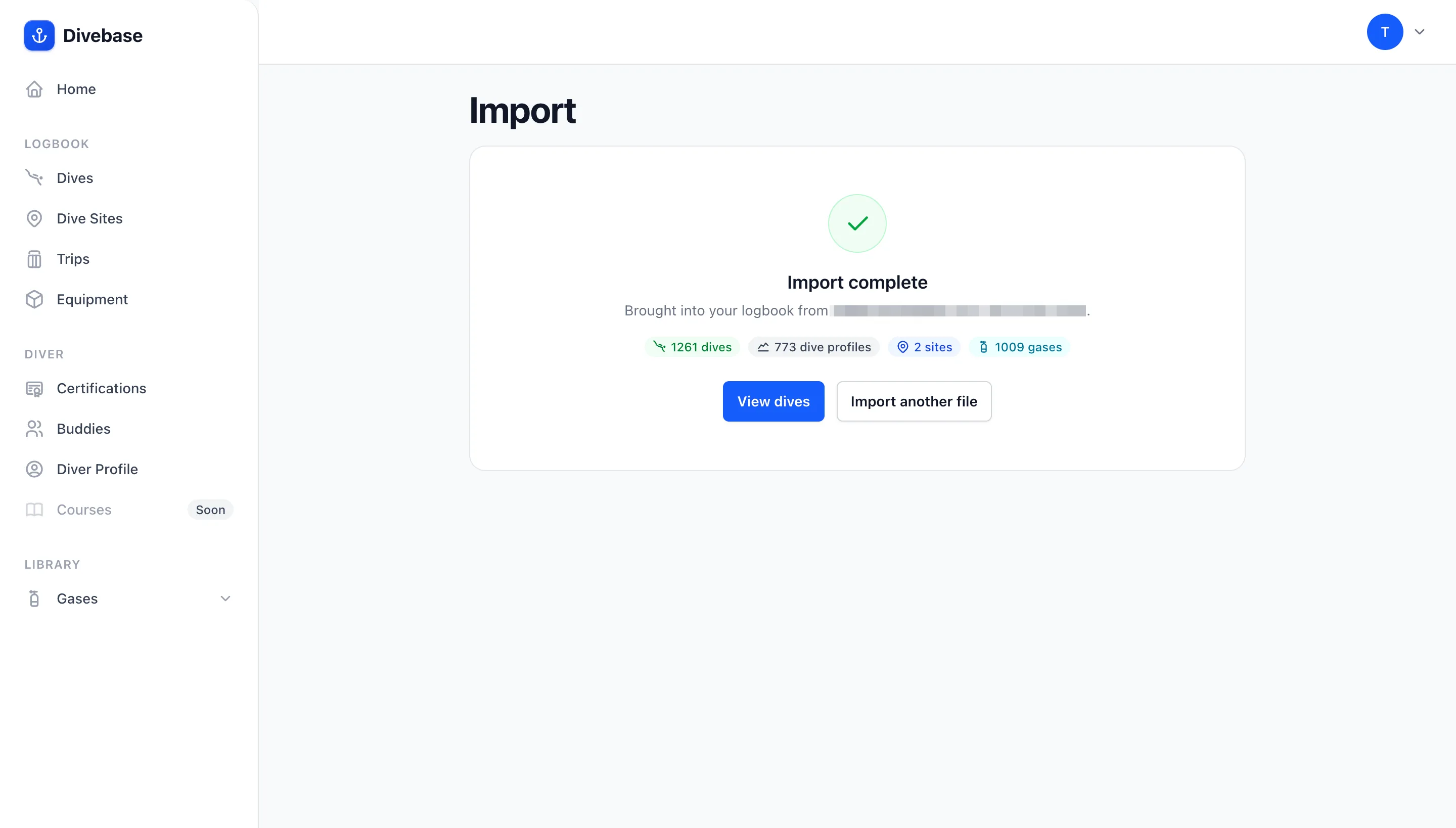
The dive profiles count is the one to look at. That run is the 1,261-dive export from earlier: 1,261 dives in, 773 of them charted. The 488 in between are precisely the post-2022 dives, complete in every other respect, their original recordings preserved, waiting for the decode pass.
Re-importing is safe. The import only adds. Every dive carries Shearwater's own per-dive identity, stable across the desktop, mobile, and selected exports of the same dive, so a dive already in your logbook is recognised and skipped, keeping any edits you made in Divebase. Matching sites, gas, and cylinders are reused rather than duplicated. Keep diving with Shearwater Cloud and upload a fresh export in six months: only the new dives come in.
Dives you deleted in the cloud are honoured too. Shearwater leaves the rows in place and records the deletion separately; Divebase reads that record, so a dive you threw away doesn't come back.
Shearwater Cloud exports UDDF too
It does, and Divebase has read UDDF since its very first importer, so that route works today. For a dive you did last weekend and want charted this evening, it's actually the better tool: the samples in a UDDF export are decoded, so a recent dive that would arrive chartless from the database arrives charted from a UDDF.
For your logbook, it's the wrong tool, twice over. Shearwater Cloud writes UDDF one dive at a time, with no multi-dive export: on a 1,200-dive log that's a weekend of clicking, repeated every time you dive. And a UDDF export is a conversion, so it can't carry the original recording: a dive imported that way can never be enriched later by the decode pass, while the database route keeps the raw bytes and a claim on everything Divebase learns to read next.
So: UDDF for a dive or two you want charted right now, the database for your log.
What doesn't come across
- Time zones. Shearwater records your computer's own clock with no zone and no offset. Divebase stores that wall clock exactly as recorded, and leaves the time zone empty.
- Dive numbers are per computer. Wear two Shearwaters on one dive and you get two dives, each numbered by its own recorder. Divebase doesn't merge them, for any importer, yet.
Great computers, one ecosystem
None of this is a complaint about Shearwater. They make superb dive computers, the app is fast and reliable at the job it was built for, and being able to export your own database at all is more than plenty of manufacturers offer.
But it's a manufacturer's app, and that shows the day your diving stops being single-brand. Add a backup on your other wrist from a different maker, switch to a computer Shearwater doesn't sell, dive a rental for a week, and half your dives are in Cloud while the rest are wherever the other thing syncs to; combining them is manual work you won't do. A general-purpose logbook is for exactly that: one log, every computer, every brand, plus the sites, gear, buddies, trips, and charts a download tool was never trying to give you. MacDive does it, Subsurface does it, and Divebase is built to do it. Keep using Shearwater Cloud to talk to your Shearwater. Just don't let it be the only place your diving exists.
If your database trips the importer, or a field lands in the wrong place, I want to hear about it: hello@divebase.cloud. Bring your log across, and, as always, dive safe! 🤿