
Your role on a dive
In September, buddy roles let you mark who taught, who guided and who was being taught on a dive. They covered your buddies, but not you. At the end of that post I said your own role would come next, so that an instructor could filter the logbook down to the dives they taught.
From today you can record your own role on a dive: Instructor, Assistant, Guide or Student. Like a buddy role, it's optional and it applies only to that dive. Most dives won't have one.
Set your role
The People tab of a dive now starts with a You card, before your buddies. On a course, you see your own role next to the roles of your students.
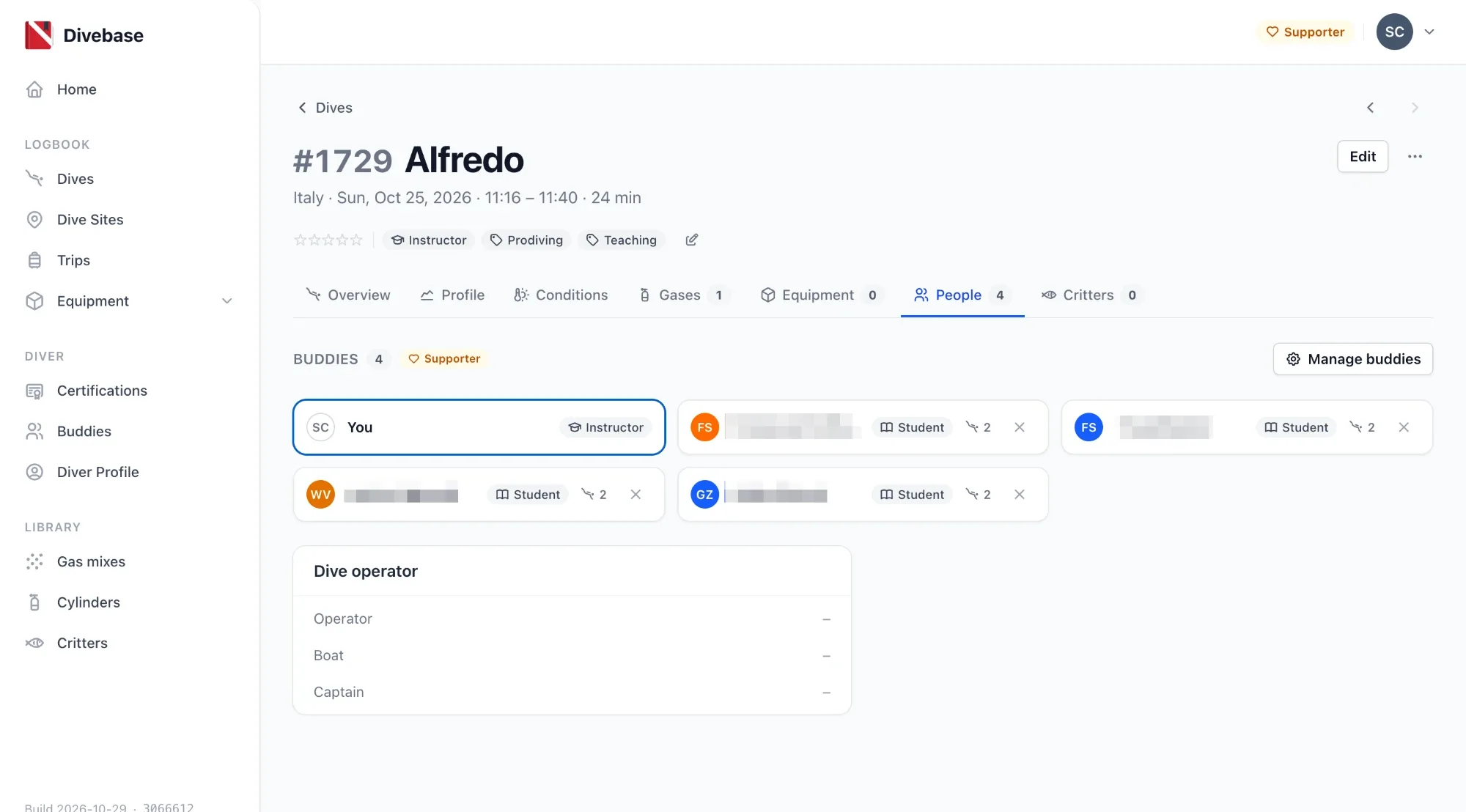
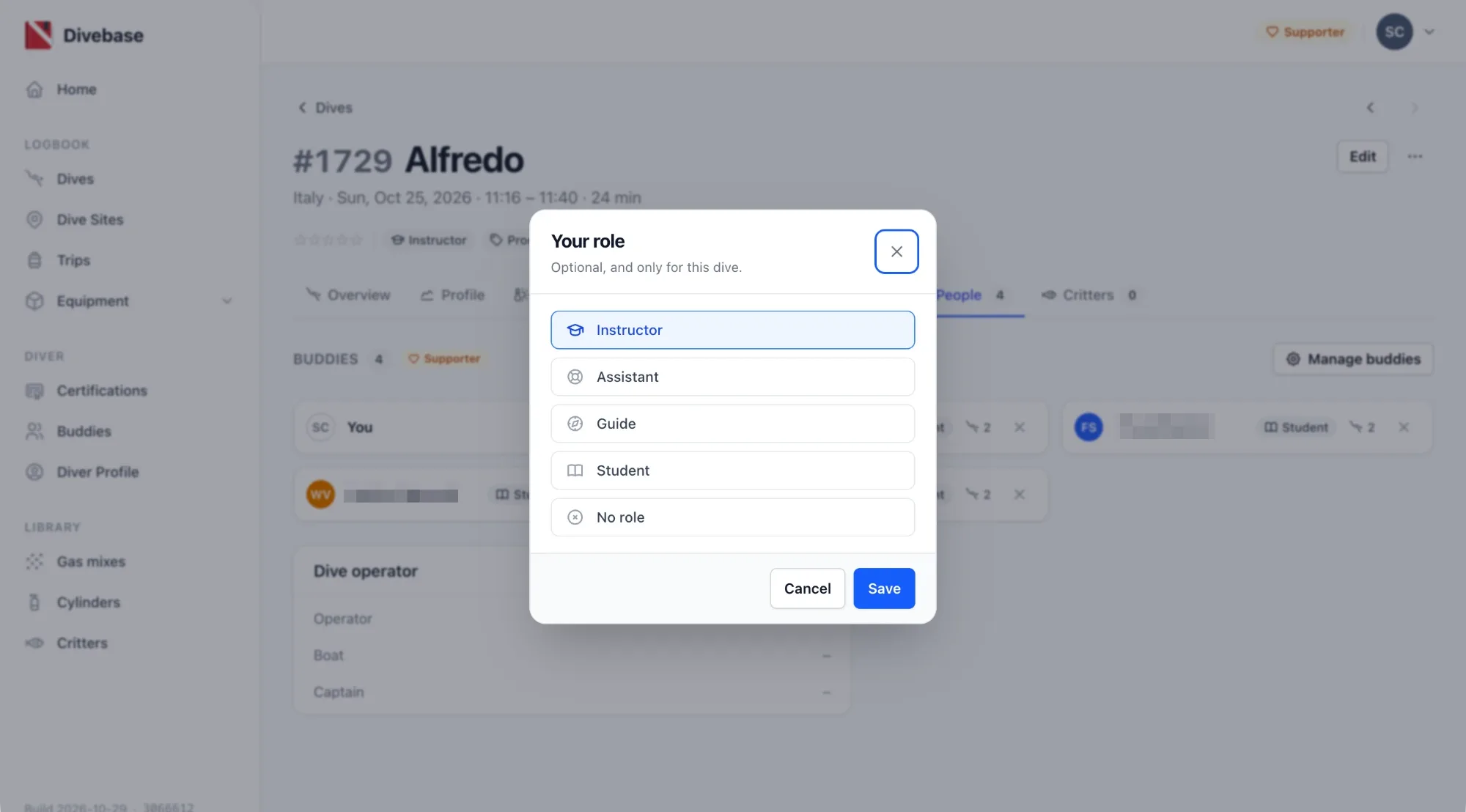
When the dive has no role, the card says Set your role. Click it, choose a role and click Save. To remove it, open the card again and choose No role.
The card is also there on solo dives, above the empty buddy list. You can set your role even if you didn't record your buddies.
Your role doesn't depend on the roles of your buddies. If you mark a buddy as Instructor, Divebase doesn't mark you as Student. On a course with two instructors, you can both be Instructor.
Find the dives you taught
When a dive has a role, the header of the dive shows it as the first pill, before the tags. In the screenshot above, it's the Instructor pill before Prodiving. Click it to open your logbook filtered to the dives where you had the same role. For example, click Instructor to list every dive you taught.
On the API
The API returns the role on the dive as diver_role. The value is instructor, assistant, guide, student, or null when you had no role. You can also set it from the API, and it syncs with the rest of the dive.
The import formats don't record your own role, so imported dives have none.
Supporter
Your own role is a Supporter feature, like buddy roles, and the Buddies section shows the Supporter badge. During the beta all features are free for everyone, so for now nothing changes.
Dive safe! 🤿