
Buddy roles
Not everyone on a dive is a buddy. On a course there's an instructor and a few students. On a guided dive there's a guide and the rest of the group. Until now, the People tab listed everybody the same way, so you knew who was in the water with you but not what they were doing there.
From today you can give a buddy a role on a dive: Instructor, Assistant, Guide or Student.
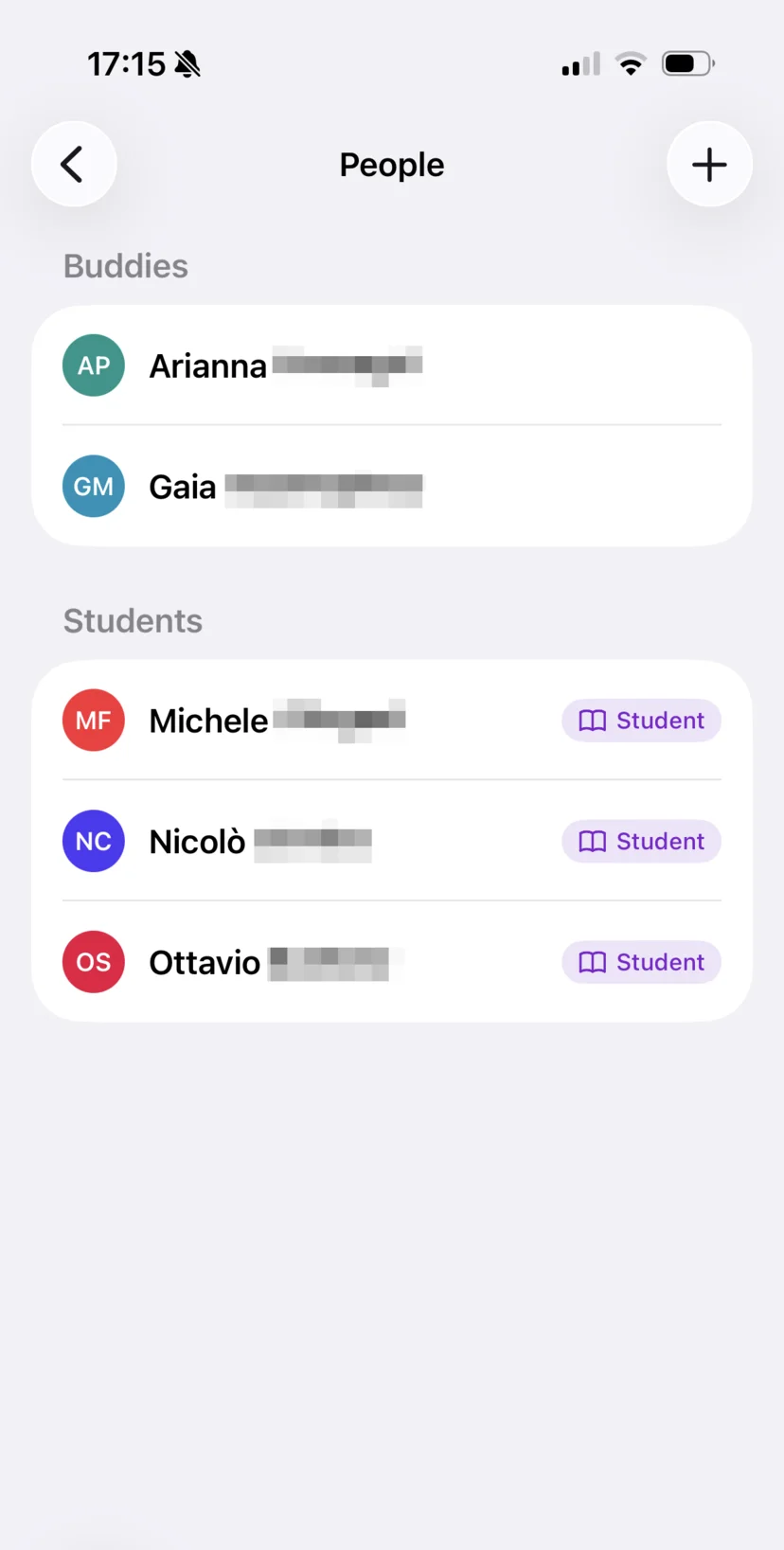
On the People tab of a dive, the role shows up as a small chip next to the name. Buddies with a role are listed first, so on a guided dive the guide is at the top.
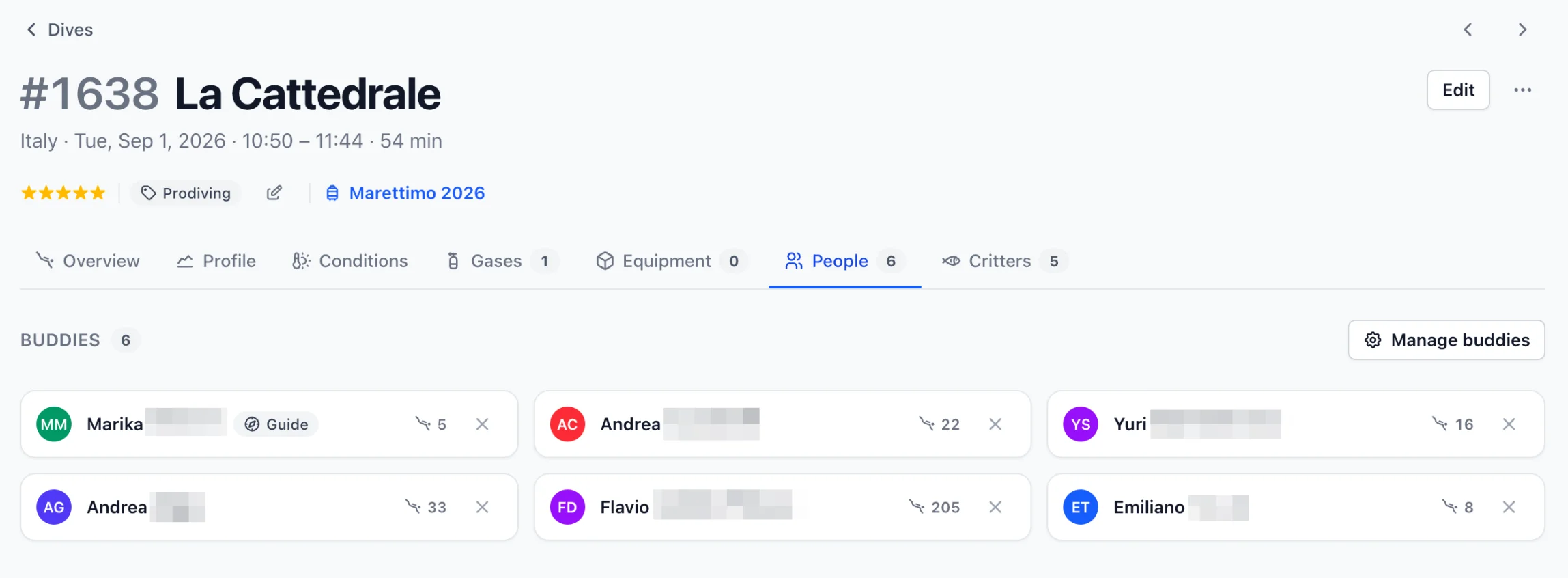
If you teach, this is also how you keep track of your students.
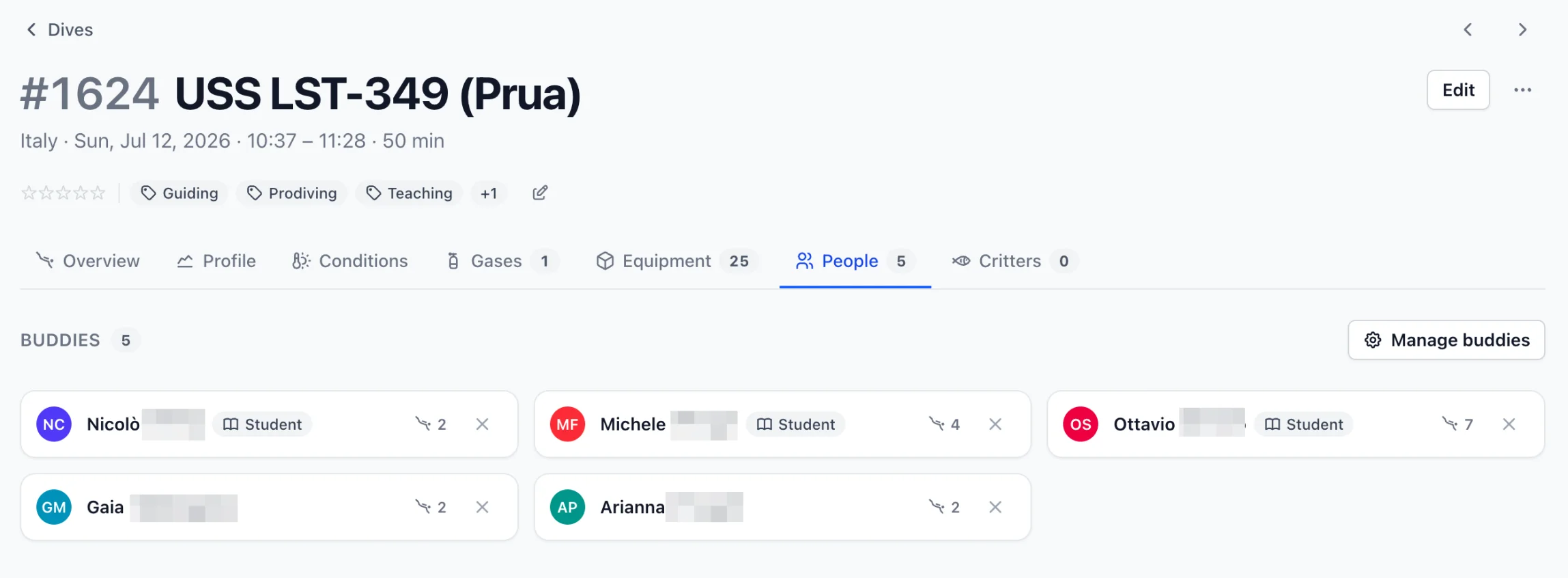
The role is per dive. Somebody can be your student on a course this month and a regular buddy on a fun dive next week, and both dives will say so. Most buddies won't have a role at all, and that's fine: a dive with plain buddies looks the same as before.
Pick a role
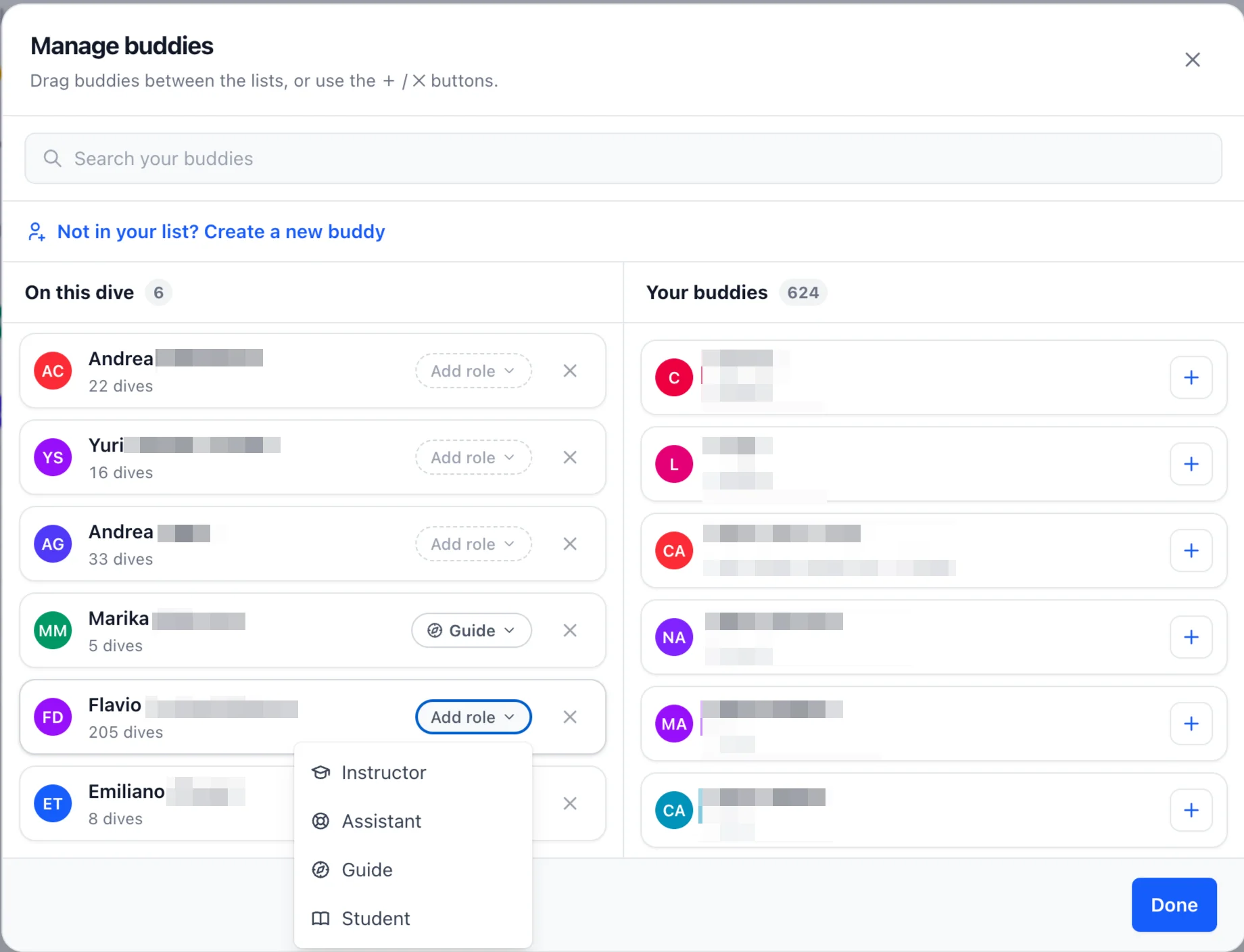
Open Manage buddies on a dive. Each buddy under On this dive now has an Add role pill: click it and pick one from the menu. It's saved right away, like adding or removing a buddy. To clear a role, open the same menu and pick No role.
On your phone too
Roles sync with the rest of the dive, and the iOS and Android apps show them in the People section of a dive. You can set them from there as well.
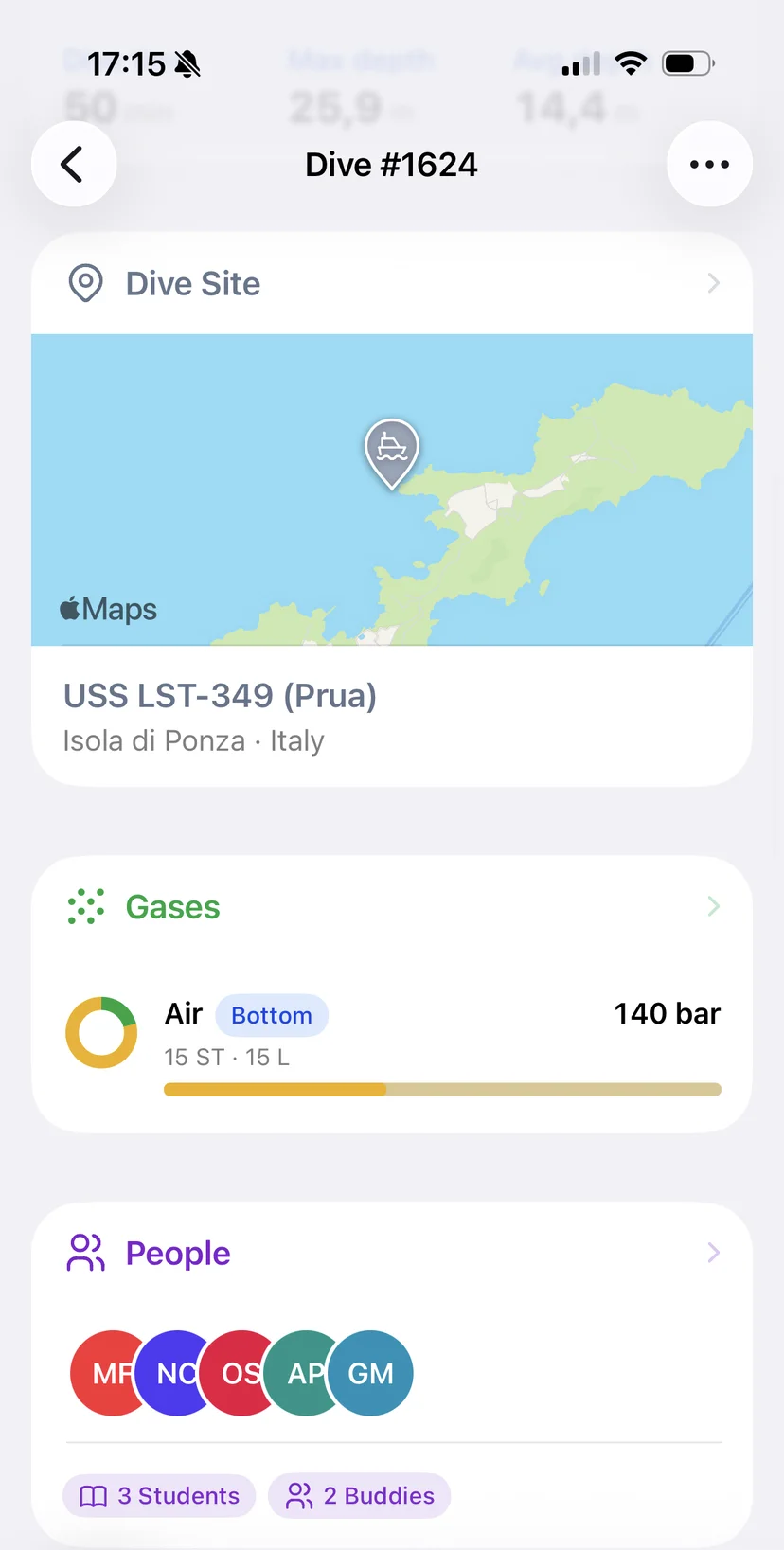
Both apps are still in closed beta. If you'd like to try them, head to the page for your platform and ask for an invite.
The other half of this is your own role on a dive, so that an instructor can filter the logbook down to the dives they taught. That's coming. Until then, dive safe! 🤿