
Cylinder sizes in cubic feet
When imperial and Canadian units arrived last month, one measurement stayed behind: cylinder size. You could read your depths in feet, your pressures in psi and your ballast in pounds, but the moment you opened the gases panel your AL80 was still described as 11.1 L · 3000 psi. That's technically correct, but if you've called that tank an 80 since your open water course it tells you nothing.
From today, Divebase reads and writes cylinder sizes in cubic feet. It's the fifth unit you can choose, and with it every measurement in the app can be read the way you learned it.
An AL80 reads as 80
Pick cubic feet and every cylinder reads the way it's stamped. The aluminium 80 becomes 80 cu ft · 3000 psi, and a twin set leads with the total and keeps the per-cylinder figure in brackets, 160 cu ft (2×80 cu ft), just as it did in litres.
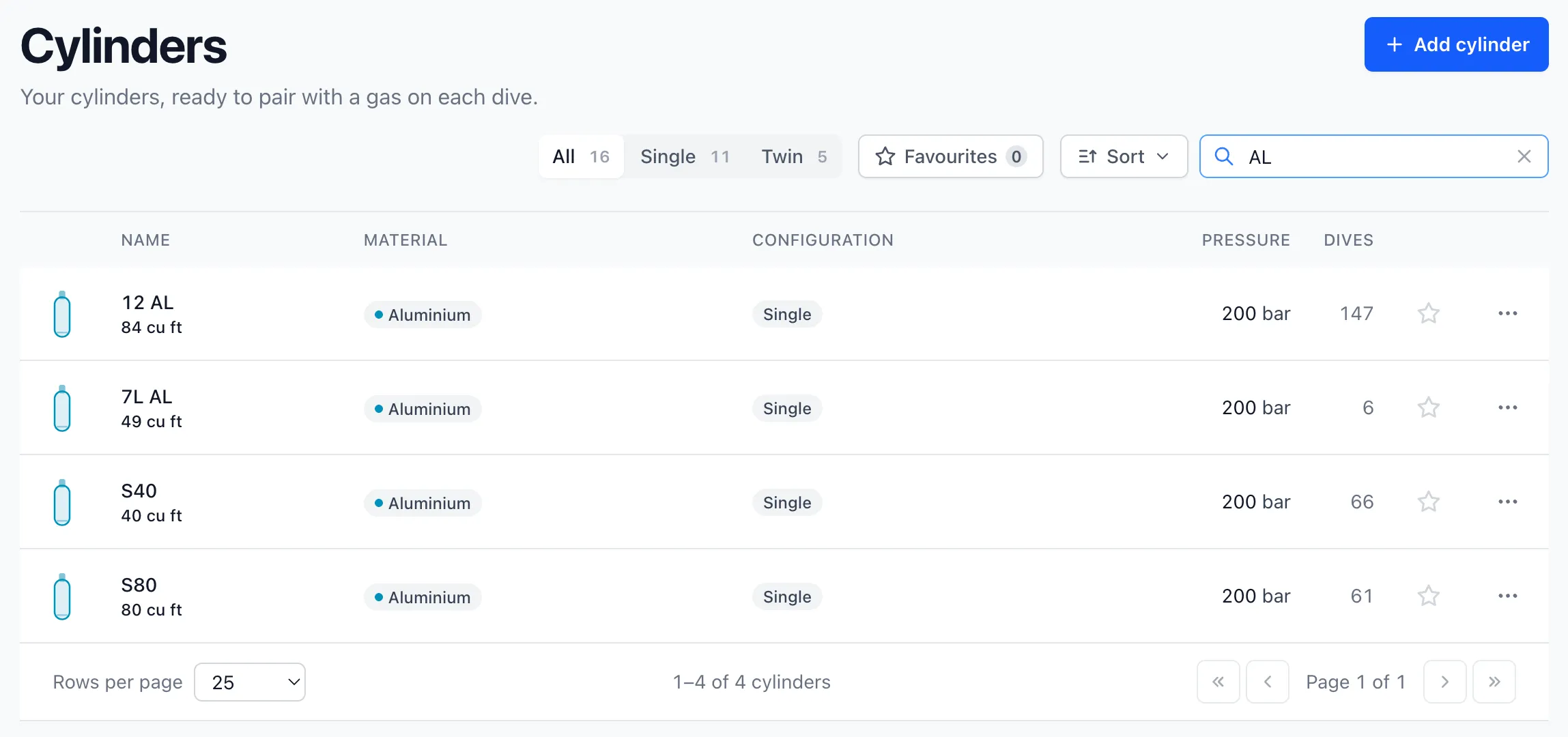
You'll notice the pressures in that list are in bar. The screenshot comes from my own account, and I still think in bar. Cubic feet is a choice of its own, like the other four, so you can pair it with bar or with psi as you prefer.
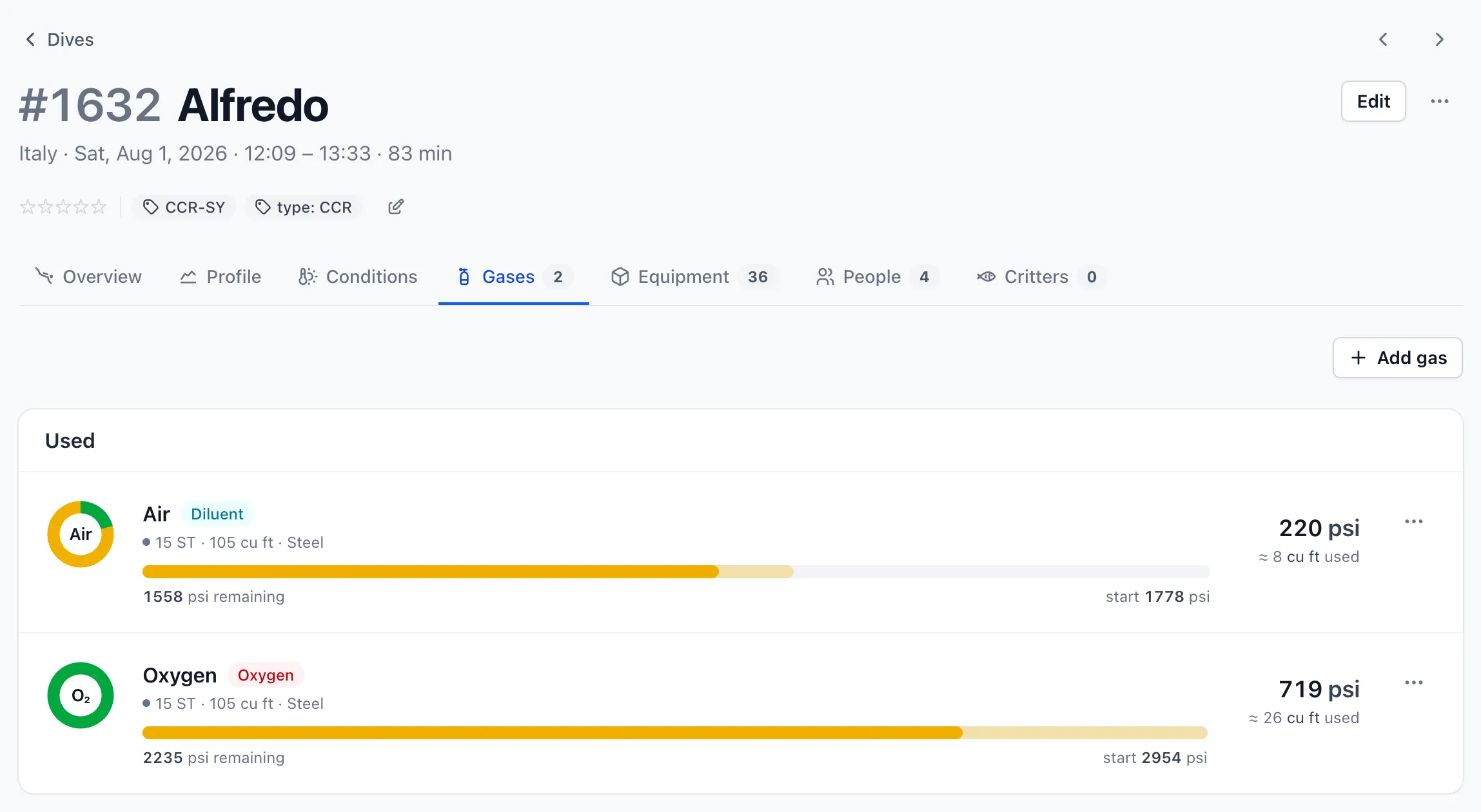
The same applies to your dives. The gases panel describes the cylinder in cubic feet, and the gas consumed on the dive is shown in cubic feet too, so you don't have to convert one number in your head to compare it with the other.
Why it came last
In the last post I promised this one was next, and I also warned that it wasn't a plain conversion. Let me explain what I meant.
A litre measures the water a tank holds. A cubic foot rating measures the gas it holds once filled to its working pressure, as if you released all of it at the surface. So the rating depends on the volume of the tank and on the pressure it's filled to. The same 11.1 litre aluminium tank rates as an 80 at 3000 psi, and if you rated it at 3300 psi it would be an 88. With feet, psi and pounds the conversion is one multiplication. With cubic feet Divebase has to look at the working pressure first.
This explains a couple of things about the form. When you type 80 in the volume field and 3000 in the pressure field, Divebase stores 11.1 litres, rated at the pressure you typed in that same form. If you later edit the cylinder and change only the pressure, the 80 you left in the field stays an 80. I assume that if you didn't touch the size you still mean eighty cubic feet at whatever pressure you just entered, so the litres get recomputed instead. The card at the top of the form updates as you type and shows the label the way it'll appear everywhere else.
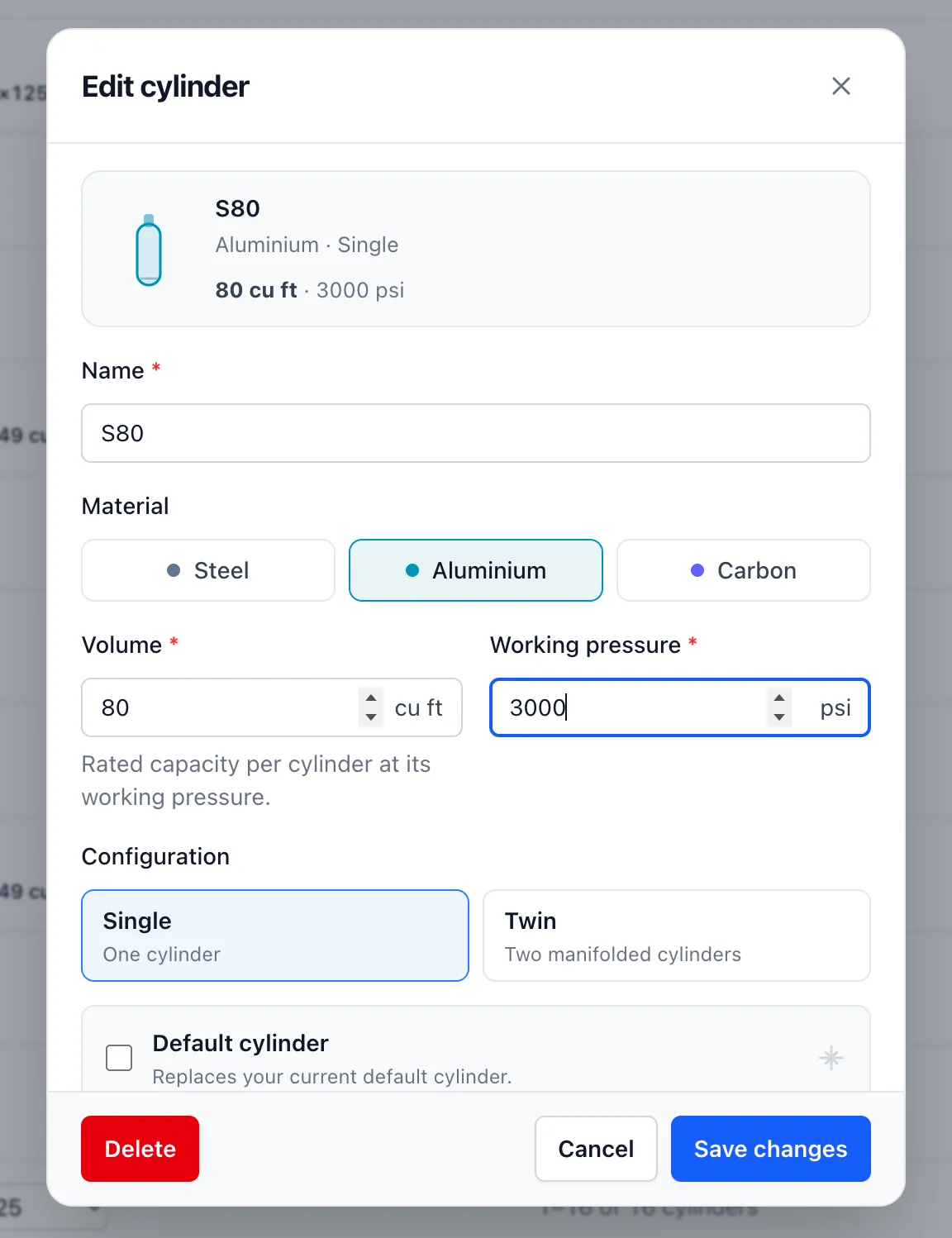
Because the rating needs a pressure, a size in cubic feet can't be saved without a working pressure. If you leave the pressure blank, the form asks you for one before it accepts the size.
Where to set it
It sits with the other four. Open Settings, click Change units, and you'll find a new Volume row with Litres and Cubic feet.
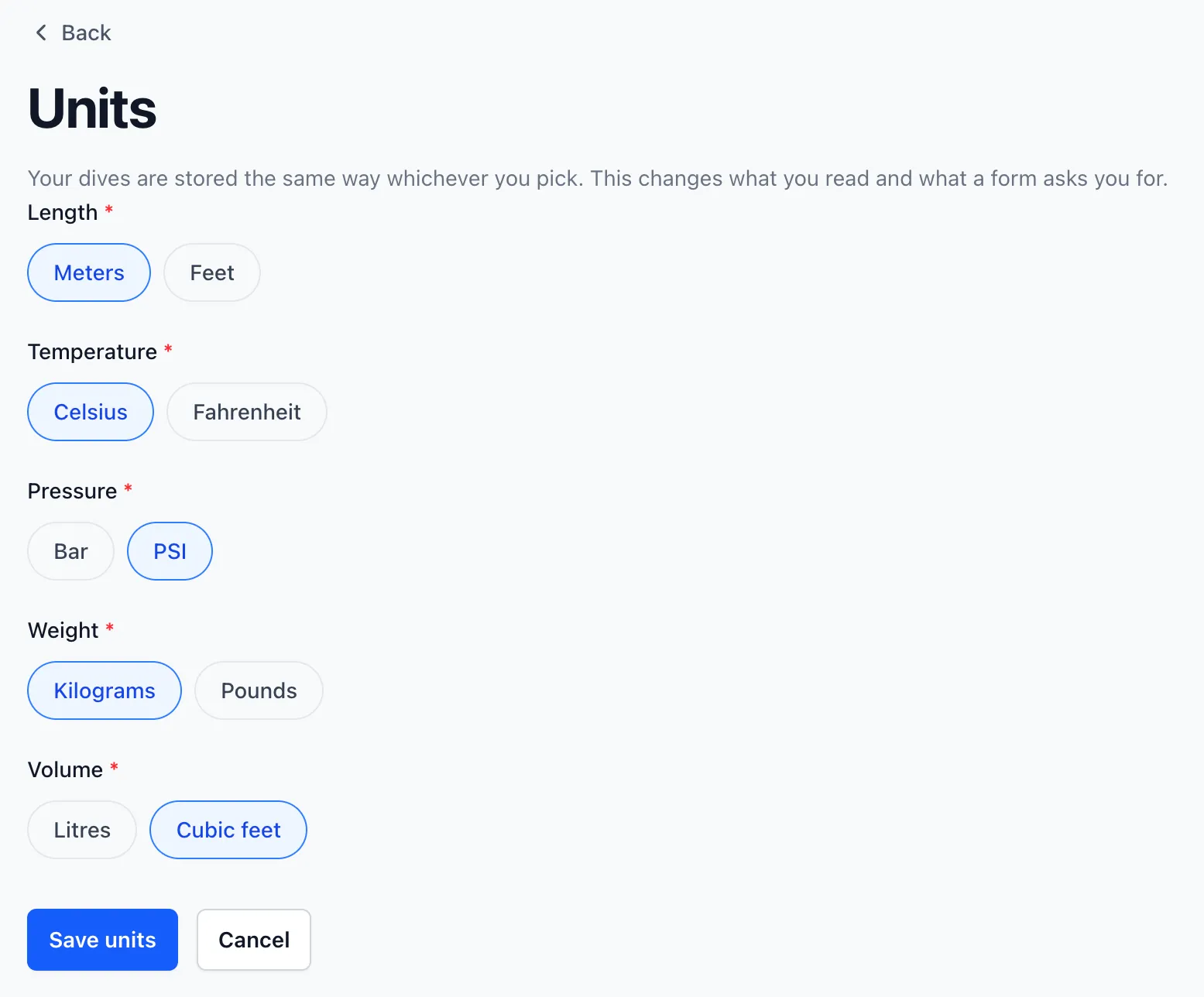
As with the other choices, nothing changes in how the cylinder is stored. Your cylinders remain in litres whichever unit you pick, and if you switch back to litres you get exactly the values you had before.
The API doesn't change either. A cylinder's volume is still returned in litres, for the same reasons I gave in the previous post.
With this one, the list of units I promised in August is complete. If a tank in your logbook now reads a size you don't recognise, please write to me, as it's most likely a bug I want to know about. Until next time, dive safe! 🤿